6 Best Alternatives to the Samsung 24″ ViewFinity S6 QHD (2026)
As Amazon Associates, we earn from qualifying purchases. This means we may receive a small commission at no extra cost to you if you click through and make a purchase.
As an Amazon Associate we earn from qualifying purchases. Links on this page are affiliate links.
The Samsung 24" ViewFinity S6 QHD offers QHD resolution and 100Hz refresh rates for clear, smooth visuals. It includes USB-C charging and a KVM switch for managing multiple devices efficiently. If you are looking for samsung 24 viewfinity s6 qhd alternatives, you might want a different size or port selection. Some users need larger screens for multitasking, while others prefer simpler docking stations without Ethernet.
We selected these monitors because their specifications overlap with the original model. The list includes options with USB-C hubs, higher brightness, or wider aspect ratios. You can find QHD clarity on a 24-inch panel or explore ultrawide formats for expanded workspace. Each alternative targets specific productivity needs, from basic office tasks to enhanced media consumption. Review the resolution, refresh rate, and available ports to find the best fit for your desk setup.
How each alternative compares
Samsung 24-Inch ViewFinity S6 QHD Monitor
This Samsung ViewFinity S6 variant swaps the USB-C port for USB-A connectivity. You lose the single-cable solution for data and charging, but retain the same 24-inch QHD panel and 100Hz refresh rate. The physical dimensions and weight remain identical to the original model. If you do not need USB-C power delivery for your laptop, this version offers the same sharp visuals and ergonomic height-adjustable stand. It is a straightforward choice for users who prefer traditional video inputs or already have a dedicated power source for their display. The trade-off is strictly in the port selection, leaving the core viewing experience unchanged.
ASUS 24-Inch 1200p USB-C Docking Monitor
The ASUS BE248CFN drops the QHD resolution for a lower WUXGA panel, which means less pixel density on the same 24-inch screen. However, it maintains a 100Hz refresh rate and includes a built-in USB hub and Ethernet port, similar to the Samsung. It weighs slightly more at 12.8 pounds. This monitor is designed for users who prioritize docking convenience and a clean desk setup over high-resolution text clarity. If you connect via USB-C for both video and power, you get a similar docking experience. The main difference is the reduced screen sharpness, making it better for general productivity than detailed graphic work.
ViewSonic VG2458 24-Inch 1080p Docking Monitor
The ViewSonic VG2458 offers 1080p resolution instead of QHD, resulting in a less sharp image on the 24-inch panel. It provides a 100W USB-C charging output, which is higher than the Samsung's 90W. Like the original, it includes an Ethernet port and a height-adjustable stand. It is slightly heavier at 13.6 pounds. This monitor suits users who need stronger laptop charging and reliable wired internet connectivity without needing the extra screen real estate of higher resolutions. If you prioritize charging speed and network stability over pixel density, this ViewSonic model is a practical alternative that simplifies your desk connection.
KTC 27-Inch Mini-LED Gaming Monitor
The KTC M27T6S moves to a larger 27-inch screen with QHD resolution, providing more total screen real estate than the 24-inch Samsung. It features Mini-LED technology for higher brightness and better contrast, which the Samsung lacks. It supports Adaptive-Sync for smoother gaming visuals. However, it omits USB-C and Ethernet ports, requiring separate cables for power and data. This monitor is ideal for users who want a bigger display for media consumption or gaming and do not need the docking convenience of the Samsung. The trade-off is the loss of connectivity options in exchange for superior image quality and size.
LG 34-Inch Curved Ultrawide USB-C Monitor
The LG 34WR55QK-B is a 34-inch ultrawide monitor with QHD resolution, offering significantly more horizontal space than the Samsung's 24-inch panel. It includes USB-C connectivity and a height-adjustable stand, similar to the original. It features a curved screen for a more immersive experience. This monitor is designed for multitaskers who need extra width for multiple windows. It is heavier at 15.2 pounds and larger in footprint. If you value screen width for productivity over the compact size and vertical clarity of the Samsung, this LG model provides a spacious workspace. It sacrifices the vertical aspect ratio for a wider, curved canvas.
LG 34-Inch UltraWide 1080p IPS Monitor
The LG 34U530A-W is another 34-inch ultrawide option, but it uses a lower 1080p resolution, which results in lower pixel density compared to the Samsung's QHD panel. It includes USB-C connectivity and HDR support. It is the heaviest option at 19.4 pounds. This monitor is best for users who prioritize horizontal workspace for multitasking and do not need high-resolution text clarity. It offers a wide canvas similar to the other LG ultrawide but with less sharpness. If you need a large, affordable ultrawide display for general office tasks and prefer a white finish, this model provides the width without the premium resolution of the Samsung ViewFinity S6.
| # | Product | Best for | Price |
|---|---|---|---|
| 1 | Samsung 24" ViewFinity S6 QHD Best overall | productivity and dual-device workflows | |
| 2 | Samsung 24-Inch ViewFinity S6 QHD Monitor Best usb-a | office work needing QHD clarity | |
| 3 | ASUS 24-Inch 1200p USB-C Docking Monitor Best budget | Laptop docking and productivity tasks | |
| 4 | ViewSonic VG2458 24-Inch 1080p Docking Monitor Best premium | Office setups needing Ethernet and 100W charging | |
| 5 | KTC 27-Inch Mini-LED Gaming Monitor Best adaptive-sync | Users wanting a larger 27-inch display with high brightness | |
| 6 | LG 34-Inch Curved Ultrawide USB-C Monitor Best ultrawide qhd | multitasking and productivity on a wide screen | |
| 7 | LG 34-Inch UltraWide 1080p IPS Monitor Also great | multitaskers needing wide horizontal workspace |
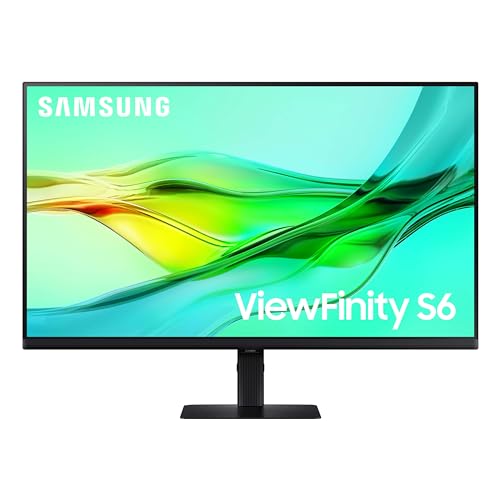
Samsung 24" ViewFinity S6 QHD
Best for: productivity and dual-device workflows
- Screen Size
- 24"
- Resolution
- 2560×1440
- Refresh Rate
- 100Hz
- Ports
- USB-C, LAN
- Features
- HDR, Height-Adjustable Stand
- Size
- 24 Inch
The Samsung ViewFinity S6 is a 24-inch QHD monitor with a 100Hz refresh rate. It features USB-C with 90W charging and a built-in LAN port. The KVM switch lets you control two sources with one keyboard and mouse. An ergonomic stand supports height, tilt, and pivot adjustments. This setup suits professionals who need sharp text and efficient multi-device management.
- QHD 2560×1440 resolution for sharp detail
- USB-C port delivers 90W charging and data
- Built-in KVM switch for dual-source control
- Height-adjustable stand with pivot capability
- 100Hz refresh rate is lower than the 210Hz on the KTC M27T6S
- 24-inch size is smaller than the 27-inch and 34-inch options on the list
- You need a compact 24-inch screen for tight desks
- You want to connect two computers using one keyboard and mouse
- You require USB-C charging for your laptop
- You prioritize high refresh rates for competitive gaming
- You need a larger 27-inch or 34-inch display
- You prefer a curved screen for immersive viewing
Verdict: Samsung 24" ViewFinity S6 QHD Monitor is ideal for office workers who value productivity features like KVM switching and USB-C charging over high refresh rates or large screen real estate.

Samsung 24-Inch ViewFinity S6 QHD Monitor
Best for: office work needing QHD clarity
- Screen Size
- 24"
- Resolution
- 2560×1440
- Refresh Rate
- 100Hz
- Ports
- HDMI, DP, USB-A, USB-B
- Features
- HDR, Height-Adjustable Stand
- Size
- 24 Inch
This 24-inch monitor delivers QHD resolution and a 100Hz refresh rate for clear, smooth visuals. It includes HDR10 support for better contrast and color depth. The stand is height-adjustable and pivots for ergonomic use. You get HDMI, DisplayPort, and USB-A connectivity. It suits users who need a sharp display with flexible positioning for office tasks.
- QHD 2560×1440 resolution for high pixel density
- 100Hz refresh rate reduces stuttering
- Height-adjustable stand with 90-degree pivot
- HDR10 for enhanced color and contrast
- 24-inch size is smaller than 27-inch or ultrawide options
- 100Hz refresh rate is lower than 120Hz or 210Hz alternatives
- 11.9-pound weight is heavier than slim panel designs
- You need QHD clarity on a standard 24-inch screen
- You want a height-adjustable stand for ergonomic comfort
- You require HDMI and DisplayPort connections
- You prefer larger 27-inch or ultrawide displays
- You need high refresh rates above 120Hz for gaming
- You want USB-C connectivity for docking
Verdict: Samsung 24" ViewFinity S6 QHD Monitor offers sharp QHD visuals and a flexible stand for office work. It fits users who prioritize screen clarity and ergonomic adjustability over large size or high refresh rates.

ASUS 24-Inch 1200p USB-C Docking Monitor
Best for: Laptop docking and productivity tasks
- Screen Size
- 24.1"
- Resolution
- 1920×1200
- Refresh Rate
- 100Hz
- Panel Type
- IPS
- Aspect Ratio
- 16:10
- Variable Refresh Rate
- Adaptive-Sync
The ASUS BE248CFN is a 24-inch WUXGA (1920×1200) IPS monitor designed for productivity and docking. It features a 100Hz refresh rate and includes a robust USB-C port delivering 96W of power delivery. This single-cable solution handles video, data, and charging. The display covers 100% of the sRGB color gamut and offers extensive ergonomic adjustments, including height and pivot options. It suits users seeking a clean desk setup with reliable connectivity.
- WUXGA 1920×1200 resolution on a 16:10 aspect ratio
- USB-C port provides 96W power delivery for laptops
- 100Hz refresh rate with Adaptive-Sync technology
- 100% sRGB color gamut coverage
- Height-adjustable stand with 90-degree pivot capability
- 1200P resolution is lower than the QHD options in this guide
- 100Hz refresh rate is slower than the 144Hz or 210Hz gaming monitors listed
- 24-inch screen size is smaller than the 27-inch and 34-inch alternatives
- You need a single-cable docking solution for a laptop
- You prefer a 16:10 aspect ratio for more vertical screen space
- You want a monitor with a height-adjustable stand and pivot function
- You require QHD or 4K resolution for detailed work
- You are looking for a high-refresh-rate gaming display
- You need a larger screen size for multitasking
Verdict: The ASUS BE248CFN 24-inch WUXGA USB-C Monitor fits professionals who prioritize docking convenience and screen real estate over high resolution. It is an ideal choice for users who want to simplify their desk setup with a single cable while maintaining a comfortable, adjustable viewing position.

ViewSonic VG2458 24-Inch 1080p Docking Monitor
Best for: Office setups needing Ethernet and 100W charging
- Screen Size
- 24"
- Resolution
- 1920 x 1080
- Refresh Rate
- 100Hz
- Panel Type
- IPS
- Ports
- USB-C, HDMI, DisplayPort, RJ45
- Features
- Height-Adjustable Stand, USB Hub
The ViewSonic VG2458 is a 24-inch 1080p IPS monitor designed for professional workspaces. It features a 100Hz refresh rate and 100W USB-C docking with RJ45 Ethernet. The stand offers height, tilt, swivel, and rotation adjustments. Eye care includes flicker-free technology and a blue light filter. This monitor suits users needing a single-cable connection for laptops and thin-client integration.
- 100Hz refresh rate for smooth visuals
- 100W USB-C power delivery
- Built-in RJ45 Ethernet port
- Height-adjustable ergonomic stand
- DisplayPort-out for daisy chaining
- 1080p resolution is lower than the QHD alternatives
- 24-inch size is smaller than the 27-inch and 34-inch options
- 13.6 pounds weight is heavier than standard 24-inch monitors
- You need 100W USB-C charging for your laptop
- You require a built-in Ethernet port for wired networking
- You want a monitor with an ergonomic adjustable stand
- You need QHD or 4K resolution for detailed work
- You prefer a larger 27-inch or 34-inch display
- You want a lighter monitor for easy portability
Verdict: ViewSonic VG2458 24" 100Hz USB-C Monitor is a solid choice for office workers who need reliable Ethernet connectivity and strong laptop charging. It fits professionals prioritizing connection versatility over high pixel density.

KTC 27-Inch Mini-LED Gaming Monitor
Best for: Users wanting a larger 27-inch display with high brightness
- Screen Size
- 27"
- Resolution
- 2560 x 1440
- Refresh Rate
- 200Hz (210Hz overclocking)
- Panel Type
- Fast IPS
- Response Time
- 1ms MPRT
- Variable Refresh Rate
- Adaptive Sync
The KTC M27T6S is a 27-inch gaming monitor featuring a 1440p QHD resolution and Mini LED backlighting. It offers a 200Hz refresh rate with Adaptive Sync to reduce motion blur. The panel covers 157% of the sRGB gamut and reaches 1000 nits of peak brightness. This model includes a height-adjustable stand and supports DisplayPort 1.4 and HDMI 2.0 connections for flexible setup.
- 27-inch QHD 2560 x 1440 resolution
- Mini LED with 1152 local dimming zones
- 200Hz refresh rate with Adaptive Sync
- 157% sRGB color gamut coverage
- Height-adjustable stand with tilt and swivel
- 27-inch size is larger than the 24-inch Samsung ViewFinity S6
- 14.4-pound weight is heavier than typical 24-inch office monitors
- HDMI 2.0 ports limit bandwidth compared to HDMI 2.1
- You need a larger 27-inch display for detailed work
- You want high brightness and deep blacks for HDR content
- You require a height-adjustable stand for ergonomic positioning
- You are strictly limited to a 24-inch screen size
- You need a lightweight monitor for frequent transport
- You require HDMI 2.1 for next-gen console features
Verdict: The KTC M27T6S 27-inch Mini LED Monitor suits users who prioritize screen real estate and high dynamic range performance over the compact footprint of the Samsung ViewFinity S6. It delivers superior color volume and brightness for media consumption and gaming.

LG 34-Inch Curved Ultrawide USB-C Monitor
Best for: multitasking and productivity on a wide screen
- Screen Size
- 34-inch
- Resolution
- 3440 x 1440
- Refresh Rate
- 100Hz
- Response Time
- 5ms
- Aspect Ratio
- 21:9
- Ports
- HDMI, DisplayPort, USB-C
The LG 34WR55QK-B is a 34-inch curved monitor with a 21:9 aspect ratio and WQHD resolution. It offers a 100Hz refresh rate and HDR10 support. You get USB-C with 65W power delivery and a height-adjustable stand. This setup helps you manage multiple windows efficiently on one screen.
- WQHD resolution provides clear detail for productivity
- USB-C port delivers up to 65W of power
- Height-adjustable stand allows for ergonomic positioning
- Curved screen enhances immersion for work and media
- 100Hz refresh rate is lower than the 210Hz found on the KTC M27T6S
- 3440 x 1440 resolution is less dense than the 2560 x 1080 on the LG 34U530A when considering pixel count per inch for text
- 15.2 pounds weight is heavier than the 24-inch Samsung ViewFinity S6
- You need a wide screen for multitasking with multiple windows
- You want USB-C connectivity for laptop charging and data
- You prefer a curved display for better immersion
- You require a high refresh rate for competitive gaming
- You have a desk too small for a 34-inch monitor
- You prefer a standard 16:9 aspect ratio for content
Verdict: LG 34-inch UltraWide WQHD Curved Monitor is a solid choice for users who need extra horizontal space for productivity tasks. It suits professionals who value USB-C convenience and an ergonomic stand over high-speed gaming performance.
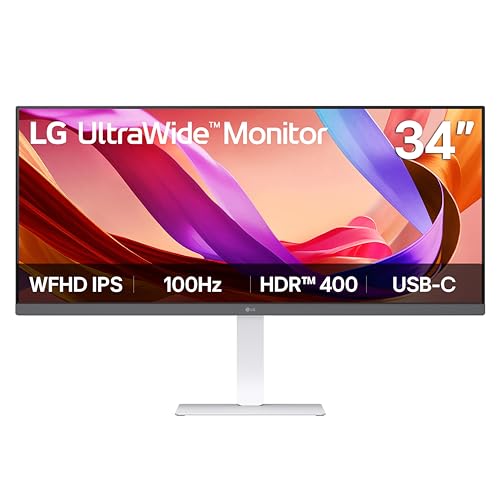
LG 34-Inch UltraWide 1080p IPS Monitor
Best for: multitaskers needing wide horizontal workspace
- Screen Size
- 34"
- Resolution
- 2560 x 1080
- Refresh Rate
- 100Hz
- Panel Type
- IPS
- Aspect Ratio
- 21:9
- Ports
- USB Type-C, DisplayPort, HDMI
This LG monitor gives you a 34-inch 21:9 UltraWide display with 2560 x 1080 resolution. It uses an IPS panel for wide viewing angles and supports 100Hz refresh rates for smooth motion. The screen covers 99% of the sRGB color space and meets VESA DisplayHDR 400 standards. It includes USB-C connectivity and built-in stereo speakers. You will appreciate the wide horizontal space for multitasking and the clean, narrow-bezel design.
- 34-inch 21:9 UltraWide format for expanded horizontal workspace
- IPS panel with 99% sRGB color coverage
- 100Hz refresh rate for smooth visuals
- USB-C port for display and data transfer
- Built-in stereo speakers with MaxxAudio technology
- 2560 x 1080 resolution is lower than the QHD options on this list
- 19.4-pound weight is heavier than the 24-inch competitors
- 34-inch width requires more desk space than standard monitors
- You need extra horizontal screen real estate for multitasking
- You prefer a wide aspect ratio for productivity workflows
- You want USB-C connectivity for a single-cable setup
- You require QHD or higher resolution for sharp text
- You have limited desk width for a 34-inch screen
- You need a standard 16:9 aspect ratio
Verdict: LG 34-inch UltraWide WFHD IPS Monitor offers a wide canvas for multitaskers who value color accuracy and USB-C convenience over high pixel density. It fits users who prioritize horizontal space and a clean, bezel-minimal design for their desktop setup.
Specifications side by side

| Spec | Samsung 24" ViewFinity S6 QHD | Samsung 24-Inch ViewFinity S6 QHD Monitor | ASUS 24-Inch 1200p USB-C Docking Monitor | ViewSonic VG2458 24-Inch 1080p Docking Monitor | KTC 27-Inch Mini-LED Gaming Monitor | LG 34-Inch Curved Ultrawide USB-C Monitor | LG 34-Inch UltraWide 1080p IPS Monitor |
|---|---|---|---|---|---|---|---|
| Screen Size | 24" | 24" | 24.1" | 24" | 27" | 34-inch | 34" |
| Resolution | 2560×1440 | 2560×1440 | 1920×1200 | 1920 x 1080 | 2560 x 1440 | 3440 x 1440 | 2560 x 1080 |
| Refresh Rate | 100Hz | 100Hz | 100Hz | 100Hz | 200Hz (210Hz overclocking) | 100Hz | 100Hz |
| Panel Type | – | – | IPS | IPS | Fast IPS | – | IPS |
| Response Time | – | – | – | – | 1ms MPRT | 5ms | – |
| Aspect Ratio | – | – | 16:10 | – | – | 21:9 | 21:9 |
| Variable Refresh Rate | – | – | Adaptive-Sync | – | Adaptive Sync | – | – |
| Ports | USB-C, LAN | HDMI, DP, USB-A, USB-B | HDMI, USB-C, DisplayPort, RJ45 | USB-C, HDMI, DisplayPort, RJ45 | DP 1.4, HDMI 2.0 | – | USB Type-C, DisplayPort, HDMI |
| Features | HDR, Height-Adjustable Stand | HDR, Height-Adjustable Stand | Built-in Speakers, Height-Adjustable Stand, USB Hub | Height-Adjustable Stand, USB Hub | HDR, Height-Adjustable Stand | HDR, Curved Screen, Height-Adjustable Stand | HDR |
| Use | – | – | – | Business & Office, Mac, Office, Home Office | Gaming | – | – |
| Size | 24 Inch | 24 Inch | 24 Inch | 12.5" x 21.2" x 1.8" | 27-in 200Hz | – | – |
| Operating System | – | – | – | macOS | – | – | – |
| Dimensions | 8.66 × 21.3 × 21.1 inches | 8.66 × 21.3 × 21.1 inches | 8.3 × 20.9 × 18.6 inches | 8.08 × 21.2 × 19.9 inches | 7.59 × 22 × 18.2 inches | 10.2 × 31.9 × 22.4 inches | 9.1 × 32.1 × 21 inches |
| Weight | 11.9 pounds | 11.9 pounds | 12.8 pounds | 13.6 pounds | 14.4 pounds | 15.2 pounds | 19.4 pounds |
| Color | Black | Black | BLACK | Black | White | Black | White |
| Model | LS24D606UANXZA | LS24D606EANXZA | BE248CFN | VG2458 | M27T6S | 34WR55QK-B.AUS | 34U530A-W.AUS |
Frequently asked questions
Is there a larger alternative to the 24-inch Samsung ViewFinity S6?
Yes, the KTC 27-inch Mini-LED Monitor offers a larger display with 1440p QHD resolution. It features Adaptive-Sync for smoother motion and a height-adjustable stand. This model suits users who prioritize screen real estate and high brightness over the compact footprint of the 24-inch S6.
Can I find a QHD ultrawide monitor as an alternative?
The LG 34-inch UltraWide WQHD Curved Monitor provides ultrawide QHD resolution for expanded multitasking. It includes USB-C connectivity and a height-adjustable stand. This option is ideal for professionals who need extra horizontal workspace and ergonomic flexibility rather than a standard 16:9 aspect ratio.
Does any alternative support Ethernet connectivity for office use?
Both the ASUS 24-inch USB-C Docking Monitor and the ViewSonic VG2458 include built-in Ethernet ports. The ASUS model offers WUXGA resolution, while the ViewSonic provides 1080p FHD visuals. These monitors allow direct wired network connections, which is useful for stable office environments without relying on Wi-Fi.
Is there a budget-friendly option with USB-C docking?
The ASUS BE248CFN is positioned as a budget choice featuring USB-C docking capabilities. It delivers WUXGA resolution and a 100Hz refresh rate on a 24-inch IPS panel. This monitor simplifies desk setups by allowing single-cable data and power transmission while maintaining an adjustable viewing angle.
Which alternative offers the highest laptop charging power?
The ViewSonic VG2458 supports 100W laptop charging via its USB-C port. It pairs this with 1080p FHD resolution and 100Hz refresh rates. This makes it a strong candidate for users who need robust power delivery for their devices alongside reliable connectivity options like Ethernet and HDMI.
Are there white-colored monitors available as alternatives?
Yes, the KTC 27-inch Mini-LED Monitor and the LG 34-inch UltraWide WFHD IPS Monitor come in white. The KTC model focuses on gaming features like Adaptive-Sync, while the LG offers a wide canvas for multitasking. These color options allow you to match your desk aesthetic more easily.
See also