The Best Dell Monitors with Integrated Webcams for Remote Work
As Amazon Associates, we earn from qualifying purchases. This means we may receive a small commission at no extra cost to you if you click through and make a purchase.
Eliminating desktop clutter while maintaining professional video quality requires thoughtful hardware selection, which is why choosing a reliable dell monitor with webcam hardware built directly into the frame has become an essential upgrade for remote professionals. Instead of juggling separate webcams, clip-on microphones, external speakers, and a tangled web of power bricks, an integrated display consolidates your collaboration tools into a single desktop footprint. When your display houses a capable camera alongside USB-C docking connectivity, morning standups and client presentations require nothing more than plugging in a single cable to your laptop. Investing in a dell monitor with built in camera capabilities ensures consistent video angles, streamlined cable management, and dependable everyday performance.
This comprehensive roundup analyzes six distinct displays from Dell designed to improve home and office video collaboration. Our dell monitor webcam comparison covers a versatile spectrum of hardware, ranging from dedicated enterprise communication displays with pop-up security cameras and 90W power delivery to high-refresh multimedia monitors equipped with integrated stereo speakers. While each screen serves professional conferencing duties, they differ significantly in display resolution, refresh rate, panel finish, and docking versatility. By comparing their specifications side by side, you can easily determine which dell monitor to buy to optimize your desk layout, daily productivity, and video presence.
Which Dell Monitors with Webcams Should You Buy
- Dell P2426HEV 24″ IPS Monitor com: Best for compact office desks requiring fluid 120Hz scrolling, an embedded 5MP AI webcam, and built-in KVM switching across dual workstations.
- Dell Pro P 27 USB-C Hub: Best for remote professionals wanting sharp 1440p resolution paired with a Sony Starvis 5MP QHD camera and wired Gigabit Ethernet docking.
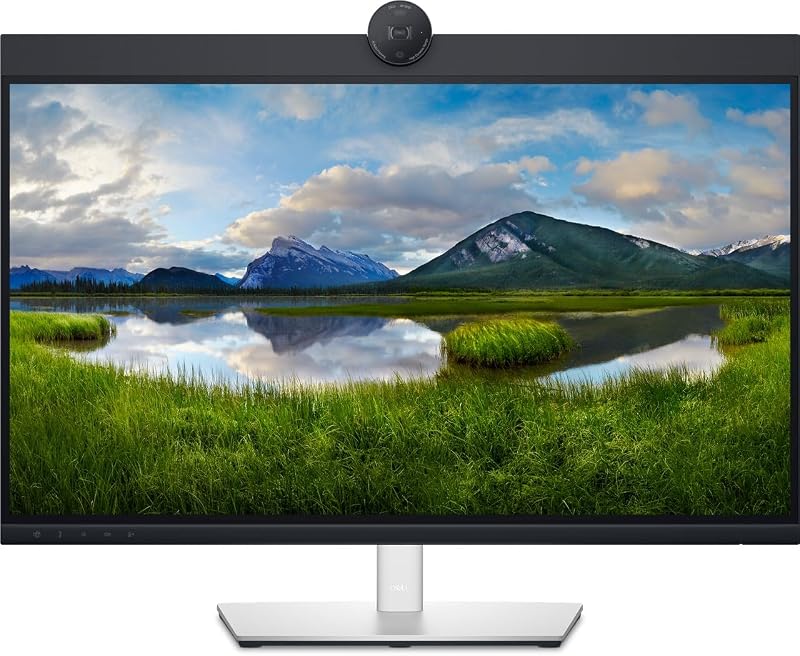
- Dell 27 P27 Video Conference Monitor: Best for visual-focused workers who prefer glossy screen finishes, 1440p screen space, and dedicated one-year technical support.
- Dell 27 Plus Monitor: Best for hybrid workers desiring smooth 144Hz motion, integrated dual 3W audio, and TÜV-certified eye comfort for long workdays.
- Dell 24: Best for enterprise business users seeking certified Microsoft Teams conferencing, physical pop-up privacy hardware, and high-wattage 90W USB-C charging.
- Dell 27 Plus QHD Monitor: Best for productivity multitaskers needing detailed 2560×1440 workspace density, 144Hz panel responsiveness, and full ergonomic stand adjustments.
Dell P2426HEV 24" IPS Monitor com

Dell
8.0/10 Our score
- Color
- Preto
- Size
- 24
Listed by the seller on the product page.
Best for: Compact desks needing fast refresh rates
Pros
- 120Hz refresh rate
- Embedded 5MP AI webcam
- Integrated KVM switcher
- 1500:1 contrast ratio
Cons
- 1080p resolution limits workspace
- Only one downstream USB port listed
The Dell P2426HEV 24″ IPS Monitor com is built for professionals who want a compact display footprint without sacrificing modern display responsiveness or conferencing clarity. Known within corporate circles as the Dell P2426HEV, this 24-inch IPS monitor delivers a Full HD 1920×1080 resolution coupled with an elevated 120Hz refresh rate. That faster refresh speed ensures that scrolling through lengthy legal briefs, code repositories, or complex spreadsheets feels exceptionally fluid. The display also boasts an improved 1500:1 static contrast ratio, offering deeper black levels and richer visual separation than standard office monitors. Its video capabilities are centered around an embedded 5MP AI webcam designed to produce crisp Full HD video for routine virtual collaboration.
Beyond its visual panel and camera, this screen functions as a capable desktop management hub. It incorporates USB-C hardware connectivity, DisplayPort, and HDMI, allowing modern laptops to transfer video signals and data effortlessly. The integrated KVM switcher makes it simple for users managing both a personal computer and a corporate laptop to share a single keyboard, mouse, and monitor setup seamlessly. Environmentally conscious organizations will also appreciate that the chassis is manufactured free of brominated flame retardants (BFR) and polyvinyl chloride (PVC), weighing in at a manageable 3.89 kg.
- 24-inch Full HD 1080p IPS panel featuring a fluid 120Hz refresh rate
- Embedded 5MP AI webcam for reliable video conferencing fidelity
- Built-in KVM switch and USB hub functionality to control multiple devices
- Strong 1500:1 contrast ratio with HDMI, DisplayPort, and USB-C connectivity
This monitor is the ideal match for professionals working in space-constrained apartments or compact corporate cubicles who prioritize rapid refresh rates and multi-system control. While its 24-inch Full HD resolution is remarkably sharp for typical office duties, professionals who require expansive digital real estate for simultaneous side-by-side windows will find that this model naturally gives way to the larger 27-inch 1440p options in Dell’s lineup.
Dell Pro P 27 USB-C Hub

Best for: Remote professionals needing sharp 1440p docking
Pros
- Sony Starvis 5MP QHD webcam
- 2560×1440 QHD IPS display
- Integrated RJ45 Gigabit Ethernet
- Smooth 100Hz refresh rate
Cons
- Heavier desktop weight at nearly seven kilograms
For remote knowledge workers who demand greater screen real estate and higher visual fidelity, the Dell Pro P 27 USB-C Hub represents a substantial step upward. Designated by Dell as the Dell P2726DEV, this display features a 27-inch IPS panel with a native QHD resolution of 2560×1440 pixels. Operating at a smooth 100Hz refresh rate, this monitor delivers crisp text rendering and expansive canvas space, allowing users to comfortably arrange multiple documents and browser tabs simultaneously. The screen features a practical matte finish, 350 nits of peak brightness, a 1500:1 static contrast ratio, and support for 16.7 million colors, making it well-suited for bright home offices with challenging ambient lighting.
Conferencing performance is where this model truly excels. It comes equipped with a Sony Starvis 5MP QHD webcam, providing advanced light sensitivity and exceptional facial clarity during high-stakes video calls. Connectivity is equally robust, transforming the monitor into a comprehensive docking station. In addition to HDMI, DisplayPort, and USB-C video pathways, the monitor incorporates an RJ45 Gigabit Ethernet port, ensuring stable, low-latency wired internet access directly through the display cable. When evaluating a professional dell widescreen monitor for collaborative business environments, the integration of high-speed networking and premium imaging sensors makes a tangible operational difference.
- 27-inch QHD 2560×1440 IPS panel with smooth 100Hz motion
- Integrated Sony Starvis 5MP QHD webcam optimized for professional imaging
- Integrated RJ45 Gigabit Ethernet port for dependable wired networking
- Generous 350 nits brightness and 1500:1 contrast ratio on a matte panel
The Dell P2726DEV is tailored for business executives, consultants, and remote project managers who spend multiple hours a day leading video meetings and require razor-sharp document legibility. Weighing 6.93 kg, it is a sturdy desktop anchor. However, users who require a physical motorized pop-up camera mechanism or dedicated tactile hardware shortcuts for call management may prefer the enterprise-oriented Dell 24 instead.
Dell 27 P27 Video Conference Monitor
Dell
9.2/10 Our score
- Color
- Black
- Size
- L
Listed by the seller on the product page.
Best for: Visual workers preferring glossy 1440p screens
Pros
- Generous 27-inch 1440p canvas
- Vibrant glossy panel finish
- One-year technical support included
Cons
- Webcam specifications not detailed in listing
- Refresh rate omitted from listing data
The Dell 27 P27 Video Conference Monitor provides users with a 27-inch visual canvas built specifically around a 16:9 aspect ratio and wide QHD 1440p screen resolution. Unlike typical office monitors that feature aggressive anti-glare coatings, this model stands out with a glossy screen surface description. Glossy panels allow colors to appear exceptionally vibrant and text edges to remain strikingly sharp, which appeals directly to users who perform design assessments, photo inspections, or visual presentations in controlled lighting environments where specular reflections are minimal.
While the listing does not specify exact webcam sensor megapixels, refresh rate figures, or specific internal port configurations, the monitor is designated specifically for video conference workflows and backed by one year of Dell technical support. Its generous 27-inch dimensions offer ample physical desktop real estate, allowing conference attendees to view shared screen presentations on one half of the monitor while keeping chat windows and collaborative notes legible on the other.
- 27-inch widescreen display with sharp QHD Wide 1440p resolution
- 16:9 aspect ratio optimized for multimedia and virtual meeting layouts
- Glossy screen surface description delivering vivid color reproduction
- Backed by one year of official Dell technical support
This display suits visual professionals and home workers who prefer the punchy contrast and clarity characteristic of glossy displays over standard matte finishes. However, because critical conferencing specifications like camera resolution, speaker wattage, and USB power output are omitted from its listing, buyers seeking fully transparent technical details and certified high-wattage docking should look toward the fully documented Dell Pro P 27 USB-C Hub or Dell 24.
Dell 27 Plus Monitor

Dell
9.4/10 Our score
- Color
- Ash White
- Size
- S2725HSM
- Dimensions
- 7.95 x 24 x 15.32 inches
- Weight
- 12.63 pounds
Listed by the seller on the product page.
Best for: Productivity multitaskers needing sharp fluid visuals
Pros
- Detailed 2560×1440 QHD resolution
- Fast 144Hz refresh rate with AMD FreeSync
- Full ergonomic stand adjustability
- Integrated dual 3W stereo speakers
Cons
- Listing omits integrated webcam sensor specs
- Lacks wired RJ45 Ethernet connectivity
Best for: Hybrid workers balancing office tasks and entertainment
Pros
- Fluid 144Hz refresh rate and 1ms MPRT
- Integrated dual 3W stereo speakers
- Complete height tilt pivot adjustability
Cons
- Lower 1080p pixel density across 27 inches
- Camera sensor details not specified in listing
Designed for professionals who balance demanding office workloads with evening multimedia entertainment, the Dell 27 Plus Monitor brings impressive speed and modern aesthetics to the desktop. Identified by the model code Dell S2725HSM, this 27-inch display sports an elegant Ash White chassis and a Full HD 1920×1080 resolution. What sets it apart from standard corporate displays is its gaming-grade 144Hz refresh rate, 1ms Moving Picture Response Time (MPRT), and AMD FreeSync support. Whether you are quickly reviewing fast-scrolling project timelines or shifting to gaming after hours, the panel completely eliminates motion blur and visual stutter.
Visual comfort and ergonomics are central to this monitor’s design. The stand provides comprehensive mechanical adjustability, supporting full height adjustment, tilt, swivel, and 90-degree pivot rotation into portrait orientation. For audio needs, it incorporates dual 3W integrated speakers that offer a broader frequency range than standard monitor buzzers. The listing does not specify embedded webcam camera resolution details, but it fully supports workspace optimization via the Dell Display and Peripheral Manager application.
- 27-inch Full HD display with ultra-fluid 144Hz refresh rate and 1ms MPRT
- Integrated dual 3W stereo speakers delivering clear desktop audio
- Ergonomic stand with complete height, tilt, pivot, and swivel mechanics
The Dell S2725HSM is ideal for hybrid workers who desire a versatile all-in-one display capable of moving between daytime spreadsheet auditing and evening entertainment. While high-performance gaming displays often branch into specialized designs like a dedicated dell curved gaming monitor, this flat panel maintains a clean, professional profile. Those who require dense pixel pitch for detailed engineering or graphics work will want to consider upgrading to its QHD counterpart, the Dell 27 Plus QHD Monitor.
Dell 24

Dell
8.2/10 Our score
- Color
- Gray
- Dimensions
- 24 x 24 x 17 Inches
- Weight
- 13 Pounds
Listed by the seller on the product page.
Best for: Corporate users wanting certified Teams collaboration
Pros
- Pop-up 5MP IR Windows Hello camera
- 90W USB-C laptop power delivery
- Rich dual 5W integrated speakers
- Dedicated Microsoft Teams hardware button
Cons
- Standard 60Hz refresh rate
- Lower peak brightness of 250 nits
The Dell 24, cataloged as the Dell C2422HE, is purpose-built from the ground up as a premier enterprise dell video conferencing monitor. Featuring a 24-inch Full HD 1080p IPS panel operating at 60Hz with a 1000:1 contrast ratio, this screen focuses intently on high-security corporate collaboration. Its defining hardware feature is a motorized pop-up 5MP infrared camera that tucks securely inside the top bezel when not in active use, providing foolproof physical privacy. The camera incorporates advanced biometric facial recognition fully compatible with Windows Hello, enabling rapid, password-free operating system logins the instant you sit at your desk.
Audio and docking performance on this display are exceptional for remote corporate roles. The lower bezel houses powerful dual 5W integrated speakers that produce clear vocal dialogue, paired with noise-canceling microphone capabilities that isolate speech from background room noise. It features a physical, dedicated Microsoft Teams button that lights up to notify you of incoming calls or missed meetings, allowing you to join conferences with a single touch. As a true docking solution, its USB-C connection delivers up to 90W of laptop charging power—including an Always On Power Delivery feature that charges your machine even while the display is powered down—alongside an integrated RJ45 Ethernet port for rock-solid wired networking.
- Pop-up 5MP IR webcam with Windows Hello biometric facial recognition
- Powerful integrated dual 5W stereo speakers and dedicated Microsoft Teams button
- USB-C docking hub delivering up to 90W Always On Power Delivery and RJ45 Ethernet
- 24-inch Full HD IPS panel featuring ComfortView Plus eye care technology
For enterprise workers, remote account managers, and corporate staff searching for the best dell monitor for zoom, Microsoft Teams, and secure client communication, the Dell C2422HE is an unmatched collaboration asset. It provides every conceivable meeting tool in one tightly integrated package. Its main limitation is its conservative 60Hz refresh rate and standard 1080p resolution, meaning users craving larger 1440p work areas or higher refresh rates should examine the Dell Pro P 27 USB-C Hub.
Dell 27 Plus QHD Monitor

Dell
9.6/10 Our score
- Color
- Ash White
- Size
- S2725DSM
- Dimensions
- 7.95 x 24.07 x 15.36 inches
- Weight
- 14.09 pounds
Listed by the seller on the product page.
Combining generous desktop workspace with rapid screen responsiveness, the Dell 27 Plus QHD Monitor addresses the needs of discerning multitaskers. Carrying the manufacturer model designation Dell S2725DSM, this monitor features a 27-inch IPS panel that pairs a detailed QHD 2560×1440 resolution with a responsive 144Hz refresh rate. Boasting a 1500:1 contrast ratio, 350 nits of brightness, and 99% color gamut coverage, this display renders fine vector graphics, typography, and spreadsheets with pinpoint clarity. Its 1ms MPRT response time and AMD FreeSync support ensure an exceptionally smooth visual experience free from screen tearing.
The display is wrapped in a modern Ash White exterior that complements contemporary office spaces. It includes dual integrated 3W stereo speakers, providing ample acoustic performance for video meetings and media playback without requiring standalone desktop speakers. For physical comfort during grueling workdays, the included stand features comprehensive mechanical adjustments including height customization, tilt, swivel, and full 90-degree pivot orientation.
- 27-inch QHD 2560×1440 IPS screen offering detailed pixel real estate
- High-performance 144Hz refresh rate with 1ms MPRT and AMD FreeSync
- Built-in dual 3W stereo speakers and modern Ash White chassis
- Fully adjustable ergonomic stand supporting height, tilt, pivot, and swivel
This monitor is an outstanding selection for creative professionals, data analysts, and remote workers who require sharp 1440p detail and benefit from the ergonomic relief of a 144Hz panel. While extensive multi-window multitaskers sometimes look toward ultra-wide setups like a dell 49 inch curved monitor, this 27-inch flat panel strikes a practical balance for standard desks. Note that while it excels in resolution and audio, the listing omits integrated webcam camera specifications, so buyers needing guaranteed 5MP video sensors and single-cable 90W laptop charging should opt for the enterprise-focused Dell Pro P 27 USB-C Hub.
What Sets These Models Apart
Understanding the technical differences across Dell’s collaboration displays ensures you select the right display for your specific daily workflow. While enterprise P-series and C-series displays prioritize dedicated video conferencing sensors, wired network jacks, and high-wattage power delivery, the multimedia S-series models emphasize high 144Hz refresh rates, AMD FreeSync motion smoothing, and lifestyle aesthetics. The comparison table below highlights how these six monitors stack up across display size, resolution, panel refresh rates, conferencing hardware, and primary connectivity.
| Monitor Model | Screen Size & Resolution | Refresh Rate | Camera & Audio Capabilities | Key Connectivity & Ports |
|---|---|---|---|---|
| Dell P2426HEV 24″ IPS Monitor com | 24 inches, FHD 1920×1080 | 120Hz | Embedded 5MP AI Webcam | USB-C, DisplayPort, HDMI, KVM Switch |
| Dell Pro P 27 USB-C Hub | 27 inches, QHD 2560×1440 | 100Hz | Sony Starvis 5MP QHD Webcam | USB-C, RJ45 GbE, DisplayPort, HDMI |
| Dell 27 P27 Video Conference Monitor | 27 inches, QHD 2560×1440 | Listing does not specify | Listing does not specify | Glossy Panel, Listing does not specify ports |
| Dell 27 Plus Monitor | 27 inches, FHD 1920×1080 | 144Hz | Dual 3W Speakers (Camera not specified) | HDMI, AMD FreeSync, Full Ergo Stand |
| Dell 24 | 24 inches, FHD 1920×1080 | 60Hz | Pop-up 5MP IR Camera, Dual 5W Speakers | USB-C (90W PD), RJ45 GbE, Teams Button |
| Dell 27 Plus QHD Monitor | 27 inches, QHD 2560×1440 | 144Hz | Dual 3W Speakers (Camera not specified) | HDMI, DisplayPort 1.4, AMD FreeSync |
Buying Tips for Dell Monitors with Webcams
When selecting a collaboration monitor, matching panel resolution to screen size is the first critical decision. A 24-inch monitor pairing a 1920×1080 resolution offers crisp text density without placing excessive computational strain on integrated laptop graphics cards. However, stepping up to a 27-inch canvas is best paired with a 2560×1440 QHD resolution, as seen on the Dell P2726DEV and Dell S2725DSM. The additional pixels provide significantly more usable workspace, enabling you to keep full-size spreadsheets open beside video conferencing windows without text appearing pixelated or cramped.
Connectivity and single-cable docking capability should be your second priority. If your primary objective is eliminating cable clutter on your desk, look for models that feature robust USB-C connectivity with power delivery and integrated RJ45 Gigabit Ethernet ports. Displays like the Dell C2422HE provide up to 90W of power delivery, which is enough to power and charge demanding professional notebooks through the exact same cable that carries video, webcam data, and wired internet. If a monitor lacks integrated USB-C power delivery, you will need to continue using your laptop’s proprietary power adapter alongside external peripheral cables.
Finally, evaluate physical camera mechanics and ergonomic adjustability. For corporate professionals handling sensitive conversations or working in shared family spaces, pop-up camera designs offer unmatched physical privacy because the camera physically retracts inside the bezel when disconnected. Furthermore, compatibility with Windows Hello facial recognition allows for seamless biometric login security. Make sure to also check the stand’s ergonomic adjustability; having full height, tilt, swivel, and pivot capabilities ensures your integrated camera sits at natural eye level, preventing neck strain and awkward low-angle video perspectives during long meetings.
FAQ
Which Dell monitor with built in camera is best for Windows Hello?
The Dell 24 (model C2422HE) is specifically equipped for Windows Hello biometric authentication. Its pop-up 5MP camera features integrated infrared sensors that read your facial geometry instantly, allowing you to bypass manual passwords and log into Windows securely the moment you sit down at your workspace.
What makes the Dell Pro P 27 USB-C Hub webcam suitable for low-light calls?
The Dell Pro P 27 USB-C Hub (P2726DEV) incorporates a premium Sony Starvis 5MP QHD camera sensor. Sony Starvis sensors are engineered specifically for superior light sensitivity and low-noise imaging, ensuring your video feed remains clear, balanced, and sharp even in dim home office settings with uneven ambient light.
Can a Dell video conferencing monitor power a connected laptop?
Yes, models equipped with high-wattage USB-C power delivery can charge your notebook while transmitting video and data. For example, the Dell 24 (C2422HE) supplies up to 90W of power through its single USB-C connection, featuring an Always On Power Delivery mode that keeps your laptop battery charged even when the monitor is turned off.
What is the primary difference between Dell P-series and S-series collaboration displays?
Dell P-series (Professional) monitors are designed strictly for office and enterprise utility, focusing on USB-C docking, wired RJ45 network connectivity, KVM switches, and dedicated 5MP webcams. In contrast, Dell S-series (Plus/Lifestyle) displays emphasize entertainment versatility, modern Ash White styling, built-in stereo speakers, and gaming-grade 144Hz refresh rates with AMD FreeSync support.
Which Dell monitor is best for Zoom and Microsoft Teams meetings?
The Dell 24 (C2422HE) is the premier choice for virtual meetings because it is officially certified for Microsoft Teams and features a dedicated hardware Teams button on the bottom bezel. Combined with powerful dual 5W speakers, noise-canceling microphone arrays, and a pop-up 5MP camera, it delivers the most integrated meeting experience in Dell’s lineup.