Looking Beyond the Lenovo Legion 27QD-10 Gaming Monitor? 6 Alternatives Worth a Look
As Amazon Associates, we earn from qualifying purchases. This means we may receive a small commission at no extra cost to you if you click through and make a purchase.
As an Amazon Associate we earn from qualifying purchases. Links on this page are affiliate links.
The Lenovo Legion 27QD-10 delivers a 240Hz refresh rate and 1440p QHD resolution on an IPS panel. It covers 99% of the sRGB color gamut and includes robust connectivity with HDMI 2.1 and USB-C. If you are searching for lenovo legion 27qd 10 gaming monitor alternatives, you may need different specifications. Some buyers prefer official G-SYNC validation over FreeSync compatibility. Others might want a higher 320Hz refresh rate or a specific white aesthetic. You may also prioritize built-in speakers or a height-adjustable stand for better ergonomics.
We selected these 6 options because their core specs overlap with the original model. Each alternative shares the 27-inch form factor and QHD resolution. They all use IPS panels for consistent viewing angles. The list includes models with 240Hz, 180Hz, and 300Hz refresh rates. This approach ensures you can compare practical differences in speed, color accuracy, and connectivity. You can choose based on which features matter most for your setup. The following sections detail the specific attributes of each contender.
How the alternatives compare
LG 27-Inch 240Hz QHD Gaming Monitor
The LG 27GR83Q-B matches the 240Hz refresh rate and QHD resolution of the Lenovo Legion 27QD-10 on an IPS panel. It distinguishes itself with official NVIDIA G-SYNC validation, whereas the Lenovo model relies on FreeSync and Adaptive Sync compatibility. This LG monitor includes HDR support and uses HDMI and DisplayPort connections. You lose the Lenovo’s USB-C port and broader color gamut coverage here. If you prioritize certified sync technology and HDR over USB-C connectivity, this LG model is a strong alternative for your gaming setup.
KTC 27 Inch 240Hz IPS Gaming Monitor
The KTC H27E6 offers a 240Hz refresh rate and QHD resolution on an IPS panel, similar to the Lenovo. It includes built-in speakers and HDR support, features the Lenovo lacks. The KTC uses Adaptive-Sync rather than the specific FreeSync Premium found in the Lenovo. You give up the Lenovo’s USB-C connectivity and higher color gamut coverage for these audio and HDR capabilities. If you want integrated audio and don’t need USB-C for device charging or data, this KTC monitor provides a solid, self-contained gaming experience with comparable motion clarity.
KTC H27E6 27-inch QHD White Monitor
The KTC H27E6 White pushes speed further with a 320Hz refresh rate, significantly higher than the Lenovo’s 240Hz. It maintains QHD resolution and an IPS panel with FreeSync support. This model features a white aesthetic and HDR support, differing from the Lenovo’s black chassis. You sacrifice the Lenovo’s USB-C port and superior color accuracy for this higher frame rate. If you are a competitive gamer who needs every possible frame and prefers a white design, this KTC monitor offers faster motion clarity than the Lenovo Legion.
ASUS VG27AQM5A 27" 300Hz Gaming Monitor
The ASUS TUF VG27AQM5A delivers a 300Hz refresh rate, beating the Lenovo’s 240Hz. It keeps the QHD resolution and IPS panel type. This ASUS model includes built-in speakers and supports both FreeSync and G-SYNC, offering broader sync compatibility than the Lenovo. You lose the Lenovo’s USB-C connectivity and its 99% sRGB color coverage. The ASUS is lighter at 10.1 pounds. If you want the highest possible refresh rate and certified G-SYNC support without USB-C, this ASUS monitor is a faster, lighter alternative for competitive play.
Acer Nitro 27-Inch 240Hz QHD IPS Monitor
The Acer Nitro XV272U matches the Lenovo’s 240Hz refresh rate and QHD resolution on an IPS panel. It includes a height-adjustable stand and built-in speakers, features the Lenovo lacks. The Acer supports HDR and FreeSync. You give up the Lenovo’s USB-C port and its wider color gamut for ergonomic flexibility and audio. The Acer is slightly lighter at 11.5 pounds. If you need a stand that adjusts in height for better posture and want integrated speakers, this Acer monitor is a practical alternative to the Lenovo Legion.
Pixio PX278 Wave White 27-inch 180Hz
The Pixio PX278 Wave White offers a lower 180Hz refresh rate compared to the Lenovo’s 240Hz. It maintains QHD resolution and an IPS panel with FreeSync support. This monitor features a white chassis and built-in speakers, differing from the Lenovo’s black design and lack of audio. You lose significant speed and the Lenovo’s USB-C connectivity for this aesthetic and audio upgrade. If you do not need the highest frame rates and prefer a white look with speakers, this Pixio monitor is a suitable mid-tier alternative for casual gaming.
| # | Product | Best for | Price |
|---|---|---|---|
| 1 | Lenovo Legion 27QD-10 27" QHD 240Hz Best overall | Gamers seeking balanced speed and color accuracy | |
| 2 | LG 27-Inch 240Hz QHD Gaming Monitor Also great | Gamers seeking G-SYNC validation and color accuracy | |
| 3 | KTC 27 Inch 240Hz IPS Gaming Monitor Best budget | gamers needing high refresh rates with built-in audio | |
| 4 | KTC H27E6 27-inch QHD White Monitor Best premium | competitive gamers wanting high refresh rates | |
| 5 | ASUS VG27AQM5A 27" 300Hz Gaming Monitor Also great | competitive gaming with high color accuracy | |
| 6 | Acer Nitro 27-Inch 240Hz QHD IPS Monitor Best height-adjustable stand | Gamers needing ergonomic flexibility | |
| 7 | Pixio PX278 Wave White 27-inch 180Hz Best 180hz | White aesthetic gamers wanting 180Hz QHD |
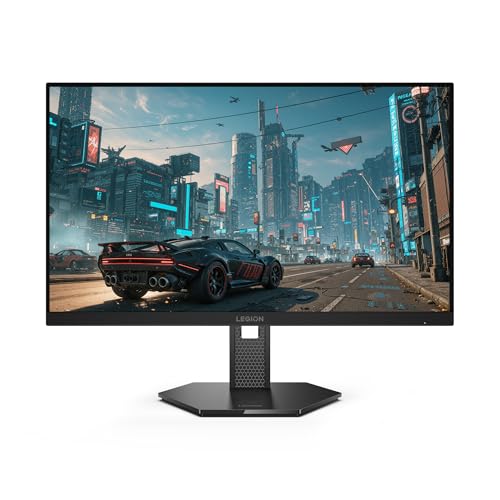
Lenovo Legion 27QD-10 27" QHD 240Hz
Best for: Gamers seeking balanced speed and color accuracy
- Screen Size
- 27"
- Resolution
- QHD
- Refresh Rate
- 240Hz
- Panel Type
- IPS
- Response Time
- 0.5 ms MPRT
- Variable Refresh Rate
- FreeSync Premium, G-SYNC Compatible
This 27-inch QHD IPS monitor targets competitive gamers with a 240Hz refresh rate and 0.5ms MPRT response time. It covers 99% sRGB and 90% DCI-P3 for accurate color reproduction. You get NVIDIA G-SYNC compatibility and AMD FreeSync Premium to prevent tearing. The stand offers ergonomic adjustments for comfort during long sessions.
- 240Hz refresh rate for smooth motion
- 0.5ms MPRT response time
- 99% sRGB and 90% DCI-P3 color coverage
- NVIDIA G-SYNC compatibility and AMD FreeSync Premium
- USB-C and HDMI 2.1 connectivity
- 240Hz refresh rate is lower than the 300Hz or 320Hz options on this list
- 12.3-pound weight is heavier than some lighter alternatives
- 24.2-inch width is slightly narrower than the 27-inch footprint of competitors
- You want a balanced mix of high refresh rate and color accuracy
- You need versatile connectivity including USB-C for single-cable setups
- You prefer an ergonomic stand with adjustable positioning
- You need the absolute highest refresh rate available, such as 300Hz or 320Hz
- You prioritize a lighter monitor for easy desk mobility
- You only care about basic 1440p gaming without advanced sync features
Verdict: Lenovo Legion 27QD-10 27-inch Gaming Monitor suits players who value color fidelity alongside high speed. It delivers a solid 240Hz experience with robust connectivity, making it a reliable choice for mixed gaming and content work.

LG 27-Inch 240Hz QHD Gaming Monitor
Best for: Gamers seeking G-SYNC validation and color accuracy
- Screen Size
- 27"
- Resolution
- 2560 x 1440
- Refresh Rate
- 240Hz
- Panel Type
- IPS
- Response Time
- 1ms (GtG)
- Variable Refresh Rate
- G-SYNC Compatible, AMD FreeSync Premium
The LG 27GR83Q-B is a 27-inch QHD IPS gaming monitor with a 240Hz refresh rate and 1ms response time. It supports both NVIDIA G-SYNC and AMD FreeSync Premium for tear-free gameplay. The display covers 95% of the DCI-P3 color gamut and includes VESA DisplayHDR 400. This model offers versatile connectivity via HDMI 2.1 and DisplayPort 1.4, making it suitable for high-performance gaming setups.
- 240Hz refresh rate for smooth motion
- 1ms GtG response time on IPS panel
- Official NVIDIA G-SYNC Compatible validation
- Covers 95% of DCI-P3 color gamut
- Supports HDMI 2.1 and DisplayPort 1.4
- 240Hz refresh rate is lower than the 300Hz options available
- 13.7-pound weight is heavier than lighter alternatives
- DisplayHDR 400 is less vibrant than higher HDR tiers
- You want official G-SYNC compatibility
- You prioritize accurate colors with 95% DCI-P3 coverage
- You need both HDMI 2.1 and DisplayPort 1.4
- You need the highest possible 300Hz refresh rate
- You prefer a lighter monitor under 12 pounds
- You require advanced HDR1000 brightness levels
Verdict: The LG 27GR83Q-B 27-inch QHD Gaming Monitor fits gamers who value official G-SYNC validation and rich color accuracy over maximum refresh rate speed.
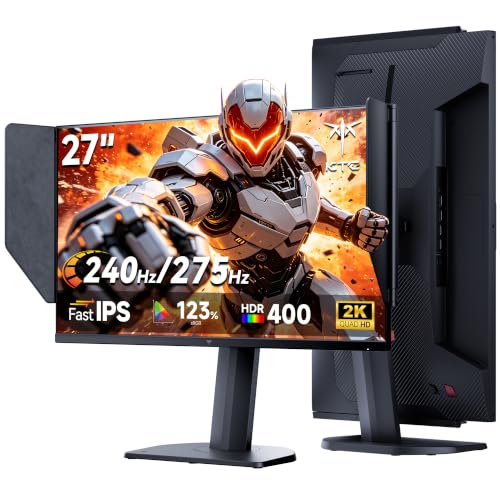
KTC 27 Inch 240Hz IPS Gaming Monitor
Best for: gamers needing high refresh rates with built-in audio
- Screen Size
- 27"
- Refresh Rate
- 240Hz oc 275Hz
- Panel Type
- Fast IPS
- Response Time
- 1ms MPRT
- Variable Refresh Rate
- Adaptive Sync
- Ports
- HDMI, DP 1.4
The KTC 27M1 Pro is a 27-inch QHD IPS monitor designed for gaming. It offers a native 240Hz refresh rate that overclocks to 275Hz via DisplayPort 1.4. The panel supports Adaptive Sync to reduce tearing. It includes built-in speakers and HDR support. This model suits competitive players seeking high refresh rates and motion clarity without external audio gear.
- 240Hz native refresh rate with 275Hz overclock capability
- 1ms MPRT response time for reduced motion blur
- Built-in speakers for audio convenience
- IPS panel with Adaptive Sync support
- Refresh rate is lower than the 300Hz or 320Hz options available from competitors like KTC and ASUS
- Weight of 12.3 pounds makes it heavier than some lighter alternatives on the list
- You want a high refresh rate monitor that includes built-in speakers
- You prefer an IPS panel with Adaptive Sync for smooth gameplay
- You are looking for a 27-inch QHD display for competitive gaming
- You require a refresh rate of 300Hz or higher for maximum competitive advantage
- You need a lighter monitor for easy desk mobility
- You prefer a monitor without built-in speakers to save weight
Verdict: KTC 27-inch 240Hz QHD Gaming Monitor fits gamers who value high refresh rates and built-in audio. It is a solid choice for those prioritizing motion clarity over the highest possible frame rates found in other models.

KTC H27E6 27-inch QHD White Monitor
Best for: competitive gamers wanting high refresh rates
- Screen Size
- 27 Inch
- Resolution
- 2K 1440P
- Refresh Rate
- 300Hz (up to 320Hz)
- Panel Type
- Fast IPS
- Response Time
- 1ms MPRT
- Variable Refresh Rate
- Adaptive FreeSync
This 27-inch QHD monitor features a Fast IPS panel with a 320Hz refresh rate and 1ms MPRT response time. It includes HDR400 support and 144% sRGB color accuracy for vivid visuals. The stand offers height, tilt, swivel, and 90-degree pivot adjustments. It suits gamers seeking high refresh rates and ergonomic flexibility in a white chassis.
- 320Hz overclocked refresh rate for ultra-smooth gameplay
- 144% sRGB color accuracy on Fast IPS panel
- Height adjustable stand with 90-degree pivot support
- HDR400 certification for enhanced contrast and brightness
- 1000:1 contrast ratio is lower than typical IPS competitors
- No G-Sync compatibility listed in specifications
- You want a high-refresh-rate monitor with a white design
- You need a stand that pivots for portrait viewing
- You prioritize color accuracy over deep black levels
- You require NVIDIA G-Sync certified hardware
- You prefer a standard 1000:1 contrast ratio minimum
- You need a monitor with built-in speakers
Verdict: KTC 27-inch White QHD 320Hz Monitor delivers high-speed performance and ergonomic versatility for competitive gamers who value color fidelity and a white aesthetic over native HDR contrast depth.

ASUS VG27AQM5A 27" 300Hz Gaming Monitor
Best for: competitive gaming with high color accuracy
- Screen Size
- 27 Inch
- Resolution
- 2560×1440
- Refresh Rate
- 300Hz
- Panel Type
- Fast IPS
- Response Time
- 0.3ms
- Variable Refresh Rate
- G-SYNC
This 27-inch QHD monitor delivers a 300Hz refresh rate with Fast IPS technology. It includes G-SYNC compatibility and ELMB Sync to reduce motion blur. The panel covers 95% of the DCI-P3 color gamut for accurate visuals. Integrated speakers provide basic audio output. It weighs 10.1 pounds and measures 24.2 inches wide. This setup suits gamers who prioritize high frame rates and color accuracy.
- 300Hz refresh rate for smooth gameplay
- 0.3ms response time with Fast IPS
- 95% DCI-P3 color gamut coverage
- ELMB Sync reduces motion blur
- Built-in speakers for convenient audio
- Heavier build at 10.1 pounds compared to lighter alternatives
- Standard 3-year warranty is shorter than some competitors
- Integrated speakers offer limited audio quality
- You want a 300Hz refresh rate for competitive gaming
- You need G-SYNC compatibility for tear-free visuals
- You value wide color gamut for content creation
- You prefer a lighter monitor under 10 pounds
- You require a longer than 3-year manufacturer warranty
- You need premium built-in audio without external speakers
Verdict: ASUS TUF VG27AQM5A 300Hz QHD fits gamers who want high refresh rates and accurate colors in a sturdy package. It is a solid choice for those who prioritize performance over weight.

Acer Nitro 27-Inch 240Hz QHD IPS Monitor
Best for: Gamers needing ergonomic flexibility
- Screen Size
- 27"
- Resolution
- 2560 x 1440
- Refresh Rate
- 240Hz
- Panel Type
- IPS
- Response Time
- 1ms (G to G) – Up to 0.5ms (G to G)
- Variable Refresh Rate
- AMD FreeSync Premium
This 27-inch QHD IPS monitor offers a 240Hz refresh rate and 0.5ms response time for smooth gaming. It features AMD FreeSync Premium to reduce screen tearing. The standout Ergostand provides height adjustment, pivot, and swivel capabilities. You get two 2W built-in speakers and multiple ports including DisplayPort 1.4 and HDMI 2.0. It is a solid option for gamers who value ergonomic flexibility and high refresh rates.
- 27-inch QHD (2560×1440) IPS display
- 240Hz refresh rate via DisplayPort
- Height-adjustable Ergostand with pivot and swivel
- 0.5ms response time (G to G)
- Built-in 2W stereo speakers
- 240Hz refresh rate is lower than the 300Hz and 320Hz options on this list
- 2W built-in speakers are less powerful than typical standalone audio setups
- HDMI port is limited to 144Hz, requiring DisplayPort for the full 240Hz
- You need a monitor with a height-adjustable stand for better ergonomics
- You want a 240Hz refresh rate for competitive gaming
- You prefer an IPS panel for accurate colors
- You require a refresh rate higher than 240Hz
- You need HDMI 2.1 for next-gen console features
- You want built-in speakers with high volume and bass
Verdict: Acer Nitro XV272U 27-inch 240Hz Monitor suits gamers who prioritize ergonomic adjustability and solid QHD performance over the absolute highest refresh rates available.

Pixio PX278 Wave White 27-inch 180Hz
Best for: White aesthetic gamers wanting 180Hz QHD
- Screen Size
- 27 inch
- Resolution
- 2560 x 1440
- Refresh Rate
- 180Hz
- Panel Type
- Fast IPS
- Response Time
- 1ms GTG
- Variable Refresh Rate
- AMD FreeSync
The Pixio PX278 Wave White is a 27-inch QHD gaming monitor with a 180Hz refresh rate and 1ms response time. It uses a Fast IPS panel for accurate colors and wide viewing angles. AMD FreeSync helps reduce screen tearing. The unit includes built-in speakers and a minimalist white design. It suits gamers who want smooth visuals and a clean aesthetic without needing the highest 240Hz speeds found elsewhere.
- 180Hz refresh rate for fluid motion
- 1ms GTG response time
- 2560×1440 QHD IPS panel
- Built-in speakers
- FreeSync support
- 180Hz refresh rate is lower than the 240Hz or 300Hz options on this list
- HDMI 2.0 ports are limited to 144Hz at 1440p
- No mention of G-SYNC compatibility
- You prefer a white monitor to match your desk setup
- You want QHD clarity with a 180Hz refresh rate
- You need built-in speakers for casual use
- You require a 240Hz or higher refresh rate
- You need G-SYNC certification for your NVIDIA GPU
- You want HDMI 2.1 support for future consoles
Verdict: Pixio PX278 Wave White 27-inch 180Hz offers a balanced mix of QHD resolution and smooth 180Hz performance in a white chassis. It fits buyers who value aesthetics and solid mid-tier specs over top-end speed.
Specifications side by side

| Spec | Lenovo Legion 27QD-10 27" QHD 240Hz | LG 27-Inch 240Hz QHD Gaming Monitor | KTC 27 Inch 240Hz IPS Gaming Monitor | KTC H27E6 27-inch QHD White Monitor | ASUS VG27AQM5A 27" 300Hz Gaming Monitor | Acer Nitro 27-Inch 240Hz QHD IPS Monitor | Pixio PX278 Wave White 27-inch 180Hz |
|---|---|---|---|---|---|---|---|
| Screen Size | 27" | 27" | 27" | 27 Inch | 27 Inch | 27" | 27 inch |
| Resolution | QHD | 2560 x 1440 | – | 2K 1440P | 2560×1440 | 2560 x 1440 | 2560 x 1440 |
| Refresh Rate | 240Hz | 240Hz | 240Hz oc 275Hz | 300Hz (up to 320Hz) | 300Hz | 240Hz | 180Hz |
| Panel Type | IPS | IPS | Fast IPS | Fast IPS | Fast IPS | IPS | Fast IPS |
| Response Time | 0.5 ms MPRT | 1ms (GtG) | 1ms MPRT | 1ms MPRT | 0.3ms | 1ms (G to G) – Up to 0.5ms (G to G) | 1ms GTG |
| Variable Refresh Rate | FreeSync Premium, G-SYNC Compatible | G-SYNC Compatible, AMD FreeSync Premium | Adaptive Sync | Adaptive FreeSync | G-SYNC | AMD FreeSync Premium | AMD FreeSync |
| Ports | USB-C, HDMI 2.1, DP 1.4, USB-A | HDMI 2.1, DisplayPort 1.4 | HDMI, DP 1.4 | DP 1.4 x 2, HDMI 2.1 x 2 | – | 1 x Display Port 1.4, 2 x HDMI 2.0 | 1x DisplayPort 1.4, 2x HDMI 2.0 |
| Features | – | HDR | HDR, Built-in Speakers | HDR | Built-in Speakers | HDR, Built-in Speakers, Height-Adjustable Stand | Built-in Speakers |
| Use | Gaming | Gaming | Gaming | Gaming | Gaming | Gaming | Gaming |
| Size | – | 240Hz-HDMI/DP | 27in 275hz w/ hood | 27 Inch | – | 27 Inch | 27 Inch |
| Dimensions | 8.43 × 24.2 × 20.8 inches | 10 × 24.2 × 22.7 inches | 8.5 × 24.1 × 21.2 inches | 6 × 18 × 30 inches | 8.4 × 24.2 × 17.9 inches | 9.2 × 24.2 × 18 inches | 8.3 × 24.2 × 18.2 inches |
| Weight | 12.3 pounds | 13.7 pounds | 12.3 pounds | – | 10.1 pounds | 11.5 pounds | – |
| Color | Raven Black | Black | Black | White | BLACK | Black | White |
| Model | 67D2UAC1US | 27GR83Q-B.AUS | H27E8 | H27E6 | VG27AQM5A | UM.HX2AA.201 | PX278WAVEW |
Frequently asked questions
Which monitor offers the highest refresh rate among these alternatives?
The ASUS VG27AQM5A provides the highest refresh rate at 300Hz. This model targets competitive gamers who need the smoothest possible motion clarity. It maintains a 1440p QHD resolution on an IPS panel while supporting both FreeSync and G-SYNC variable refresh rates. The other options cap out at 240Hz or 320Hz for the KTC H27E6, but the ASUS delivers a sturdy build with accurate colors for high-speed play.
Is there a white monitor option available in this list?
Yes, the KTC H27E6 and the Pixio PX278 Wave White both feature a white chassis. The KTC model delivers a 320Hz refresh rate for competitive gaming, while the Pixio offers 180Hz performance. Both use IPS panels for consistent viewing angles. These designs suit users who prefer a lighter aesthetic for their desk setup without sacrificing the 1440p QHD resolution found in most modern gaming monitors.
Which alternative includes built-in speakers?
The KTC 27 Inch 240Hz IPS Gaming Monitor, the ASUS VG27AQM5A, the Acer Nitro XV272U, and the Pixio PX278 Wave White all include built-in speakers. This feature allows you to connect your console or PC without needing external audio devices. The KTC and Acer models also provide additional ergonomic or aesthetic benefits, such as height-adjustable stands or specific color gamut coverage, alongside this audio convenience.
Does any model support NVIDIA G-SYNC?
The LG 27GR83Q-B and the ASUS VG27AQM5A both support NVIDIA G-SYNC. The LG model offers official G-SYNC validation alongside FreeSync compatibility, ensuring smooth gameplay with NVIDIA graphics cards. The ASUS model also lists G-SYNC support along with FreeSync. These monitors maintain 1440p QHD resolution and high refresh rates, making them suitable for gamers who prioritize variable refresh rate technology from NVIDIA.
Which monitor has a height-adjustable stand?
The Acer Nitro XV272U is the only model explicitly noted for having a height-adjustable stand. This feature allows you to raise or lower the screen for better ergonomic positioning. It also includes built-in speakers and HDR support. While other monitors like the Lenovo Legion 27QD-10 focus on connectivity and color accuracy, the Acer prioritizes physical adjustability for users who need to customize their viewing angle and height.
What is the difference between the two KTC monitors?
The KTC H27E6 is a white 27-inch QHD monitor with a 320Hz refresh rate, designed for competitive gamers. The KTC 27 Inch 240Hz IPS Gaming Monitor is black, features built-in speakers, and offers 240Hz performance. Both use IPS panels and support Adaptive Sync or FreeSync. The H27E6 targets high-speed play with a distinct aesthetic, while the other model includes audio hardware and focuses on motion clarity for general gaming.
See also