15 Best ViewSonic Monitors for Mac, Compared
As Amazon Associates, we earn from qualifying purchases. This means we may receive a small commission at no extra cost to you if you click through and make a purchase.
As an Amazon Associate we earn from qualifying purchases. Links on this page are affiliate links.
Finding the best ViewSonic monitors for mac requires matching your workflow to specific hardware capabilities. We compared 15 models based strictly on the specifications published on their listings. The ViewSonic 27-Inch 4K UHD IPS Monitor leads because it delivers 4K resolution on an IPS panel for sharp, stationary desktop work. This guide helps you decide which size, connection type, and resolution suit your Mac setup.
Match your resolution needs carefully

Most options here offer 4K UHD or 1440p clarity. If you need sharp text for stationary desk work, choose a 27-inch 4K IPS model like the top pick. If you prioritize portability, select a 15.6-inch or 16-inch display. Check the port list for USB-C if you want a single-cable connection for video and charging.
| # | Product | Best for | Price |
|---|---|---|---|
| 1 | ViewSonic 27-Inch 4K UHD IPS Monitor Best overall | Mac users needing a dedicated 4K desktop display | |
| 2 | ViewSonic 15.6-Inch 1080p Touchscreen Portable Monitor Also great | Portable Mac setups needing touch input | |
| 3 | ViewSonic 27-Inch 4K USB-C Monitor Also great | Mac home office setups with 65W USB-C | |
| 4 | ViewSonic 15.6-Inch 4K OLED Portable Monitor Best premium | traveling creatives needing OLED quality | |
| 5 | ViewSonic 16-Inch 1600p Portable Monitor Also great | Mac users needing a portable second screen | |
| 6 | ViewSonic 27-Inch 1080p Conferencing Monitor Best webcam | Integrated video conferencing setups | |
| 7 | ViewSonic 32-Inch 4K UHD IPS Monitor Best 32 inch | Large 4K workspace with single-cable USB-C charging | |
| 8 | ViewSonic 24-Inch 120Hz Dual Monitor Pack Best budget | Budget dual-screen office setups | |
| 9 | ViewSonic TD2465 24 Inch Touch Monitor Best va | Touch interaction and gesture control on Mac | |
| 10 | ViewSonic 27-Inch 1440p 120Hz USB-C Monitor Also great | Color-critical photo and video editing | |
| 11 | ViewSonic 27-Inch 5K IPS Monitor Best 100w pd | Mac creative professionals needing 5K clarity | |
| 12 | ViewSonic VG2758-2K 27-Inch 1440p Docking Monitor Best ethernet | Mac setups needing Ethernet and 100W charging | |
| 13 | ViewSonic VG2751 27-Inch 1080p Monitor Also great | office work and stable desk setups | |
| 14 | ViewSonic 27-Inch 4K Thunderbolt 4 Monitor Also great | Mac users needing Thunderbolt 4 daisy chaining | |
| 15 | ViewSonic 32-Inch 4K ColorPro USB-C Monitor Also great | Professional photo and video editing on Mac |
The best fit for you

- You need a sharp 4K display for stationary desk work – ViewSonic 27-Inch 4K UHD IPS Monitor – It offers 4K UHD resolution on a 27-inch IPS panel for clear text.
- You want a portable screen with touch input for travel – ViewSonic 15.6-Inch 1080p Touchscreen Portable Monitor – It features a 15.6-inch touchscreen with built-in speakers for easy mobile use.
- You require high-end 5K clarity for professional design tasks – ViewSonic 27-Inch 5K IPS Monitor – It provides 5K IPS resolution and 100W Power Delivery via Thunderbolt 4.
- You need a lightweight portable monitor for vertical screen space – ViewSonic 16-Inch 1600p Portable Monitor – It is a 16-inch QHD display that charges your laptop via USB-C.

ViewSonic 27-Inch 4K UHD IPS Monitor
Best for: Mac users needing a dedicated 4K desktop display
- Use
- Business & Office, Mac, Office, Home Office
- Screen Size
- 27 Inch
- Resolution
- 3840 x 2160
- Panel Type
- IPS
- Ports
- Dual HDMI, DisplayPort
- Features
- HDR
The ViewSonic VA2756-4K-MHD is a 27-inch desktop monitor with a 4K UHD IPS panel and HDR10 support. It delivers 3840 x 2160 resolution and 400-nit brightness for sharp visuals. Dual HDMI and DisplayPort inputs provide flexible connectivity for Mac systems. Eye Care technology and an anti-glare screen support comfortable, extended viewing sessions in home or office settings.
- 4K UHD resolution on an IPS panel
- HDR10 support for improved contrast
- Dual HDMI and DisplayPort connectivity
- 400-nit brightness for clear images
- Anti-glare screen for comfortable viewing
- 27-inch size is smaller than the 32-inch options on this list
- 12.1-pound weight is heavier than the portable monitors on this list
- 400-nit brightness is lower than the 65W or higher power outputs of other models
- You need a dedicated 4K display for Mac productivity
- You prefer a standard desktop form factor over portable screens
- You want HDR10 support for better visual depth
- You require Thunderbolt or USB-C connectivity
- You need a larger 32-inch screen for immersive work
- You prioritize a lightweight portable design for travel
Verdict: ViewSonic 27 Inch 4K UHD Monitor is a solid choice for Mac users who need a sharp, dedicated 4K display for stationary desk work. It suits those who value high resolution and HDR10 over portability or USB-C docking features.

ViewSonic 15.6-Inch 1080p Touchscreen Portable Monitor
Best for: Portable Mac setups needing touch input
- Use
- Mac, Travel
- Screen Size
- 15.6 Inch
- Resolution
- 1920 x 1080
- Ports
- USB-C, Mini HDMI
- Features
- Built-in Speakers, Touchscreen
- Operating System
- macOS
The ViewSonic TD1655 is a 15.6-inch 1080p portable monitor designed for mobile Mac users. It features a 10-point touchscreen for direct interaction and includes built-in speakers. The device connects via USB-C, which delivers up to 60W of power to your laptop, or via Mini HDMI. Weighing 2.2 pounds, it is a compact addition to your travel setup.
- 15.6-inch 1080p Full HD resolution
- 10-point multi-touchscreen support
- 60W USB-C power delivery
- Built-in dual speakers
- Compact 2.2-pound weight
- 1080p resolution is lower than the 4K and 5K displays on this list
- 15.6-inch screen is smaller than the 24-inch and larger options available
- 60W USB-C power is less than the 65W to 100W output of other models
- You need a compact screen for travel or small desks
- You want direct touch interaction for presentations or drawing
- You want built-in speakers without extra hardware
- You require 4K or 5K resolution for detailed work
- You need a large 27-inch or 32-inch display
- You want more than 60W of power delivery for your laptop
Verdict: The ViewSonic TD1655 15.6 Inch Touchscreen is a practical portable display for Mac users who prioritize touch input and compact size over high resolution. It suits travelers who need a lightweight, all-in-one screen with built-in audio.

ViewSonic 27-Inch 4K USB-C Monitor
Best for: Mac home office setups with 65W USB-C
- Use
- Business & Office, Mac, Office, Home Office
- Screen Size
- 27 Inch
- Resolution
- 3840 x 2160
- Panel Type
- IPS
- Ports
- USB-C, HDMI, DisplayPort
- Features
- HDR, Built-in Speakers, Power Delivery
The ViewSonic VX2776-4K-MHDU is a 27-inch IPS monitor with 4K UHD resolution. It connects via USB-C, providing video, data, and 65W power delivery. HDR10 support enhances contrast for media. Built-in eye care features reduce fatigue. It suits Mac users needing a clean, single-cable setup for home office work.
- 27-inch 4K UHD (3840 x 2160) IPS display
- 65W USB-C power delivery for laptop charging
- HDR10 support for improved contrast and color
- Flicker-Free and Blue Light Filter for eye comfort
- 65W power delivery is lower than the 90W or 100W options on this list
- 8.6-pound weight is heavier than the portable 16-inch models
- Standard 1080p-equivalent refresh rate for video, not high-speed gaming
- You want a single USB-C cable for video, data, and 65W charging
- You need a 27-inch 4K screen for detailed Mac work
- You prefer HDR10 content support for movies and media
- You require high refresh rates for fast-paced gaming
- You need a portable monitor under 16 inches
- You want Thunderbolt 4 connectivity instead of standard USB-C
Verdict: ViewSonic VX2776 27-Inch 4K USB-C delivers solid 4K clarity and convenient 65W charging for Mac users. It fits those who prioritize a clean desk setup and HDR viewing over high-speed refresh rates.

ViewSonic 15.6-Inch 4K OLED Portable Monitor
Best for: traveling creatives needing OLED quality
- Use
- Mac
- Screen Size
- 15.6 Inch
- Resolution
- 3840 x 2160
- Panel Type
- OLED
- Response Time
- 0.05ms
- Ports
- Mini-HDMI, dual USB-C
This 15.6-inch portable monitor uses an OLED panel to deliver deep contrast and accurate color for Mac users on the go. It offers 4K UHD resolution and supports HDR500 for vivid visuals. The slim 0.6-inch design weighs just 1.5 lbs, making it easy to carry. USB-C connectivity provides 60W power delivery to charge your laptop while displaying video.
- OLED panel for superior contrast and color
- 4K UHD resolution for sharp detail
- USB-C port with 60W power delivery
- Weighs only 1.5 lbs for portability
- Includes integrated kickstand for flexible viewing
- 15.6-inch screen is smaller than the 24-inch and 27-inch options on this list
- 60W power delivery is lower than the 90W or 100W options available elsewhere
- 16-inch size is less common than standard 16:9 aspect ratios for desktop work
- You need a high-resolution OLED display for color-critical work in a compact form factor
- You travel frequently and prioritize a lightweight screen that weighs under 2 lbs
- You want a single-cable USB-C solution that charges your laptop while expanding your workspace
- You require a larger 27-inch or 32-inch screen for primary desktop use
- You need more than 60W of power delivery to support high-performance laptops
- You prefer a standard 16:9 widescreen format over a compact portable size
Verdict: ViewSonic 16-inch 4K OLED Portable Monitor is ideal for Mac users who prioritize image quality and portability over screen real estate. It fits professionals who need a premium OLED display that fits in a backpack.

ViewSonic 16-Inch 1600p Portable Monitor
Best for: Mac users needing a portable second screen
- Use
- Mac, Travel
- Screen Size
- 16"
- Aspect Ratio
- 16:10
- Ports
- Dual USB-C
- Resolution
- 1440p QHD
- Features
- Built-in Speakers
This 16-inch portable display offers a 1600p WQXGA resolution with a 16:10 aspect ratio, providing extra vertical space for documents and multitasking. It connects via dual USB-C ports that deliver up to 65W of power. The compact design includes built-in speakers and a protective smart cover, making it suitable for Mac users who need a lightweight second screen for travel or remote work.
- 1600p WQXGA resolution with 16:10 aspect ratio
- Dual USB-C ports with 65W power delivery
- Integrated dual speakers for audio
- Protective smart cover and built-in stand
- 16-inch screen is smaller than the 27-inch and 32-inch options on this list
- 2.3-pound weight adds to your carry load compared to lighter alternatives
- 1600p resolution is lower than the 4K UHD displays available in other ViewSonic models
- You need a lightweight, travel-friendly second screen for your Mac
- You want a 16:10 aspect ratio for better document viewing
- You require 65W power delivery to charge your laptop while connected
- You prefer a larger 27-inch or 32-inch display for desktop use
- You need 4K UHD resolution for detailed creative work
- You are looking for a monitor with Thunderbolt 4 connectivity
Verdict: ViewSonic VG1656-2K 16-Inch Portable Monitor is a compact solution for Mac users who prioritize portability and vertical screen real estate. It fits travelers and remote workers who need a lightweight secondary display that charges their laptop via USB-C.
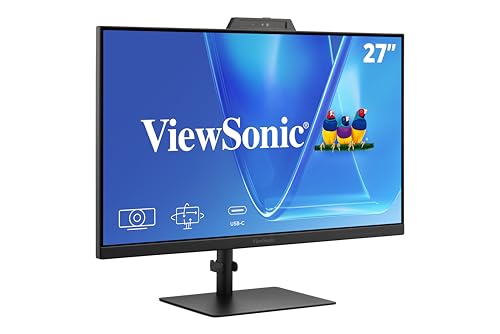
ViewSonic 27-Inch 1080p Conferencing Monitor
Best for: Integrated video conferencing setups
- Use
- Business & Office, Mac, Office, Home Office
- Screen Size
- 27-Inch
- Resolution
- 1080p
- Refresh Rate
- 120Hz
- Ports
- USB-C, HDMI, DisplayPort
- Features
- Built-in Speakers, Webcam
The ViewSonic VG2741V is a 27-inch 1080p display with a 120Hz refresh rate. It stands out with a built-in 5MP IR webcam, microphone, and speakers. This all-in-one design reduces desk clutter for video calls. It connects via USB-C, HDMI, and DisplayPort. The monitor supports Windows Hello for secure login. It is a practical option for users who prioritize integrated conferencing hardware over higher resolution.
- Integrated 5MP IR webcam with Windows Hello support
- Built-in speakers and microphone for calls
- 120Hz refresh rate for smooth motion
- USB-C connectivity for streamlined setup
- 1080p resolution is lower than the 4K and 5K options on this list
- 27-inch size is smaller than the 32-inch models included here
- You need a dedicated webcam and audio setup without extra devices
- You prefer a 120Hz refresh rate for smoother cursor movement
- You want a single monitor solution for video conferencing
- You require 4K or 5K resolution for detailed work
- You need Thunderbolt 4 connectivity for high-speed data transfer
- You prefer a larger 32-inch display area
Verdict: ViewSonic VG2741V 27-Inch Webcam Monitor fits users who want integrated conferencing hardware in a single 27-inch package. It is ideal for hybrid workers who value convenience and a 120Hz refresh rate over high pixel density.

ViewSonic 32-Inch 4K UHD IPS Monitor
Best for: Large 4K workspace with single-cable USB-C charging
- Use
- Business & Office, Mac, Office, Home Office
- Screen Size
- 32 Inch
- Resolution
- 3840 x 2160
- Panel Type
- IPS
- Ports
- USB-C, HDMI, DisplayPort
- Features
- HDR
The ViewSonic VX3267U-4K is a 32-inch 4K UHD IPS monitor designed for Mac users who want a large, sharp display. It features HDR10 support for better contrast and color depth. A 65W USB-C port simplifies your desk by delivering video, data, and power through one cable. This setup suits those who need a spacious workspace for office tasks or media consumption without excessive clutter.
- 32-inch 4K UHD IPS panel for high detail and wide viewing angles
- 65W USB-C single-cable connectivity for video, data, and laptop charging
- HDR10 support enhances contrast and color vibrancy in media
- Built-in Flicker-Free technology and Blue Light Filter reduce eye fatigue
- Heavier build at 17.2 pounds compared to smaller portable options
- 65W USB-C power delivery is lower than the 90W or 100W found on some competing models
- Standard 4K resolution is less sharp than the 5K or 2K displays available in this guide
- You want a large 32-inch screen for detailed work or media
- You prefer a single USB-C cable to connect your Mac
- You need HDR10 support for richer visual content
- You need a portable monitor that fits easily in a bag
- You require more than 65W of power delivery for your laptop
- You want a higher resolution than 4K UHD
Verdict: ViewSonic 32 Inch 4K IPS Monitor offers a large, clear display with convenient USB-C charging. It fits Mac users who prioritize screen size and a clean desk setup over portability or ultra-high resolution.

ViewSonic 24-Inch 120Hz Dual Monitor Pack
Best for: Budget dual-screen office setups
- Use
- Business & Office, Mac, Office, Home Office
- Screen Size
- 24"
- Resolution
- 1080p
- Refresh Rate
- 120Hz
- Panel Type
- IPS
- Ports
- HDMI, DisplayPort, VGA
This dual-pack includes two 24-inch 1080p IPS monitors with 120Hz refresh rates. The head-only design requires separate VESA mounts. It offers HDMI, DisplayPort, and VGA connectivity for Mac and PC setups. The frameless bezels help create a seamless multi-screen workspace. It suits users needing extra screen real estate for spreadsheets or research on a budget.
- Includes two 24-inch monitors in one package
- 120Hz refresh rate for smooth scrolling
- IPS panel for wide viewing angles
- Frameless bezels for seamless side-by-side viewing
- Supports macOS and Windows systems
- 1080p resolution is lower than the 4K and 5K options on this list
- Head-only design requires you to purchase VESA mounts separately
- Includes older VGA port alongside HDMI and DisplayPort
- You need two screens for productivity and want to save money
- You already have VESA mounts or arms for your desk
- You primarily work with text and spreadsheets rather than high-res media
- You want a single integrated unit with built-in stands
- You require 4K or higher resolution for detailed design work
- You prefer modern connectivity without VGA adapters
Verdict: ViewSonic VA2456A Dual 1080p IPS is a practical way to double your screen count for office tasks. It fits buyers who prioritize quantity and value over high resolution or included stands.

ViewSonic TD2465 24 Inch Touch Monitor
Best for: Touch interaction and gesture control on Mac
- Use
- Business & Office, Mac, Office, Home Office
- Screen Size
- 24 Inch
- Resolution
- 1920x1080p
- Refresh Rate
- 60Hz
- Ports
- USB, HDMI, DisplayPort, VGA
- Panel Type
- VA
The ViewSonic TD2465 is a 24-inch 1080p monitor with a VA panel and 10-point touch capability. It supports macOS via the vTouch driver for gesture controls. The display includes HDMI, DisplayPort, and VGA inputs, along with a built-in USB hub. You get a stable adjustable stand and a 7H scratch-resistant surface. This setup suits users who need tactile interaction in office or home office environments.
- 10-point PCAP touchscreen for smooth interaction
- vTouch driver enables macOS gesture controls
- Built-in USB hub and speakers
- 7H scratch-resistant surface durability
- 1080p resolution is lower than the 4K and 5K displays on this list
- 11.9 pounds weight is heavier than the portable monitors here
- VA panel offers less accurate color than the IPS panels used by most competitors
- You need touch input for presentations or POS tasks
- You want a dedicated 24-inch screen for Mac gesture support
- You prefer a stable adjustable stand over a portable design
- You require 4K or higher resolution for detailed work
- You need USB-C connectivity for single-cable docking
- You prioritize color accuracy for professional design tasks
Verdict: ViewSonic TD2465 24 Inch Touch Monitor fits users who need tactile control and a stable desktop setup for Mac, though it lacks the high resolution of the other options.
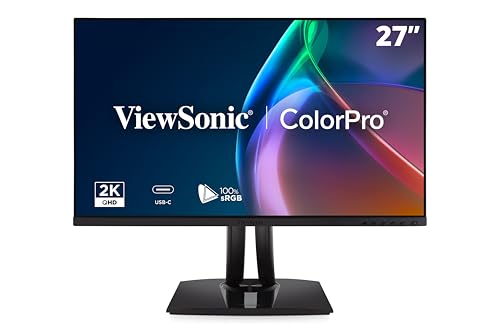
ViewSonic 27-Inch 1440p 120Hz USB-C Monitor
Best for: Color-critical photo and video editing
- Use
- Mac, Photo & Video Editing
- Screen Size
- 27 Inch
- Resolution
- 2560 x 1440
- Refresh Rate
- 120Hz
- Panel Type
- IPS
- Ports
- USB-C, HDMI, DisplayPort
This 27-inch 1440p IPS monitor targets Mac users who need color precision. It covers 100% sRGB and Rec. 709 with factory calibration. The 120Hz refresh rate supports smooth visuals. A 90W USB-C port charges your laptop while transmitting data. The stand offers height, tilt, swivel, and rotation adjustments for ergonomic comfort.
- 1440p resolution on a 27-inch IPS panel
- 90W USB-C charging and data transfer
- 120Hz refresh rate for smooth motion
- Pantone Validated color accuracy
- Height-adjustable ergonomic stand
- 1440p resolution is lower than the 4K and 5K displays on this list
- 90W USB-C power is less than the 100W output found on other models
- 27-inch size is smaller than the 32-inch options available in this guide
- You need Pantone Validated color accuracy for professional design work
- You want a 120Hz refresh rate for smoother scrolling
- You prefer a 27-inch screen size for your desk
- You require 4K or 5K resolution for pixel-perfect detail
- You need 100W USB-C power to charge high-draw laptops
- You prefer a larger 32-inch display for more screen real estate
Verdict: ViewSonic VP2756A-2K 27 Inch 1440p suits creative professionals who prioritize color validation and ergonomic flexibility over maximum resolution or charging speed.

ViewSonic 27-Inch 5K IPS Monitor
Best for: Mac creative professionals needing 5K clarity
- Use
- Mac
- Screen Size
- 27 Inch
- Resolution
- 5120 x 2880
- Panel Type
- IPS
- Ports
- Thunderbolt 4, USB-C, HDMI, DisplayPort
- Features
- HDR, Height-Adjustable Stand, Power Delivery
This 27-inch 5K display targets Mac users who need high resolution and color accuracy. It uses an IPS panel with 100% sRGB and 99% DCI-P3 coverage. The Thunderbolt 4 port delivers 100W power delivery and supports daisy chaining. You get a fully adjustable stand for ergonomic comfort. The 5120 x 2880 resolution provides sharp details for creative work.
- 27-inch 5K (5120 x 2880) IPS resolution
- Thunderbolt 4 with 100W power delivery
- 99% DCI-P3 and 100% sRGB color coverage
- Pantone Validated color precision
- Height-adjustable ergonomic stand
- Heavier build at 14 pounds compared to portable options
- 27-inch size is larger than 16-inch or 24-inch alternatives
- Resolution is 5K, which is higher than the 4K or 1440p specs of many other models
- You need a Mac-ready display with 5K resolution for detailed creative work
- You want to daisy chain multiple high-resolution monitors via Thunderbolt 4
- You require 100W power delivery to charge a MacBook through the display
- You prefer a portable monitor under 16 inches for travel
- You are on a tight budget and need a lower-resolution 1080p option
- You do not have a Mac or a device with Thunderbolt 4 connectivity
Verdict: ViewSonic 27-Inch 5K Thunderbolt 4 Monitor is the right choice for Mac users who prioritize high-resolution clarity and color accuracy for professional design tasks. It suits those who need a stationary, high-end display with robust connectivity.

ViewSonic VG2758-2K 27-Inch 1440p Docking Monitor
Best for: Mac setups needing Ethernet and 100W charging
- Use
- Business & Office, Mac, Office, Home Office
- Screen Size
- 27"
- Resolution
- 2560 x 1440
- Refresh Rate
- 100Hz
- Panel Type
- IPS
- Ports
- USB-C, HDMI, DisplayPort, RJ45
This 27-inch ViewSonic monitor delivers a 1440p QHD IPS display with a 100Hz refresh rate. It features 100W USB-C charging and an RJ45 Ethernet port, making it ideal for Mac users needing stable wired connectivity. The stand offers height, tilt, swivel, and rotation adjustments. It supports daisy-chaining via DisplayPort-out for multi-monitor setups.
- 100W USB-C charging capability
- RJ45 Ethernet port for wired networking
- 1440p QHD IPS panel with 100Hz refresh rate
- Full ergonomic stand with height adjustment
- 100Hz refresh rate is lower than the 120Hz found on several other ViewSonic models in this list
- 16.4-pound weight makes it heavier than the portable 16-inch options on the list
- You need a wired Ethernet connection for stable internet on your Mac
- You want a single-cable USB-C solution for power and display
- You require an ergonomic stand with height and rotation adjustments
- You prefer a higher refresh rate like 120Hz or 160Hz
- You need a portable monitor that weighs under 5 pounds
- You require Thunderbolt 4 connectivity instead of standard USB-C
Verdict: ViewSonic VG2758 27 Inch 1440p Docking Monitor fits Mac users who prioritize wired Ethernet and strong USB-C power delivery over high refresh rates. It is a solid choice for stationary office desks where stability and ergonomics matter more than portability.
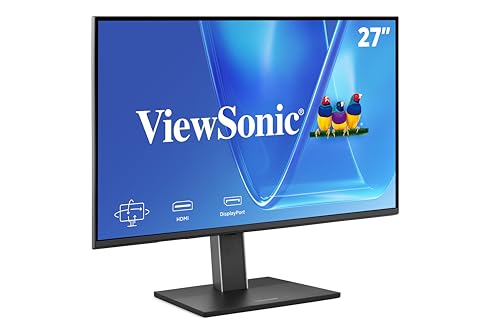
ViewSonic VG2751 27-Inch 1080p Monitor
Best for: office work and stable desk setups
- Use
- Business & Office, Mac, Office, Home Office
- Screen Size
- 27-Inch
- Resolution
- 1920 x 1080
- Refresh Rate
- 100Hz
- Panel Type
- IPS
- Ports
- USB-C, HDMI, DisplayPort, VGA
The ViewSonic VG2751 is a 27-inch IPS monitor designed for Mac users who need a reliable display for daily office tasks. It offers 1080p resolution and a 100Hz refresh rate for smooth scrolling. The USB-C port delivers video, data, and power, simplifying your desk setup. With a fully adjustable stand and eye-care features, it supports comfortable long-term use. This model fits well in professional environments where stability and connectivity matter more than high resolution.
- 27-inch IPS panel with 100Hz refresh rate
- USB-C connectivity with power delivery
- Height-adjustable stand with tilt, swivel, and rotate
- Flicker-Free technology and Blue Light Filter
- Versatile inputs including HDMI, DisplayPort, and VGA
- 1080p resolution is lower than the 4K and 5K displays on this list
- 100Hz refresh rate is slower than the 120Hz options available
- 15-pound weight is heavier than the portable monitors in the guide
- You need a large 27-inch screen for standard office work
- You want a single-cable USB-C connection for your Mac
- You prefer an ergonomic stand with full height adjustment
- You require 4K or 5K resolution for detailed design work
- You need a portable monitor that fits in a laptop bag
- You want a refresh rate higher than 100Hz for gaming
Verdict: The ViewSonic VG2751 27-Inch 1080p Monitor is a sturdy, connectivity-focused display for Mac users who prioritize desk ergonomics and simple setup over high resolution. It suits professionals who spend long hours at their desk and value a stable, adjustable stand.

ViewSonic 27-Inch 4K Thunderbolt 4 Monitor
Best for: Mac users needing Thunderbolt 4 daisy chaining
- Use
- Mac
- Screen Size
- 27 inch
- Resolution
- 3840 x 2160
- Panel Type
- IPS
- Ports
- Thunderbolt 4, USB C, HDMI, DisplayPort
- Features
- HDR
This 27-inch 4K UHD monitor uses an IPS panel with 400-nit brightness and VESA HDR400 support. It features 100% sRGB and 98% DCI-P3 color coverage for accurate creative work. Thunderbolt 4 provides 40 Gbps data and 100W power delivery through one cable. You can daisy chain dual 4K displays for expanded workspace. It includes HDMI, DisplayPort, and RJ45 networking for versatile connectivity.
- 4K UHD resolution on a 27-inch IPS panel
- 100W Thunderbolt 4 power delivery and 40 Gbps data
- 100% sRGB and 98% DCI-P3 color coverage
- Dual 4K daisy chain capability
- RJ45 Ethernet port for networking
- Heavier build at 16.8 pounds compared to portable options
- Lower peak brightness of 400 nits versus HDR600 standards
- Larger footprint with 24.2-inch width than compact models
- You need a single cable for data, video, and 100W charging
- You want to daisy chain multiple 4K displays
- You require precise color accuracy for design work
- You need a portable monitor for travel
- You want a budget-friendly 1080p option
- You prefer a smaller 16-inch screen size
Verdict: ViewSonic VP2776T 27-Inch 4K Thunderbolt 4 Monitor suits Mac users who need a stable desktop hub with high color accuracy and dual-display support. It is ideal for creative professionals who value Thunderbolt connectivity and color fidelity over portability.

ViewSonic 32-Inch 4K ColorPro USB-C Monitor
Best for: Professional photo and video editing on Mac
- Use
- Mac, Photo & Video Editing
- Screen Size
- 32 Inch
- Resolution
- 3840 x 2160
- Panel Type
- IPS
- Ports
- USB-C, HDMI 2.1, DisplayPort
- Features
- USB Hub
This 32-inch 4K UHD monitor features a premium IPS panel with 100% sRGB coverage and Pantone validation. It offers factory calibration with Delta E under two for precise color reproduction. The single USB-C cable delivers up to 100W of power, simplifying your Mac setup. The fully adjustable stand allows for height, tilt, swivel, and rotation adjustments. This display is ideal for photo and video editing tasks requiring high color accuracy.
- 32-inch 4K UHD IPS display for sharp detail
- 100W USB-C power delivery for single-cable connectivity
- Pantone Validated color precision with 100% sRGB
- Factory calibrated with Delta E less than two
- Fully adjustable stand with height, tilt, swivel, and rotate
- Heavier build at 24.3 pounds compared to portable options
- Smaller 32-inch size limits desk space for larger setups
- You need high color accuracy for professional photo editing
- You want a single USB-C cable for power and video
- You prefer a larger 32-inch screen for detailed work
- You require a portable monitor for travel
- You need a smaller screen for limited desk space
- You prioritize a high refresh rate for gaming
Verdict: ViewSonic VP3256A-4K 32 Inch 4K Monitor suits creative professionals who need precise color reproduction and a large workspace. It fits users who value a single-cable USB-C connection and a fully adjustable stand for their Mac setup.
Specifications side by side

| Spec | ViewSonic 27-Inch 4K UHD IPS Monitor | ViewSonic 15.6-Inch 1080p Touchscreen Portable Monitor | ViewSonic 27-Inch 4K USB-C Monitor | ViewSonic 15.6-Inch 4K OLED Portable Monitor | ViewSonic 16-Inch 1600p Portable Monitor | ViewSonic 27-Inch 1080p Conferencing Monitor | ViewSonic 32-Inch 4K UHD IPS Monitor | ViewSonic 24-Inch 120Hz Dual Monitor Pack | ViewSonic TD2465 24 Inch Touch Monitor | ViewSonic 27-Inch 1440p 120Hz USB-C Monitor | ViewSonic 27-Inch 5K IPS Monitor | ViewSonic VG2758-2K 27-Inch 1440p Docking Monitor | ViewSonic VG2751 27-Inch 1080p Monitor | ViewSonic 27-Inch 4K Thunderbolt 4 Monitor | ViewSonic 32-Inch 4K ColorPro USB-C Monitor |
|---|---|---|---|---|---|---|---|---|---|---|---|---|---|---|---|
| Screen Size | 27 Inch | 15.6 Inch | 27 Inch | 15.6 Inch | 16" | 27-Inch | 32 Inch | 24" | 24 Inch | 27 Inch | 27 Inch | 27" | 27-Inch | 27 inch | 32 Inch |
| Resolution | 3840 x 2160 | 1920 x 1080 | 3840 x 2160 | 3840 x 2160 | – | 1080p | 3840 x 2160 | 1080p | 1920x1080p | 2560 x 1440 | 5120 x 2880 | 2560 x 1440 | 1920 x 1080 | 3840 x 2160 | 3840 x 2160 |
| Refresh Rate | – | – | – | – | – | 120Hz | – | 120Hz | 60Hz | 120Hz | – | 100Hz | 100Hz | – | – |
| Panel Type | IPS | – | IPS | OLED | – | – | IPS | IPS | – | IPS | IPS | IPS | IPS | IPS | IPS |
| Response Time | – | – | – | 0.05ms | – | – | – | – | – | – | – | – | – | – | – |
| Aspect Ratio | – | – | – | – | 16:10 | – | – | – | – | – | – | – | – | – | – |
| Ports | Dual HDMI, DisplayPort | USB-C, Mini HDMI | USB-C, HDMI, DisplayPort | Mini-HDMI, dual USB-C | Dual USB-C | USB-C, HDMI, DisplayPort | USB-C, HDMI, DisplayPort | HDMI, DisplayPort, VGA | USB, HDMI, DisplayPort, VGA | USB-C, HDMI, DisplayPort | Thunderbolt 4, USB-C, HDMI, DisplayPort | USB-C, HDMI, DisplayPort, RJ45 | USB-C, HDMI, DisplayPort, VGA | Thunderbolt 4, USB C, HDMI, DisplayPort | USB-C, HDMI 2.1, DisplayPort |
| Features | HDR | Built-in Speakers, Touchscreen | HDR, Built-in Speakers, Power Delivery | Built-in Speakers, Power Delivery | Built-in Speakers | Built-in Speakers, Webcam | HDR | – | Built-in Speakers, USB Hub, Touchscreen | USB Hub | HDR, Height-Adjustable Stand, Power Delivery | USB Hub | Height-Adjustable Stand, USB Hub | HDR | USB Hub |
| Use | Business & Office, Mac, Office, Home Office | Mac, Travel | Business & Office, Mac, Office, Home Office | Mac | Mac, Travel | Business & Office, Mac, Office, Home Office | Business & Office, Mac, Office, Home Office | Business & Office, Mac, Office, Home Office | Business & Office, Mac, Office, Home Office | Mac, Photo & Video Editing | Mac | Business & Office, Mac, Office, Home Office | Business & Office, Mac, Office, Home Office | Mac | Mac, Photo & Video Editing |
| Size | 27 Inch | 8.8" x 14" x 0.6" | 27 Inch | 15.6-Inch OLED | 9.3" x 14.1" x 0.4" | 27 Inch | 32 Inch | – | – | 27 Inch | 27-Inch 5K | 14.2" x 24.1" x 1.8" | 27 Inch | 27 Inch | 16.7" x 28.1" x 2.6" |
| Operating System | macOS | macOS | macOS | macOS | macOS | Windows | macOS | macOS | macOS | macOS | macOS | macOS | macOS | macOS | macOS |
| Power Delivery | – | – | – | – | – | – | – | – | – | – | 100W PD | – | – | – | – |
| Dimensions | 2.1 × 24.2 × 14.5 inches | 8.8 × 0.6 × 14 inches | 8.2 × 24.2 × 17.2 inches | 0.6 × 13.9 × 8.78 inches | 0.38 × 14 × 9.25 inches | 8.11 × 24.1 × 21.7 inches | 9.2 × 28.1 × 19.6 inches | 2 × 21.2 × 12.4 inches | 7.8 × 21.6 × 15.8 inches | 8.46 × 24.2 × 21.3 inches | 8.26 × 24.1 × 21.4 inches | 8.6 × 24.1 × 20.7 inches | 8.6 × 24.1 × 15.8 inches | 9.21 × 24.2 × 22.5 inches | 10.4 × 28.2 × 20.2 inches |
| Weight | 12.1 pounds | 2.2 pounds | 8.6 pounds | 1.5 pounds | 2.3 pounds | 11.7 pounds | 17.2 pounds | 11.9 pounds | 11.9 pounds | 16 pounds | 14 pounds | 16.4 pounds | 15 pounds | 16.8 pounds | 24.3 pounds |
| Color | Black | blue | Black | Black | Black | Black | Black | Black | Black | Black | Black | Black | Black | Black | Black |
| Model | VA2756-4K-MHD | TD1655 | VS19281 | VX1655-4K-OLED | VG1656-2K | VS20457 | VX3267U-4K | VA2456A-MHD_H2 | TD2465 | VP2756A-2K | VP2788-5K | VG2758-2K | VG2751 | VP2776T-4K | VP3256A-4K |
How to choose the right ViewSonic monitor for Mac
Check resolution for text clarity
Match the pixel density to your screen size. A 27-inch 4K UHD display provides sharp text for stationary desk work, as seen in the top pick. If you need portability, a 15.6-inch 1080p screen is lighter. For creative work, consider 5K or 1440p options. Higher resolution ensures crisp details but requires more graphics power. Choose based on whether you prioritize desktop clarity or mobile convenience.
Select the correct panel type
Panel technology affects color and viewing angles. IPS panels offer wide viewing angles and consistent colors, making them ideal for most Mac users. The top pick and several others use IPS. OLED panels, like the premium portable option, deliver deeper blacks and vibrant colors but may cost more. VA panels provide high contrast but narrower viewing angles. Choose IPS for general use and OLED for color-critical creative work.
Verify USB-C power delivery
USB-C ports can simplify your desk setup by connecting video and power through one cable. Many ViewSonic monitors offer Power Delivery. The 27-inch 4K USB-C model provides 65W charging, sufficient for many laptops. The 27-inch 5K Thunderbolt 4 monitor offers 100W PD for higher-power devices. Check the wattage to ensure it matches your Mac's charging needs. This feature reduces cable clutter and streamlines your workspace.
Consider portability and weight
If you travel frequently, weight and size matter. Portable monitors like the 15.6-inch 1080p touchscreen weigh just 2.2 pounds. The 15.6-inch 4K OLED model is even lighter at 1.5 pounds. Stationary 27-inch or 32-inch displays are heavier, often exceeding 10 pounds. Choose a lightweight model for easy transport. Select a larger, heavier unit for a permanent home office setup where stability and screen real estate are priorities.
Match refresh rate to your needs
Refresh rate determines how smooth motion appears. Most office monitors offer 60Hz or 100Hz. Some ViewSonic models, like the 27-inch 1080p conferencing monitor, reach 120Hz. Higher refresh rates benefit users who watch videos or play games. For standard office tasks, 60Hz is sufficient. If you prefer smoother scrolling or motion, look for 100Hz or 120Hz options. Check the specs to find the rate that fits your usage habits.
Frequently asked questions
Does ViewSonic make monitors with USB-C for Mac?
Yes, several models support USB-C connectivity. The ViewSonic VX2776 and VP2756A-2K both use USB-C ports for video and data. The VP2788-5K adds Thunderbolt 4 support. The VG2758-2K includes Ethernet and USB-C. These ports allow you to connect your Mac with a single cable for display and peripheral access.
Are there portable ViewSonic monitors compatible with Mac?
Yes, there are portable options for Mac users. The TD1655 is a 15.6-inch 1080p touchscreen with built-in speakers. The VX1655-4K-OLED offers 4K OLED quality in a lightweight design. The VG1656-2K is a 16-inch 1440p display. All three models support macOS and are designed for travel or secondary screen use.
Which ViewSonic monitor is best for Mac photo editing?
The VP2788-5K is ideal for professional design tasks. It features a 5K IPS panel and Thunderbolt 4 connectivity. The VP3256A-4K is another strong choice for creative professionals. It provides a 32-inch 4K UHD workspace with a fully adjustable stand. Both models prioritize color accuracy and high resolution for Mac workflows.
Do ViewSonic Mac monitors have built-in webcams?
One model includes an integrated webcam. The VG2741V is a 27-inch 1080p monitor with a built-in camera. It also features a 120Hz refresh rate. This model is designed for hybrid workers who need convenient video conferencing hardware. Note that this specific unit lists Windows as its operating system, though it connects via HDMI or DisplayPort.
Can I use a ViewSonic monitor as a docking station for Mac?
Yes, the VG2758-2K functions as a docking station. It includes an Ethernet port and USB-C connectivity for Mac setups. It provides 100W charging and a USB hub. This allows you to connect wired internet and peripherals directly to the monitor. It is designed for stationary desks where stability and ergonomics are priorities.
Does the ViewSonic VP2756A-2K support Mac computers?
Yes, the VP2756A-2K is listed as compatible with macOS. It is a 27-inch 1440p monitor with a 120Hz refresh rate. It features an IPS panel and a USB hub. This model suits creative professionals who prioritize color validation and ergonomic flexibility. It connects via HDMI, DisplayPort, and USB-C.
See also