Best ViewSonic 120Hz Monitors: 6 Spec-Based Picks
As Amazon Associates, we earn from qualifying purchases. This means we may receive a small commission at no extra cost to you if you click through and make a purchase.
As an Amazon Associate we earn from qualifying purchases. Links on this page are affiliate links.
You need the best ViewSonic 120Hz monitors for your specific workflow. We compared 6 options using only the specifications published on the listings. Our top pick is the ViewSonic 27-Inch 1080p Conferencing Monitor because it includes a built-in webcam and speakers, which simplifies your setup for hybrid work. Each model here offers 120Hz refresh rates and distinct port selections like USB-C or VGA. This guide helps you decide which display matches your resolution and connectivity needs.
Choose resolution based on your task

You need 1080p for basic office work or built-in conferencing. Pick 1440p QHD for color-accurate creative work where Pantone validation matters. Reserve 4K UHD for video editing and high-resolution design. All models share 120Hz refresh rates. Match the pixel density to your specific workflow needs.
| # | Product | Best for | Price |
|---|---|---|---|
| 1 | ViewSonic 27-Inch 1080p Conferencing Monitor Best overall | hybrid workers needing built-in conferencing | |
| 2 | ViewSonic 24-Inch 120Hz Dual Monitor Pack Best budget | dual 1080p office productivity setups | |
| 3 | ViewSonic 27-Inch 1440p 120Hz USB-C Monitor Best premium | Color-accurate 120Hz creative work | |
| 4 | ViewSonic VP2766-4K 27 Inch 4K UHD Best 4k uhd | 4K video editing and color-critical design work | |
| 5 | ViewSonic 27-Inch 1440p 120Hz USB-C Monitor Also great | Color-accurate video and graphic design work | |
| 6 | ViewSonic 34-Inch Curved 120Hz VA Ultrawide Best va | Multitasking and USB-C laptop setups |
The best fit for you

- You need a built-in webcam for meetings – ViewSonic 27-Inch 1080p Conferencing Monitor – It includes a built-in webcam and speakers for an all-in-one office setup.
- You want to double your workspace with two screens – ViewSonic 24-Inch 120Hz Dual Monitor Pack – This dual pack gives you two 1080p IPS panels for spreadsheet and research tasks.
- You require color-accurate work with Pantone validation – ViewSonic 27-Inch 1440p 120Hz USB-C Monitor – It offers 1440p resolution and Pantone-validated color fidelity for creative professionals.
- You need high resolution for video editing – ViewSonic VP2766-4K 27 Inch 4K UHD – The 4K UHD display provides the image fidelity needed for color-critical design work.
- You prefer a curved screen for multitasking – ViewSonic 34-Inch Curved 120Hz VA Ultrawide – The 34-inch curved VA panel maximizes horizontal screen real estate for office use.
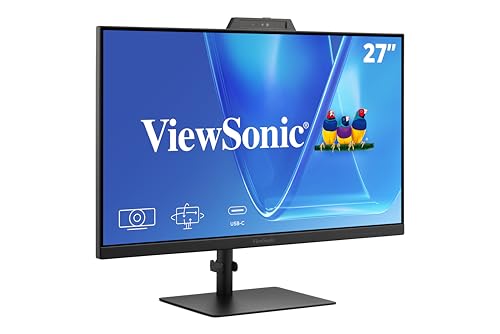
ViewSonic 27-Inch 1080p Conferencing Monitor
Best for: hybrid workers needing built-in conferencing
- Refresh Rate
- 120Hz
- Screen Size
- 27-Inch
- Resolution
- 1080p
- Ports
- USB-C, HDMI, DisplayPort
- Features
- Built-in Speakers, Webcam
- Use
- Business & Office, Mac, Office, Home Office
This 27-inch ViewSonic monitor pairs a 1080p FHD panel with a 120Hz refresh rate. It distinguishes itself with a built-in 5MP IR webcam that supports Windows Hello sign-in. The integrated microphone and speakers remove the need for extra conferencing gear. USB-C, HDMI, and DisplayPort provide versatile connectivity for your workstation.
- Built-in 5MP IR webcam with Windows Hello support
- Integrated microphone and speakers for video calls
- 120Hz refresh rate on a 27-inch 1080p panel
- USB-C, HDMI, and DisplayPort connectivity
- 1080p resolution is lower than the 1440p and 4K options on this list
- 11.7-pound weight is heavier than standard 27-inch displays
- 27-inch size is smaller than the 34-inch ultrawide alternative
- You need a single device for video conferencing and display
- You want Windows Hello facial recognition built into your screen
- You prefer a 27-inch workspace with 120Hz smoothness
- You require 4K or 1440p resolution for detailed work
- You need a 34-inch ultrawide field of view
- You prefer a lighter monitor under 10 pounds
Verdict: ViewSonic VG2741V 27-inch 120Hz Webcam Monitor suits hybrid workers who want an all-in-one solution for meetings and display. It replaces separate webcam and audio gear for office use.

ViewSonic 24-Inch 120Hz Dual Monitor Pack
Best for: dual 1080p office productivity setups
- Refresh Rate
- 120Hz
- Screen Size
- 24"
- Resolution
- 1080p
- Panel Type
- IPS
- Ports
- HDMI, DisplayPort, VGA
- Use
- Business & Office, Mac, Office, Home Office
This dual-pack includes two 24-inch 1080p IPS monitors with 120Hz refresh rates. The frameless design and VESA mountable heads allow for flexible dual-screen setups. You get HDMI, DisplayPort, and VGA connectivity for office productivity. It suits users needing extra screen real estate for spreadsheets and documents without the bulk of stands.
- Includes two 24-inch 1080p IPS displays
- 120Hz refresh rate for smooth scrolling
- Frameless bezels for seamless side-by-side viewing
- VESA mountable for custom arm setups
- 1080p resolution is lower than the 1440p and 4K options on this list
- 24-inch size is smaller than the 27-inch and 34-inch alternatives
- 11.9 pound weight for the pair is heavier than single monitors
- You need two screens for multitasking
- You prefer a frameless dual-monitor look
- You have VESA-compatible mounting hardware
- You require 4K or 1440p clarity
- You want a single large ultrawide display
- You need built-in adjustable stands
Verdict: ViewSonic 24 Inch 1080p Dual Pack provides a cost-effective way to double your workspace with 120Hz IPS panels. It fits office workers who need two 1080p screens for spreadsheets and research.
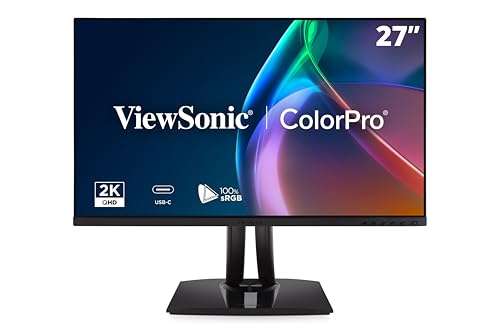
ViewSonic 27-Inch 1440p 120Hz USB-C Monitor
Best for: Color-accurate 120Hz creative work
- Refresh Rate
- 120Hz
- Screen Size
- 27 Inch
- Resolution
- 2560 x 1440
- Panel Type
- IPS
- Ports
- USB-C, HDMI, DisplayPort
- Features
- USB Hub
This ViewSonic monitor delivers a 27-inch 1440p IPS panel with a 120Hz refresh rate. It features 100% sRGB coverage and Pantone validation for precise color work. A 90W USB-C port simplifies connections and powers your laptop. The stand offers full ergonomic adjustments. It suits designers and professionals who need accurate color and smooth motion on a 27-inch screen.
- 1440p QHD resolution on a 27-inch IPS panel
- 120Hz refresh rate for smooth visuals
- 90W USB-C charging and connectivity
- Pantone Validated with 100% sRGB coverage
- Fully adjustable ergonomic stand
- 16 pounds weight is heavier than the 24-inch VA2456A
- 27-inch size is smaller than the 34-inch VG3409C
- 1440p resolution is lower than the 4K VP2766-4K
- You need accurate color for photo or video editing
- You want a single-cable USB-C connection for your laptop
- You prefer a 27-inch screen with ergonomic adjustments
- You require 4K resolution for maximum detail
- You need an ultrawide 34-inch display
- You are on a tight budget for a dual-pack setup
Verdict: ViewSonic VP2756A 27-inch 1440p Monitor is a color-accurate 120Hz display ideal for creative professionals who value Pantone validation and USB-C convenience. It fits users who prioritize color fidelity and ergonomic flexibility over higher resolutions or larger screens.

ViewSonic VP2766-4K 27 Inch 4K UHD
Best for: 4K video editing and color-critical design work
- Refresh Rate
- 120Hz
- Screen Size
- 27 inches
- Resolution
- 3840 x 2160
- Panel Type
- IPS
- Response Time
- 5ms
- Ports
- USB-C, USB-A, HDMI 2.1
The ViewSonic VP2766-4K is a 27-inch 4K UHD IPS monitor with a 120Hz refresh rate. It offers Pantone validated color accuracy and 100% sRGB coverage, making it suitable for photo and video editing. A single USB-C cable delivers 90W power, video, and data. The ergonomic stand allows tilt, swivel, and pivot adjustments for comfortable viewing.
- 27-inch 4K UHD (3840 x 2160) IPS panel with 120Hz refresh rate
- Pantone validated and factory calibrated with 100% sRGB coverage
- 90W USB-C power delivery for charging laptops while connected
- Ergonomic stand with tilt, swivel, and 90-degree pivot capabilities
- Includes dual 3W stereo speakers and Kensington security slot
- Heavier build at 12.1 pounds compared to lighter 1080p models
- Smaller 27-inch screen size compared to the 34-inch ultrawide option
- Lower resolution than the 1440p models in the list
- You need 4K UHD resolution for detailed photo or video editing work
- You want a single USB-C cable to connect and charge your laptop
- You require Pantone validated color accuracy for professional design tasks
- You prefer a larger 34-inch ultrawide display for multitasking
- You are satisfied with 1440p resolution and want a lighter monitor
- You need a monitor under 27 inches for a compact desk setup
Verdict: ViewSonic VP2766-4K 27 Inch 4K Monitor is the right pick for creators who need high-resolution color accuracy and convenient USB-C connectivity. It suits professionals who prioritize image fidelity over screen size.

ViewSonic 27-Inch 1440p 120Hz USB-C Monitor
Best for: Color-accurate video and graphic design work
- Refresh Rate
- 120Hz
- Screen Size
- 27 inches
- Resolution
- 2560 x 1440
- Panel Type
- IPS
- Response Time
- 5ms
- Ports
- USB-C, USB-A, HDMI 2.1
This 27-inch ViewSonic monitor delivers 1440p QHD resolution on an IPS panel with a 120Hz refresh rate. It includes a 90W USB-C port for single-cable laptop connectivity and Pantone validation for color accuracy. The ergonomic stand offers height adjustment and pivot. It suits photo and video editors who need precise color and a clean desk setup.
- 1440p QHD resolution for 1.77 times more detail than Full HD
- Pantone Validated with 100% sRGB coverage for accurate color matching
- 90W USB-C power delivery charges most laptops via one cable
- Ergonomic stand with 130mm height adjustment and 90-degree pivot
- 12.1 pounds weight is heavier than the 24-inch VA2456A-MHD_H2
- 1440p resolution is lower than the 4K UHD VP2766-4K
- 27-inch size is smaller than the 34-inch VG3409C ultrawide
- You need Pantone-validated color accuracy for professional design work
- You want to connect a USB-C laptop with a single cable
- You require an ergonomic stand with height and pivot adjustments
- You prefer a 4K UHD resolution for maximum pixel density
- You need an ultrawide 34-inch display for expanded horizontal space
- You are looking for a lighter monitor under 10 pounds
Verdict: ViewSonic VP2766-2K 27 Inch 2K Monitor provides Pantone-validated color and 90W USB-C charging for creative professionals. It fits designers who prioritize color accuracy and cable management over maximum resolution or screen width.
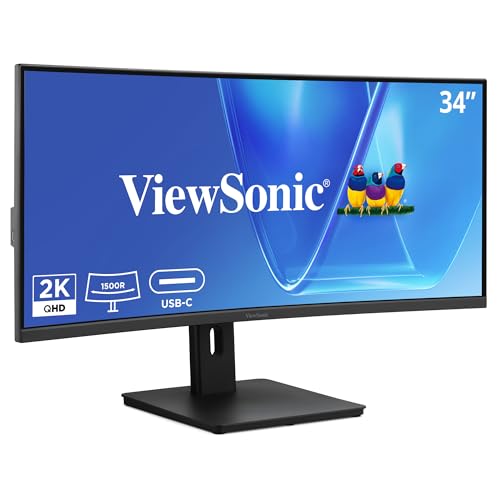
ViewSonic 34-Inch Curved 120Hz VA Ultrawide
Best for: Multitasking and USB-C laptop setups
- Refresh Rate
- 120Hz
- Screen Size
- 34-inch
- Resolution
- 3440 x 1440
- Response Time
- 3.5ms
- Aspect Ratio
- 21:9
- Ports
- HDMI 2.1, DisplayPort, USB-C, RJ45
The ViewSonic VG3409C is a 34-inch ultrawide monitor with a 1440p VA panel. It offers a 120Hz refresh rate and a 1500R curve. This screen provides extra horizontal space for multitasking. You get 96W USB-C power delivery and an integrated KVM switch. It suits professionals who need wide workspace and flexible connectivity.
- 3440 x 1440 UWQHD resolution on a 21:9 panel
- 120Hz refresh rate with 3.5ms response time
- 96W USB-C power delivery simplifies laptop connections
- Integrated KVM switch manages multiple systems
- 1500R curved VA panel for immersive viewing
- 18.5 pounds weight is heavier than 24 or 27-inch options
- 1500R curve is less aggressive than typical gaming monitors
- 31.8 inches width requires more desk space than standard monitors
- You need a wide workspace for spreadsheets or coding
- You want to connect a laptop with a single USB-C cable
- You manage multiple computers from one keyboard and mouse
- You prefer a standard 16:9 aspect ratio
- You have a small desk with limited width
- You need a 4K resolution for detailed image work
Verdict: ViewSonic VG3409C 34-Inch Ultrawide fits users who prioritize horizontal screen real estate and USB-C convenience. It is ideal for office multitasking rather than high-end gaming.
Specifications side by side

| Spec | ViewSonic 27-Inch 1080p Conferencing Monitor | ViewSonic 24-Inch 120Hz Dual Monitor Pack | ViewSonic 27-Inch 1440p 120Hz USB-C Monitor | ViewSonic VP2766-4K 27 Inch 4K UHD | ViewSonic 27-Inch 1440p 120Hz USB-C Monitor | ViewSonic 34-Inch Curved 120Hz VA Ultrawide |
|---|---|---|---|---|---|---|
| Screen Size | 27-Inch | 24" | 27 Inch | 27 inches | 27 inches | 34-inch |
| Resolution | 1080p | 1080p | 2560 x 1440 | 3840 x 2160 | 2560 x 1440 | 3440 x 1440 |
| Refresh Rate | 120Hz | 120Hz | 120Hz | 120Hz | 120Hz | 120Hz |
| Panel Type | – | IPS | IPS | IPS | IPS | – |
| Response Time | – | – | – | 5ms | 5ms | 3.5ms |
| Aspect Ratio | – | – | – | – | – | 21:9 |
| Ports | USB-C, HDMI, DisplayPort | HDMI, DisplayPort, VGA | USB-C, HDMI, DisplayPort | USB-C, USB-A, HDMI 2.1 | USB-C, USB-A, HDMI 2.1 | HDMI 2.1, DisplayPort, USB-C, RJ45 |
| Features | Built-in Speakers, Webcam | – | USB Hub | – | – | Curved Screen |
| Use | Business & Office, Mac, Office, Home Office | Business & Office, Mac, Office, Home Office | Mac, Photo & Video Editing | Photo & Video Editing | Photo & Video Editing | Business & Office, Office, Home Office |
| Size | 27 Inch | – | 27 Inch | – | 14.3" x 24.1" x 1.4" | 14.3" x 31.8" x 4.7" |
| Operating System | Windows | macOS | macOS | – | – | – |
| Dimensions | 8.11 × 24.1 × 21.7 inches | 2 × 21.2 × 12.4 inches | 8.46 × 24.2 × 21.3 inches | 8.15 × 24.2 × 16.1 inches | 8.15 × 24.2 × 16.1 inches | 11 × 31.8 × 16.9 inches |
| Weight | 11.7 pounds | 11.9 pounds | 16 pounds | 12.1 pounds | 12.1 pounds | 18.5 pounds |
| Color | Black | Black | Black | Black/Silver | Black | Black |
| Model | VS20457 | VA2456A-MHD_H2 | VP2756A-2K | VP2766-4K | VP2766-2K | VS20781 |
How to choose the right one
Match resolution to tasks
Select 1080p for standard office duties or conferencing setups. The ViewSonic 27-Inch 1080p Conferencing Monitor offers this resolution for hybrid workers. Choose 1440p QHD for creative work requiring Pantone validation, as seen in the VP2756A. Reserve 4K UHD for video editing and high-resolution design tasks. The VP2766-4K provides the pixel density needed for color-critical design. Higher resolutions demand more graphical power from your computer. Ensure your GPU supports your chosen pixel count at 120Hz.
Check panel type benefits
IPS panels deliver wide viewing angles and accurate colors. The dual pack and VP2766-2K use IPS for consistent image quality. VA panels, like the VG3409C, offer higher contrast ratios. This makes them suitable for dark room environments. However, VA panels may have slower response times. Choose IPS for graphic design and general office use. Pick VA if you prioritize deep blacks for media consumption. The panel type directly affects how colors appear from different angles.
Verify port compatibility
USB-C ports simplify setups by carrying video, data, and power. The VP2756A and VP2766-2K provide USB-C connectivity for Mac users. The VP2766-2K offers 90W charging for compatible laptops. The conferencing monitor includes HDMI, DisplayPort, and USB-C. Traditional ports like HDMI and DisplayPort remain essential for desktop PCs. Ensure your device has the matching connector. A single cable solution reduces desk clutter significantly. Check the port list before buying to avoid adapter needs.
Consider screen size and shape
24-inch and 27-inch sizes fit most standard desks. The dual pack uses 24-inch screens for productivity. The 34-inch ultrawide VG3409C offers horizontal real estate. This curved VA panel suits multitasking and office work. Larger screens require more desk depth. Ensure your workspace accommodates the physical dimensions. The 34-inch model is wider than standard 16:9 displays. Ultrawide formats are ideal for spreadsheets and timeline editing. Standard sizes are better for focused single-task workflows.
Evaluate built-in features
Built-in webcams and speakers simplify home office setups. The top pick includes these features for meeting-ready use. Other models require external peripherals for audio and video. USB hubs in monitors like the VP2756A add connectivity. They allow you to connect peripherals directly to the display. This reduces the number of cables plugged into your computer. Decide if you need integrated audio or external speakers. External gear often provides better sound quality. Integrated features save space but may compromise on performance.
Frequently asked questions
Which ViewSonic 120Hz monitor is best for hybrid workers?
The ViewSonic VG2741V is the top choice. It features a 27-inch 1080p panel with 120Hz refresh. It includes a built-in webcam and speakers. This setup replaces separate audio gear. It connects via HDMI, DisplayPort, and USB-C. The design suits office environments well.
What is the best budget 120Hz option from ViewSonic?
The ViewSonic 24-Inch Dual Monitor Pack is the best budget pick. It provides two 1080p IPS panels at 120Hz. This configuration doubles your workspace efficiently. It connects via HDMI, DisplayPort, and VGA. It fits users who need extra screen real estate for spreadsheets and research tasks.
Does ViewSonic offer a 120Hz monitor with USB-C?
Yes, several models include USB-C connectivity. The ViewSonic VP2756A and VP2766-2K both feature USB-C ports. The VP2756A also includes a USB hub. These models support 1440p resolution. They are ideal for creative professionals who need color accuracy and convenient laptop connectivity.
Is there a 4K 120Hz ViewSonic monitor available?
The ViewSonic VP2766-4K offers 4K UHD resolution at 120Hz. It uses an IPS panel for accurate colors. It connects via USB-C. This monitor suits video editors and designers who prioritize image fidelity. It is a 27-inch display that fits users needing high resolution without larger screens.
Which ViewSonic monitor is best for multitasking?
The ViewSonic VG3409C is ideal for multitasking. It is a 34-inch curved ultrawide monitor. It features a VA panel with 120Hz refresh. It offers significant horizontal screen real estate. It connects via HDMI, DisplayPort, USB-C, and Ethernet. It suits office workers who need wide workspace for multiple windows.
What resolution do ViewSonic 120Hz monitors come in?
These monitors come in 1080p, 1440p, and 4K resolutions. The VG2741V and dual pack use 1080p. The VP2756A, VP2766-2K, and VG3409C use 1440p. The VP2766-4K uses 4K UHD. Choose 1080p for basic office work. Select 1440p or 4K for creative tasks requiring higher pixel density.
Do ViewSonic 120Hz monitors have built-in speakers?
The ViewSonic VG2741V includes built-in speakers. It is designed as an all-in-one solution for meetings. Other models in this list do not list built-in speakers in their attributes. Users of those monitors may need external audio devices for sound output during video calls or media consumption.
Which ViewSonic monitor is best for color-accurate work?
The ViewSonic VP2756A and VP2766-2K are best for color work. Both feature Pantone validation. The VP2756A offers 1440p resolution. The VP2766-2K also provides 1440p with 90W USB-C charging. These models suit designers who prioritize color fidelity. They connect via USB-C for streamlined setups.
See also