Best Monitors with Webcam: 15 Spec-Based Picks
As Amazon Associates, we earn from qualifying purchases. This means we may receive a small commission at no extra cost to you if you click through and make a purchase.
As an Amazon Associate we earn from qualifying purchases. Links on this page are affiliate links.
Finding the best monitors with webcam requires comparing key specifications rather than relying on subjective reviews. We analyzed 15 models to identify the top choices for your workspace. The ASUS 27-Inch QHD Conferencing Monitor leads this list because its USB-C ports and QHD resolution provide a balanced mix of clarity and connectivity. Every pick here is based strictly on the specs published on the listings. This guide helps you decide which display meets your specific ergonomic and visual needs.
Check USB-C and Resolution Specs

You should prioritize monitors with USB-C ports and QHD resolution for the best balance of connectivity and clarity. The ASUS BE27ACSBK offers this combination with a height-adjustable stand. If you need more screen space, the Philips 34E1C5600HE provides an ultrawide 21:9 display with 100Hz refresh. Choose based on your need for cable management versus workspace width.
| # | Product | Best for | Price |
|---|---|---|---|
| 1 | ASUS 27-Inch QHD Conferencing Monitor Best overall | Ergonomic setups with USB-C connectivity needs | |
| 2 | Philips 34" Curved USB-C Monitor Best 100hz | multitasking and video conferencing | |
| 3 | HP Series 5 Pro 24-Inch FHD USB-C Monitor Also great | hybrid workers needing strong conferencing features | |
| 4 | ASUS 27-Inch 1080p Video Conferencing Monitor Best budget | Ergonomic 27-inch video conferencing | |
| 5 | Thinlerain 27-Inch 4K 160Hz Webcam Monitor Also great | 4K gaming and vertical office work | |
| 6 | ViewSonic 27-Inch 1080p Conferencing Monitor Best 120hz | Windows Hello users needing 120Hz and integrated audio | |
| 7 | ASUS 24-Inch 1080p Touchscreen Monitor Best power delivery | touchscreen laptop docking setups | |
| 8 | HP Series 5 Pro 34" WQHD Webcam Monitor Best premium | Ultrawide multitasking and video conferencing | |
| 9 | HP Series 5 Pro 49" 165Hz DQHD Monitor Best 165hz | large immersive ultrawide workspace with conferencing | |
| 10 | Dell P3426WEB 34" Curved UWQHD Webcam Monitor Also great | Remote workers needing ultrawide multitasking space | |
| 11 | Dell U3224KB 31.5-inch 6K Monitor Best 6k | High-resolution tasks with video conferencing | |
| 12 | Lenovo ThinkCentre TIO24 Gen5 24" FHD Monitor Also great | Office video conferencing and standard 1080p tasks | |
| 13 | ASUS 24" Business Monitor with Webcam Also great | Standard office video conferencing | |
| 14 | ASUS 24" Business Monitor with Webcam Best 75hz | video conferencing on a compact 24-inch display | |
| 15 | Pisichen 27 Inch 4K Touchscreen Monitor Also great | touchscreen 4K productivity and video calls |
The best fit for you

- You need ergonomic adjustments and USB-C connectivity – ASUS 27-Inch QHD Conferencing Monitor – The ASUS BE27ACSBK offers a height-adjustable stand and USB-C ports for a balanced setup.
- You want the most compact model on the list – Pisichen 27 Inch 4K Touchscreen Monitor – The Pisichen 27 Inch 4K Touchscreen Monitor has a slim 0.87-inch depth for tight spaces.
- You prioritize touch input and single-cable docking – ASUS 24-Inch 1080p Touchscreen Monitor – The ASUS BE24ECSBT provides a touchscreen and power delivery for convenient laptop integration.
- You need Windows Hello authentication and a 120Hz refresh rate – ViewSonic 27-Inch 1080p Conferencing Monitor – The ViewSonic VG2741V supports Windows Hello and delivers a smooth 120Hz refresh rate.
Is a Built-In Webcam Worth It?
A built-in webcam simplifies your desk by removing the need for a separate camera. Most models here include this feature alongside built-in speakers for audio. This creates a cleaner setup with fewer cables. You get integrated video conferencing tools without extra peripherals. However, these cameras are standard definitions. They lack the detail of high-end external units. If you prioritize screen space or specific resolutions like 6K or 4K, the webcam is a bonus, not the main draw.
Worth it if
- You want a clean desk with fewer cables
- You need integrated audio and video for calls
- You value ergonomic adjustability alongside conferencing
Skip it if
- You require high-resolution external camera quality
- You already have a dedicated webcam
- You prioritize maximum pixel density over conferencing tools
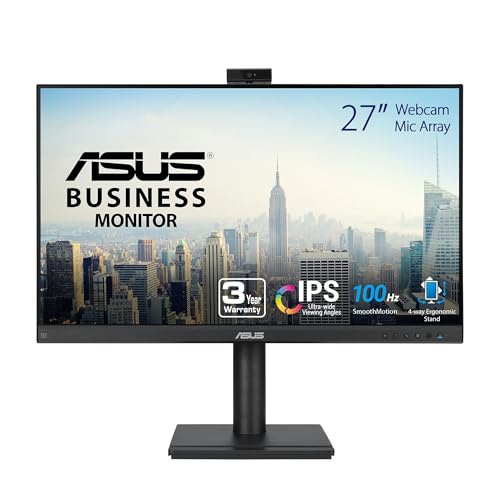
ASUS 27-Inch QHD Conferencing Monitor
Best for: Ergonomic setups with USB-C connectivity needs
- Features
- Built-in Speakers, Height-Adjustable Stand, USB Hub, Webcam
- Screen Size
- 27-inch
- Resolution
- 2560×1440
- Panel Type
- IPS
- Ports
- HDMI, DisplayPort, USB-C
- Dimensions
- 28.1 × 8.98 × 19.8 inches
This 27-inch monitor features a QHD (2560×1440) IPS panel for sharp visuals. It includes a built-in Full HD webcam with AI noise-canceling microphones and stereo speakers. The USB-C port supports single-cable connectivity for video, data, and power. The height-adjustable stand allows for ergonomic positioning. This setup suits professionals who need clear video conferencing capabilities alongside a high-resolution display.
- 27-inch WQHD (2560×1440) IPS panel
- Built-in Full HD webcam with AI noise-canceling
- USB-C port with power delivery
- Height-adjustable stand for ergonomic use
- Integrated stereo speakers and microphone array
- 1440p resolution is lower than the 4K options in this list
- 23.6-pound weight is heavier than the 24-inch competitors
- Standard 1080p webcam is less detailed than the 5MP pop-up camera on the HP Series 5 Pro
- You need a single-cable USB-C connection for your laptop
- You require a height-adjustable stand for ergonomic comfort
- You want a 27-inch display with integrated conferencing tools
- You need 4K or 6K resolution for detailed work
- You prefer a lighter monitor under 20 pounds
- You require a higher-resolution webcam than 1080p
Verdict: ASUS BE27ACSBK 27-inch Webcam Monitor provides a balanced mix of QHD clarity and conferencing tools. It fits users who prioritize ergonomic adjustability and USB-C convenience over maximum resolution or webcam detail.

Philips 34" Curved USB-C Monitor
Best for: multitasking and video conferencing
- Features
- Built-in Speakers, Curved Screen, Webcam
- Screen Size
- 34"
- Resolution
- 3440 x 1440
- Refresh Rate
- 100Hz
- Aspect Ratio
- 21:9
- Ports
- USB-C
The Philips 34E1C5600HE is a 34-inch ultrawide monitor with a 21:9 aspect ratio and 3440 x 1440 resolution. It features a 100Hz refresh rate and a curved VA panel. The built-in 5MP webcam supports Windows Hello facial recognition and includes a noise-canceling microphone. USB-C connectivity delivers up to 65W of power delivery. This setup suits users who need a large, immersive screen for productivity and video calls.
- 34-inch ultrawide QHD resolution (3440 x 1440)
- Built-in 5MP webcam with Windows Hello support
- USB-C port with 65W power delivery
- 100Hz refresh rate for smooth motion
- 100Hz refresh rate is lower than the 120Hz, 144Hz, 160Hz, and 165Hz options on this list
- 21:9 aspect ratio requires specific monitor support for dual-window setups
- You need a wide workspace for multitasking across multiple windows
- You want a single USB-C cable for video, data, and charging
- You prefer a curved screen for better immersion
- You require a 144Hz or higher refresh rate for competitive gaming
- You need a standard 16:9 aspect ratio for universal compatibility
- You prefer a flat screen over a curved display
Verdict: Philips 34" Curved QHD Webcam Monitor offers a spacious ultrawide display and convenient USB-C charging for professionals who value screen real estate. It is ideal for users who want a large, immersive monitor with integrated video conferencing tools.

HP Series 5 Pro 24-Inch FHD USB-C Monitor
Best for: hybrid workers needing strong conferencing features
- Features
- Built-in Speakers, Webcam
- Screen Size
- 23.8"
- Resolution
- FHD
- Ports
- USB-C, DisplayPort, HDMI
- Dimensions
- 7.46 × 21.2 × 19.8 inches
- Weight
- 14.6 pounds
This 24-inch monitor targets hybrid workers who need a dedicated conferencing setup. It features a 5MP pop-up webcam with AI noise reduction and four 3W speakers. The stand offers four-way adjustability, including 150 mm height adjustment and pivot. You get a USB-C port alongside HDMI and DisplayPort. The 1080p resolution fits standard office tasks, while the sleek borderless design keeps your desk tidy.
- 5MP pop-up tiltable webcam for privacy
- Four-way adjustable stand with 150 mm height range
- Built-in 4x 3W down-firing speakers
- USB-C connectivity for data and power
- 1080p resolution is lower than the 1440p and 4K options on this list
- 24-inch screen is smaller than the 27-inch and ultrawide alternatives
- 14.6 pounds weight is heavier than many 24-inch competitors
- You need a dedicated webcam for frequent video calls
- You want a monitor with a height-adjustable stand
- You prefer a compact 24-inch display for your desk
- You require 4K resolution for detailed creative work
- You need a large ultrawide screen for multitasking
- You want a lighter monitor for easy repositioning
Verdict: HP Series 5 Pro 24" FHD USB-C is ideal for professionals who prioritize video conferencing quality and ergonomic adjustability over screen size or resolution. It suits those who want a polished, all-in-one solution for hybrid work.

ASUS 27-Inch 1080p Video Conferencing Monitor
Best for: Ergonomic 27-inch video conferencing
- Features
- Built-in Speakers, Height-Adjustable Stand, Webcam
- Screen Size
- 27-inch
- Resolution
- 1920 x 1080
- Panel Type
- IPS
- Ports
- DisplayPort, HDMI, D-sub, USB, VGA
- Dimensions
- 15.7 × 24.1 × 10.5 inches
This 27-inch monitor features a 1080p IPS panel and a built-in 2MP webcam. It includes a mic array and stereo speakers for video calls. The stand offers height, tilt, swivel, and pivot adjustments. It connects via HDMI, DisplayPort, and VGA. It suits users who need a dedicated conferencing display with ergonomic flexibility.
- 27-inch 1080p IPS panel
- Built-in 2MP webcam
- Height-adjustable stand with pivot
- Integrated stereo speakers
- Multiple input ports
- 1080p resolution is lower than the 1440p and 4K options on this list
- 27-inch size is smaller than the 34-inch and 49-inch ultrawide models here
- 15-pound weight is heavier than many 24-inch competitors
- You need a 27-inch screen for video calls
- You want a monitor with a height-adjustable stand
- You prefer IPS panel colors and viewing angles
- You require 4K resolution for detailed work
- You want a 34-inch or larger ultrawide display
- You need USB-C connectivity for docking
Verdict: ASUS BE279QSK 27 Inch 1080p Webcam Monitor fits office workers who prioritize ergonomic adjustments and built-in conferencing tools over high resolution or large screen real estate.

Thinlerain 27-Inch 4K 160Hz Webcam Monitor
Best for: 4K gaming and vertical office work
- Features
- Built-in Speakers, Webcam
- Screen Size
- 27"
- Resolution
- 3840 x 2160
- Refresh Rate
- 160Hz
- Panel Type
- IPS
- Response Time
- 1ms GTG
This Thinlerain monitor pairs a 27-inch IPS panel with 4K UHD resolution and a 160Hz refresh rate. It includes a pop-up 3MP webcam with a physical privacy shutter and built-in speakers. The stand offers full ergonomic adjustments, including 90-degree pivot for vertical use. You get versatile connectivity with HDMI, DisplayPort, and USB-C. It suits users who need high detail and smooth motion for gaming or creative work.
- 4K UHD resolution for sharp detail
- 160Hz refresh rate with 1ms GTG response
- Pop-up 3MP webcam with physical privacy shutter
- 90-degree pivot for vertical portrait mode
- 100% sRGB color coverage
- Webcam requires a separate USB-A to USB-B cable connection
- Brightness is limited to 350 nits
- No USB-C power delivery for laptop charging
- You want 4K clarity for video editing or design
- You need a high refresh rate for smooth gaming
- You prefer a physical shutter for webcam privacy
- You require a 6K or higher resolution display
- You need a monitor with USB-C power delivery
- You prefer a larger 34-inch ultrawide screen
Verdict: Thinlerain 27 Inch 4K 160Hz Monitor delivers high-resolution visuals and a smooth refresh rate for gamers and creators who value physical webcam privacy. It fits those who need vertical screen options and do not require USB-C charging capabilities.
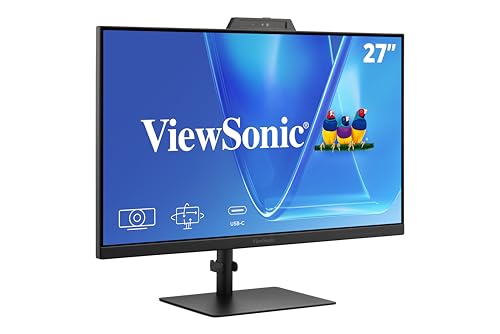
ViewSonic 27-Inch 1080p Conferencing Monitor
Best for: Windows Hello users needing 120Hz and integrated audio
- Features
- Built-in Speakers, Webcam
- Screen Size
- 27-Inch
- Resolution
- 1080p
- Refresh Rate
- 120Hz
- Ports
- USB-C, HDMI, DisplayPort
- Use
- Business & Office, Mac, Office, Home Office
This 27-inch ViewSonic monitor pairs 1080p resolution with a 120Hz refresh rate. It includes a 5MP IR webcam supporting Windows Hello, plus built-in speakers and a microphone. USB-C connectivity simplifies connections for laptops and desktops. Eye Care features support long workdays. It suits home offices and business environments needing integrated conferencing hardware without extra accessories.
- 120Hz refresh rate for smooth visuals
- 5MP IR webcam with Windows Hello support
- Built-in speakers and microphone for calls
- USB-C connectivity for streamlined setup
- 1080p resolution is lower than the 1440p and 4K options on this list
- 11.7 pounds weight is heavier than many 24-inch competitors
- 27-inch size is smaller than the 34-inch and 49-inch ultrawide models available
- You need Windows Hello facial recognition for secure logins
- You want a 120Hz refresh rate for smoother motion
- You prefer a 27-inch display with integrated audio
- You require 4K or higher resolution for detailed work
- You need a 34-inch or larger ultrawide screen
- You want a lighter monitor for easy desk movement
Verdict: ViewSonic VG2741V 27-Inch 1080p Webcam Monitor fits users who need Windows Hello authentication and a 120Hz refresh rate in a single 27-inch unit. It is ideal for hybrid workers who want built-in conferencing tools without extra cables.

ASUS 24-Inch 1080p Touchscreen Monitor
Best for: touchscreen laptop docking setups
- Features
- Height-Adjustable Stand, Touchscreen, Webcam, Power Delivery
- Screen Size
- 23.8-inch
- Resolution
- 1920 x 1080
- Panel Type
- IPS
- Ports
- USB-C, HDMI, DisplayPort
- Size
- 24 Inch
This ASUS monitor combines a 24-inch Full HD IPS panel with 10-point touch capability and a built-in webcam. It features USB-C connectivity with up to 80W power delivery, allowing you to dock your laptop with a single cable. The stand offers height, tilt, swivel, and pivot adjustments. It is a practical option for users who need touch input and efficient desk space management alongside video conferencing tools.
- 10-point multi-touch touchscreen for intuitive control
- USB-C port provides up to 80W power delivery
- IPS panel ensures wide viewing angles and color accuracy
- Ergonomic stand includes 130mm height adjustment and 90-degree pivot
- 24-inch screen size is smaller than many competitors
- 1080p resolution is lower than the 1440p or 4K options available
- 13.4-pound weight is heavier than some slim business monitors
- You need a touchscreen interface for direct navigation
- You want to charge your laptop via the monitor
- You prefer a compact 24-inch display footprint
- You require 4K resolution for detailed work
- You need a screen larger than 24 inches
- You do not need touch functionality
Verdict: ASUS BE24ECSBT 24-Inch Touchscreen Monitor suits professionals who value touch input and single-cable laptop docking. It is ideal for small workspaces where height adjustability and webcam integration are priorities.

HP Series 5 Pro 34" WQHD Webcam Monitor
Best for: Ultrawide multitasking and video conferencing
- Features
- Built-in Speakers, Webcam
- Screen Size
- 34"
- Resolution
- 3440 x 1440
- Ports
- USB-C
- Dimensions
- 10.6 × 31.8 × 21.5 inches
- Weight
- 25.3 pounds
This 34-inch ultrawide monitor offers a 3440 x 1440 resolution on a 1500R curved IPS panel. It includes a 5MP pop-up webcam with AI noise reduction and four 3W speakers. The stand provides height, tilt, and swivel adjustments. It connects via USB-C and includes a portable dock. This setup suits users who need a large, adjustable workspace with integrated conferencing tools.
- 34-inch WQHD (3440 x 1440) curved display
- 5MP pop-up webcam with AI noise reduction
- Four 3W down-firing speakers
- Height, tilt, and swivel adjustability
- 25.3-pound weight is heavier than many 24-inch options
- WQHD resolution is lower than 4K or 6K alternatives
- Curved 1500R panel may not suit precise alignment tasks
- You need a wide screen for multitasking
- You require a high-quality pop-up webcam
- You want built-in speakers for calls
- You prefer a flat panel for graphic design
- You need 4K or higher resolution
- You want a lightweight portable display
Verdict: HP Series 5 Pro 34" WQHD Webcam Monitor delivers a spacious ultrawide view with strong conferencing features. It fits professionals who prioritize screen real estate and integrated audio-video tools over maximum pixel density.

HP Series 5 Pro 49" 165Hz DQHD Monitor
Best for: large immersive ultrawide workspace with conferencing
- Features
- Built-in Speakers, Curved Screen, USB Hub, Webcam
- Screen Size
- 49"
- Resolution
- 5120 x 1440
- Refresh Rate
- 165Hz
- Response Time
- 5ms GtG
- Aspect Ratio
- 32:9
This HP ultrawide monitor features a 49-inch curved VA panel with DQHD resolution (5120 x 1440). It includes a built-in 5MP webcam and dual microphones with noise cancellation for clear video calls. The display supports a 165Hz refresh rate and 5ms response time. USB-C connectivity provides up to 140W power delivery. It suits users needing a large, immersive workspace with integrated conferencing tools.
- 49-inch DQHD (5120 x 1440) curved VA display
- 165Hz refresh rate with 5ms GtG response time
- Built-in 5MP webcam and dual microphones
- USB-C with up to 140W power delivery
- 58.8 pounds weight makes it heavy to move
- 53 inches length requires significant desk space
- VA panel may have slower pixel response than IPS
- You need a large, immersive ultrawide screen for multitasking
- You require high refresh rates for smooth visuals
- You want integrated webcam and microphone features
- You have limited desk space for a 53-inch monitor
- You prefer a lighter, more portable display
- You need a standard 16:9 aspect ratio
Verdict: HP Series 5 Pro 49" 165Hz DQHD Monitor delivers an expansive 49-inch curved workspace with high refresh rates and built-in conferencing tools. It fits professionals who need a massive, all-in-one display solution for productivity and video calls.

Dell P3426WEB 34" Curved UWQHD Webcam Monitor
Best for: Remote workers needing ultrawide multitasking space
- Features
- Curved Screen, Webcam
- Screen Size
- 34.1-inch
- Resolution
- 3440 x 1440
- Panel Type
- IPS
- Response Time
- 5ms
- Ports
- HDMI, DisplayPort, USB-C
The Dell P3426WEB is a 34.1-inch curved UWQHD monitor with a built-in webcam. It uses an IPS panel for accurate colors and includes HDMI, DisplayPort, and USB-C ports. The 5ms response time supports smooth visuals for business and remote work. This ultrawide display reduces the need for dual screens while keeping your workspace clean and professional.
- 34.1-inch curved UWQHD (3440 x 1440) IPS display
- Integrated webcam for video conferencing
- Versatile connectivity with HDMI, DisplayPort, and USB-C
- 5ms response time for smooth visuals
- Heavier at 22 pounds compared to many 24-inch options
- Standard 5ms response time, not high refresh rate
- Limited to one size option in this data set
- You need a single wide screen for multitasking
- You want a built-in webcam for meetings
- You prefer an IPS panel for color accuracy
- You require a 4K resolution display
- You need a high refresh rate for gaming
- You prefer a flat screen over a curved one
Verdict: Dell P3426WEB 34" Curved UWQHD Webcam Monitor fits remote workers who want a clean setup with a built-in camera and plenty of horizontal screen space for productivity.

Dell U3224KB 31.5-inch 6K Monitor
Best for: High-resolution tasks with video conferencing
- Features
- Webcam
- Screen Size
- 31.5"
- Resolution
- 6144 x 3456
- Refresh Rate
- 60 Hz
- Response Time
- 5 ms GTG (Fast)
- Aspect Ratio
- 16:9
The Dell U3224KB is a 31.5-inch LED monitor featuring a built-in webcam and 6K resolution. It delivers a 6144 x 3456 pixel display for sharp images and video calls. With 450 nits of brightness and a 5 ms response time, it handles well-lit rooms and action content. This model suits professionals needing high clarity and integrated conferencing tools.
- 6K resolution (6144 x 3456) for extreme detail
- Built-in webcam for video conferencing
- 450 nit brightness for clear visibility in lit areas
- 5 ms GTG response time for smooth motion
- 16:9 aspect ratio limits horizontal workspace compared to ultrawide options
- Heavier build at 5.5 pounds requires sturdy support
- Standard 16:9 format lacks the immersive width of 21:9 displays
- You need maximum pixel density for detailed work
- You require a built-in webcam for meetings
- You prefer a traditional 16:9 screen shape
- You need an ultrawide 21:9 or 32:9 display
- You prioritize a lightweight and compact setup
- You want a higher refresh rate for gaming
Verdict: Dell U3224KB 31.5" 6K Webcam Monitor offers exceptional clarity for detail-oriented tasks. It fits users who value high resolution and integrated video calling in a standard aspect ratio.

Lenovo ThinkCentre TIO24 Gen5 24" FHD Monitor
Best for: Office video conferencing and standard 1080p tasks
- Features
- Webcam
- Screen Size
- 23.8 inch
- Resolution
- 1920 x 1080
- Response Time
- 4 ms
- Aspect Ratio
- 16:9
- Dimensions
- 2.9 × 21.3 × 14.5 inches
The Lenovo ThinkCentre TIO24 Gen5 is a 24-inch 1080p monitor with a built-in webcam. It features a 16:9 aspect ratio and 4 ms response time for smooth visuals. The display offers 250 nits of brightness and covers sRGB colors. Eye Comfort Certification helps reduce visual fatigue during long work sessions. This compact unit suits users needing a reliable, spec-focused display for office tasks.
- Built-in webcam for video conferencing
- 24-inch 1080p FHD resolution
- 4 ms response time reduces motion blur
- Eye Comfort Certification for reduced fatigue
- sRGB color coverage for consistent visuals
- 1080p resolution is lower than the 1440p and 4K options on this list
- 250 nits brightness is modest compared to higher-end panels
- 17.6 pounds weight is heavier than many 24-inch competitors
- You need a dedicated webcam for video calls
- You prefer a standard 16:9 screen size
- You work in environments where eye comfort is a priority
- You require 4K or higher resolution for detailed work
- You want a high refresh rate for fast-paced gaming
- You need a lightweight monitor for frequent moving
Verdict: Lenovo ThinkCentre TIO24 Gen5 24" FHD Monitor is a solid choice for office workers who prioritize integrated video conferencing and eye comfort over high resolution. It fits well on desks where a standard 1080p display and webcam are sufficient for daily tasks.

ASUS 24" Business Monitor with Webcam
Best for: Standard office video conferencing
- Features
- Built-in Speakers, Webcam
- Screen Size
- 23.8"
- Resolution
- 1920 x 1080
- Panel Type
- IPS
- Aspect Ratio
- 16:9
- Ports
- HDMI, DisplayPort, VGA
This ASUS 24-inch monitor pairs a 1080p FHD IPS panel with a 60Hz refresh rate. It includes a 2MP adjustable webcam, beamforming microphone array, and dual stereo speakers. The frameless design and VESA mountability suit office desks. TÜV Rheinland certification adds flicker-free and low blue light protection for long work sessions.
- 2MP adjustable webcam with physical privacy shutter
- Beamforming microphone array with echo cancellation
- 1080p FHD IPS panel with 178-degree viewing angles
- Dual built-in stereo speakers
- TÜV Rheinland certified flicker-free and low blue light
- 60Hz refresh rate is lower than the 120Hz or 144Hz options on this list
- 1080p resolution is less detailed than the QHD or 4K displays found elsewhere in the guide
- You need a complete all-in-one conferencing setup with webcam and speakers
- You prioritize eye comfort features like flicker-free technology for long hours
- You want a frameless 24-inch monitor that fits standard VESA mounts
- You require a higher resolution than 1080p for sharp text or media
- You need a refresh rate above 60Hz for smooth motion
- You prefer a larger screen size than 24 inches
Verdict: ASUS 24" Business Monitor with Webcam provides a solid entry-level conferencing solution for users who prioritize integrated audio and video features over high resolution or speed.

ASUS 24" Business Monitor with Webcam
Best for: video conferencing on a compact 24-inch display
- Features
- Built-in Speakers, Webcam
- Screen Size
- 23.8"
- Resolution
- 1920 x 1080
- Refresh Rate
- 75Hz
- Panel Type
- IPS
- Aspect Ratio
- 16:9
This 23.8-inch IPS monitor delivers Full HD resolution at a 75Hz refresh rate. It includes a 2MP webcam with a privacy shutter, beamforming microphone, and stereo speakers for video calls. The frameless design and VESA 100×100 mount support flexible setups. ASUS Eye Care technology reduces eye strain during long work sessions.
- 2MP Full HD webcam with sliding privacy shutter
- Beamforming microphone array with echo cancellation
- Built-in stereo speakers and audio in jack
- VESA 100×100 mm mounting compatibility
- TÜV Rheinland certified flicker-free display
- 75Hz refresh rate is lower than many competitors
- 1080p resolution is less sharp than QHD or 4K options
- 23.8-inch screen is smaller than 27-inch or ultrawide alternatives
- You need a dedicated webcam for daily video conferencing
- You prefer a compact 24-inch screen for tight desks
- You want built-in speakers and microphone for simplicity
- You require high refresh rates for gaming
- You need 4K or QHD resolution for detailed work
- You prefer larger screens for better visibility
Verdict: ASUS 24" FHD 75Hz Business Monitor suits users who prioritize integrated video conferencing tools over high resolution or fast refresh rates. It is ideal for office environments where clear communication and space-saving design matter most.
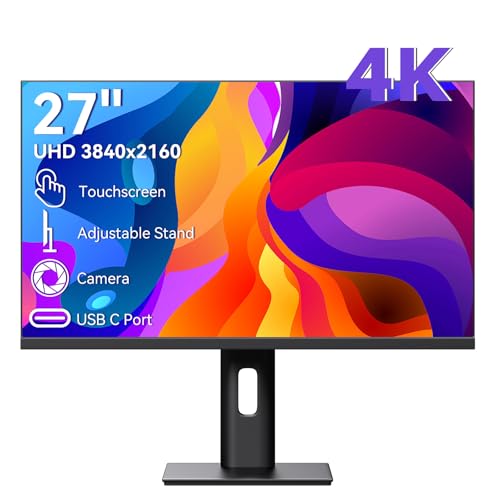
Pisichen 27 Inch 4K Touchscreen Monitor
Best for: touchscreen 4K productivity and video calls
- Features
- Touchscreen, Webcam
- Screen Size
- 27 Inch
- Resolution
- 3840×2160
- Refresh Rate
- 60Hz
- Panel Type
- IPS
- Ports
- HDMI, DisplayPort, USB-C
This 27-inch monitor delivers 4K UHD resolution on an IPS panel with a 60Hz refresh rate. It includes a built-in webcam and a 10-point touchscreen for direct interaction. Connectivity options include HDMI, DisplayPort, and USB-C. The adjustable stand supports ergonomic positioning. It suits users who need high clarity and touch input for creative or professional tasks.
- 27-inch 4K UHD IPS display for sharp visuals
- Built-in webcam for video conferencing
- 10-point touchscreen for intuitive control
- USB-C and HDMI connectivity options
- Adjustable stand for ergonomic viewing
- 60Hz refresh rate limits smoothness for fast gaming
- 27-inch size may be small for ultrawide workflow needs
- Limited port selection compared to higher-end models
- You need a touchscreen for direct interaction
- You prioritize 4K clarity for creative work
- You want a built-in webcam for calls
- You require a high refresh rate for gaming
- You need an ultrawide display for multitasking
- You prefer a larger screen for media consumption
Verdict: Pisichen 27 Inch 4K Touchscreen Monitor is a solid choice for professionals who value touch input and high resolution. It fits users who need a compact, all-in-one solution for video calls and detailed work.
Specifications side by side

| Spec | ASUS 27-Inch QHD Conferencing Monitor | Philips 34" Curved USB-C Monitor | HP Series 5 Pro 24-Inch FHD USB-C Monitor | ASUS 27-Inch 1080p Video Conferencing Monitor | Thinlerain 27-Inch 4K 160Hz Webcam Monitor | ViewSonic 27-Inch 1080p Conferencing Monitor | ASUS 24-Inch 1080p Touchscreen Monitor | HP Series 5 Pro 34" WQHD Webcam Monitor | HP Series 5 Pro 49" 165Hz DQHD Monitor | Dell P3426WEB 34" Curved UWQHD Webcam Monitor | Dell U3224KB 31.5-inch 6K Monitor | Lenovo ThinkCentre TIO24 Gen5 24" FHD Monitor | ASUS 24" Business Monitor with Webcam | ASUS 24" Business Monitor with Webcam | Pisichen 27 Inch 4K Touchscreen Monitor |
|---|---|---|---|---|---|---|---|---|---|---|---|---|---|---|---|
| Screen Size | 27-inch | 34" | 23.8" | 27-inch | 27" | 27-Inch | 23.8-inch | 34" | 49" | 34.1-inch | 31.5" | 23.8 inch | 23.8" | 23.8" | 27 Inch |
| Resolution | 2560×1440 | 3440 x 1440 | FHD | 1920 x 1080 | 3840 x 2160 | 1080p | 1920 x 1080 | 3440 x 1440 | 5120 x 1440 | 3440 x 1440 | 6144 x 3456 | 1920 x 1080 | 1920 x 1080 | 1920 x 1080 | 3840×2160 |
| Refresh Rate | – | 100Hz | – | – | 160Hz | 120Hz | – | – | 165Hz | – | 60 Hz | – | – | 75Hz | 60Hz |
| Panel Type | IPS | – | – | IPS | IPS | – | IPS | – | – | IPS | – | – | IPS | IPS | IPS |
| Response Time | – | – | – | – | 1ms GTG | – | – | – | 5ms GtG | 5ms | 5 ms GTG (Fast) | 4 ms | – | – | – |
| Aspect Ratio | – | 21:9 | – | – | – | – | – | – | 32:9 | – | 16:9 | 16:9 | 16:9 | 16:9 | – |
| Ports | HDMI, DisplayPort, USB-C | USB-C | USB-C, DisplayPort, HDMI | DisplayPort, HDMI, D-sub, USB, VGA | 2x HDMI, DisplayPort, USB-C, USB-A | USB-C, HDMI, DisplayPort | USB-C, HDMI, DisplayPort | USB-C | USB-C | HDMI, DisplayPort, USB-C | USB Type-C | – | HDMI, DisplayPort, VGA | DisplayPort, HDMI 1.4, VGA | HDMI, DisplayPort, USB-C |
| Features | Built-in Speakers, Height-Adjustable Stand, USB Hub, Webcam | Built-in Speakers, Curved Screen, Webcam | Built-in Speakers, Webcam | Built-in Speakers, Height-Adjustable Stand, Webcam | Built-in Speakers, Webcam | Built-in Speakers, Webcam | Height-Adjustable Stand, Touchscreen, Webcam, Power Delivery | Built-in Speakers, Webcam | Built-in Speakers, Curved Screen, USB Hub, Webcam | Curved Screen, Webcam | Webcam | Webcam | Built-in Speakers, Webcam | Built-in Speakers, Webcam | Touchscreen, Webcam |
| Use | – | – | – | – | Gaming, Business & Office, Office, Home Office | Business & Office, Mac, Office, Home Office | – | – | – | – | – | – | Business & Office, Business | Business & Office, Business | Gaming |
| Size | 27 Inch | 34" | 24-Inch Series 5 | 27 Inch | 27 Inch | 27 Inch | 24 Inch | Single monitor with single arm | – | – | 19.2" x 28.2" x 2.6" | 14.5" x 21.3" x 2.9" | – | 24"-FHD-75Hz | – |
| Operating System | – | Windows | – | – | – | Windows | – | – | – | – | – | – | – | – | – |
| Dimensions | 28.1 × 8.98 × 19.8 inches | 4.4 × 31.8 × 15 inches | 7.46 × 21.2 × 19.8 inches | 15.7 × 24.1 × 10.5 inches | 8.67 × 24 × 21.3 inches | 8.11 × 24.1 × 21.7 inches | 21.2 × 8.32 × 18.1 inches | 10.6 × 31.8 × 21.5 inches | 53 × 18.2 × 12.1 inches | 32.1 × 9.02 × 22.6 inches | 2.6 × 28.2 × 19.2 inches | 2.9 × 21.3 × 14.5 inches | 7.68 × 21.3 × 16.8 inches | 6.85 × 21.3 × 15.5 inches | 0.87 × 24.2 × 15.7 inches |
| Weight | 23.6 pounds | 26.2 pounds | 14.6 pounds | 15 pounds | – | 11.7 pounds | 13.4 pounds | 25.3 pounds | 58.8 pounds | 22 pounds | 5.5 pounds | 17.6 pounds | – | – | – |
| Color | BLACK | Black | Black/Silver | BLACK | 3840 x 2160-160Hz | Black | BLACK | Black/Silver | Wide color gamut, including HDR colors | black | Information Not Available | Black | Black | Black | black |
| Model | BE27ACSBK | 34E1C5600HE | HP 24" FHD | BE279QSK | HD-270 | VS20457 | BE24ECSBT | HP 34" WQHD | HP Series 5 Pro 549pm | DELL-P3426WEB | U3224KB | TIO24 Gen5 | asus | 24-75 | 27INCMR-4K |
If you want higher refresh rates rather than an integrated webcam, evaluate the best gaming monitors for gaming instead.
How we picked monitors

We identified monitors with webcams by scanning Amazon listings for products that explicitly list this feature in their titles or feature sets. We only included one size or variant per product family to keep the list concise. All details come directly from the specifications published on those listings. We do not handle these units ourselves. You can trust that every item here matches the published data.
We ordered these 15 picks by availability first, then by Amazon sales rank. This ensures you see the most relevant options upfront. We focused strictly on the webcam inclusion and other key specs like resolution and ports. We did not test these products or read customer reviews. Our goal is to help you compare specifications clearly and find the right monitor for your needs.
How to choose the right monitor
Check resolution needs
Start by matching the resolution to your primary tasks. If you need crisp text and detailed visuals for design work, look for 4K UHD or 6K panels like the Thinlerain 27 Inch 4K 160Hz Monitor or the Dell U3224KB. For standard office work and video calls, 1080p FHD is sufficient and more affordable. Models like the HP Series 5 Pro 24-Inch FHD USB-C Monitor provide clear video without the extra cost of higher pixel counts. Choose based on whether you prioritize screen clarity or budget efficiency.
Consider screen size and shape
Screen size affects your workspace footprint and multitasking ability. A 24-inch or 27-inch display fits most standard desks, such as the ASUS 27-Inch QHD Conferencing Monitor. If you need more horizontal space for multiple windows, an ultrawide 34-inch model like the Philips 34" Curved USB-C Monitor offers a 21:9 aspect ratio. This shape is ideal for spreading out spreadsheets and documents side by side. Larger 49-inch options exist for immersive setups, but they require significant desk depth. Measure your available space before selecting a larger panel.
Verify connectivity options
Ensure the monitor has the ports your devices require. Many modern monitors feature USB-C ports, which can transmit video, data, and power through a single cable. The ASUS BE24ECSBT includes Power Delivery, allowing you to charge a laptop directly. Other models offer HDMI and DisplayPort connections for broader compatibility. Check if you need a USB hub for peripherals. The ASUS 27-Inch QHD Conferencing Monitor includes a USB hub for added convenience. Select a model that matches your computer's output capabilities to avoid needing extra adapters.
Evaluate refresh rate for smoothness
Refresh rate determines how many times the screen updates per second. Standard office monitors operate at 60Hz or 75Hz, which is adequate for web browsing and video calls. If you engage in gaming or fast-paced video editing, look for higher rates like 100Hz, 120Hz, or 165Hz. The ViewSonic VG2741V offers 120Hz for smoother motion, while the HP Series 5 Pro 49" delivers 165Hz. Higher refresh rates reduce motion blur. Choose a higher rate only if your workflow or entertainment habits benefit from faster visual updates.
Look for ergonomic adjustments
Comfort during long work sessions depends on physical adjustability. Some monitors include height-adjustable stands that allow you to raise or lower the screen to eye level. The ASUS BE27ACSBK and BE24ECSBT both feature height-adjustable stands for better posture. Touchscreen models like the Pisichen 27 Inch 4K Touchscreen Monitor offer interactive control but may have fixed stands. Check the product specifications for tilt, swivel, or pivot options. Proper ergonomic support reduces neck strain. Prioritize models with adjustable stands if you spend many hours at your desk.
Frequently asked questions
Which monitor has the highest refresh rate?
The HP Series 5 Pro 49" 165Hz DQHD Monitor offers the highest refresh rate at 165Hz. It features a curved screen and built-in speakers. This model suits users who need a massive, immersive display for both productivity and video calls. The large 49-inch size provides an expansive workspace.
Can I use a monitor with webcam for laptop docking?
Yes, several models support this via USB-C ports. The ASUS BE24ECSBT 24-Inch Touchscreen Monitor includes USB-C and power delivery. It allows for single-cable laptop docking. This setup is ideal for small workspaces where you want to connect your laptop and charge it simultaneously.
Are there ultrawide options with built-in cameras?
Yes, there are multiple ultrawide choices. The Philips 34" Curved USB-C Monitor provides a 21:9 aspect ratio and 100Hz refresh rate. The HP Series 5 Pro 34" WQHD Webcam Monitor also offers spacious multitasking. Both include webcams and built-in speakers for a complete conferencing solution.
Do these monitors include built-in speakers?
Most models in this list include built-in speakers. The ASUS BE27ACSBK, Philips 34E1C5600HE, and HP Series 5 Pro 24" FHD all feature integrated audio. This reduces desk clutter by eliminating the need for external speakers. You get clear audio for video calls without extra hardware.
Which monitor is best for vertical screen orientation?
The Thinlerain 27 Inch 4K 160Hz Monitor fits those who need vertical screen options. It delivers high-resolution visuals and a smooth refresh rate. This model supports physical webcam privacy. It is suitable for creators who value screen orientation flexibility and do not require USB-C charging.
Is there a monitor with Windows Hello support?
The ViewSonic VG2741V 27-Inch 1080p Webcam Monitor supports Windows Hello authentication. It combines this security feature with a 120Hz refresh rate. This unit is ideal for hybrid workers who want integrated conferencing tools. It provides a clean setup without requiring extra cables for authentication.
Which model has the best resolution for detailed work?
The Dell U3224KB 31.5-inch 6K Monitor offers exceptional clarity for detail-oriented tasks. It provides 6K resolution in a standard 16:9 aspect ratio. This model fits users who value high resolution and integrated video calling. It is ideal for professionals needing sharp visuals for complex work.
Does the ASUS BE27ACSBK have height adjustment?
Yes, the ASUS BE27ACSBK features a height-adjustable stand. It also includes USB-C ports and QHD resolution. This monitor provides ergonomic adjustability for comfortable viewing. It is designed for users who prioritize ergonomic setups and convenient connectivity over maximum resolution or webcam detail.
See also