Best Monitors Under $1500 in 2026: 15 Picks Ranked by Specs
As Amazon Associates, we earn from qualifying purchases. This means we may receive a small commission at no extra cost to you if you click through and make a purchase.
As an Amazon Associate we earn from qualifying purchases. Links on this page are affiliate links.
Finding the best monitors under $1500 requires looking at published specifications rather than marketing claims. We compared 15 models to help you choose based on hard data. Our top pick is the ASUS ROG 32-Inch 4K OLED Gaming Monitor because it pairs 4K UHD resolution with a 240Hz refresh rate for sharp, fast visuals. These selections are ranked strictly by the specs listed on each product page. This guide helps you decide which display size, panel type, and connectivity options match your specific workflow.
Match refresh rate to your needs

Most top picks offer 240Hz OLED panels for smooth gaming. If you prioritize color accuracy or text clarity over speed, look for 60Hz IPS models like the Apple Studio Display. Choose based on whether you need high-speed motion handling or static sharpness. Panel type and refresh rate are the main differentiators in this price range.
| # | Product | Best for | Price |
|---|---|---|---|
| 1 | ASUS ROG 32-Inch 4K OLED Gaming Monitor Best overall | 4K gaming with high refresh rates and USB-C power | |
| 2 | ASUS 34-Inch 360Hz Curved OLED Gaming Monitor Best 1440p qhd | fast-paced ultrawide gaming and color work | |
| 3 | Dell 40-Inch 5K2K Curved Ultrawide Monitor Also great | productivity and media in bright rooms | |
| 4 | LG 45-Inch 240Hz Curved OLED Monitor Best ultrawide qhd | immersive ultrawide OLED gaming | |
| 5 | Apple 27-Inch 5K Studio Display Also great | color-critical work and video calls | |
| 6 | Samsung 49-inch Odyssey QD-OLED Gaming Monitor Also great | Immersive ultrawide gaming with high speed | |
| 7 | LG 39-inch UltraGear 5K2K Curved OLED Best premium | Ultrawide gaming and high-res creative work | |
| 8 | Dell UltraSharp 49-Inch Curved DQHD Monitor Best budget | Productivity and immersive viewing on a 32:9 screen | |
| 9 | Samsung 32-Inch Odyssey G8 6K Monitor Best 32 inch | 32-inch 6K gaming with dual mode | |
| 10 | HP Series 5 Pro 34" WQHD USB-C Best webcam | Shared ultrawide conferencing setups | |
| 11 | LG 32U990A-S 32" 6K Thunderbolt 5 Monitor Best thunderbolt 5 | Professional color work and single-cable setups | |
| 12 | ASUS ProArt PA27UCDMR 27in 4K OLED Best mac | Mac users needing 4K OLED color accuracy | |
| 13 | Dell 38-Inch IPS Black Curved Monitor Also great | Ultrawide multitasking and USB-C connectivity | |
| 14 | Kuycon G32X 32-Inch 6K IPS Monitor Also great | Color-critical work and precise detail viewing | |
| 15 | ViewSonic 38-Inch Curved IPS Monitor Best business & office | business multitasking and wide workflows |
The best fit for you

- You want the best overall 4K gaming performance – ASUS ROG 32-Inch 4K OLED Gaming Monitor – It features a 240Hz OLED panel with G-SYNC for smooth, high-speed gaming.
- You need a dedicated monitor for Mac users – ASUS ProArt PA27UCDMR 27in 4K OLED – It offers Thunderbolt 4 connectivity and 4K OLED color accuracy optimized for macOS.
- You require a large ultrawide screen for productivity – Dell 40-Inch 5K2K Curved Ultrawide Monitor – It provides a 40-inch curved workspace with USB-C convenience for office tasks.
- You seek an immersive ultrawide OLED gaming experience – LG 45-Inch 240Hz Curved OLED Monitor – It delivers 240Hz performance on a 45-inch curved OLED canvas for deep immersion.
- You prioritize pixel density and sharp text for work – LG 39-inch UltraGear 5K2K Curved OLED – It combines 5K2K resolution with OLED technology for high detail and color fidelity.
Trade-offs in the Under $1500 Range
Monitors in this price tier offer significant performance gains, but you accept specific compromises. High refresh rates often accompany lower resolutions on ultrawide screens. Large physical footprints are common for ultrawide models, requiring substantial desk space. Many productivity-focused units limit refresh rates to 60Hz. You also trade peak brightness for OLED contrast. Panel types vary widely between OLED and IPS. Connectivity options depend heavily on the specific use case, from gaming ports to Thunderbolt.
- Ultrawide models like the Dell U4025QW lack 4K or 6K pixel density.
- Productivity screens such as the Apple Studio Display cap refresh rates at 60Hz.
- Large 49-inch units require significant desk width and depth.
- OLED panels prioritize contrast over peak brightness levels found in IPS displays.

ASUS ROG 32-Inch 4K OLED Gaming Monitor
Best for: 4K gaming with high refresh rates and USB-C power
- Screen Size
- 32 Inch
- Resolution
- 3840 x 2160
- Refresh Rate
- 240 Hz
- Panel Type
- QD-OLED
- Response Time
- 0.03ms
- Variable Refresh Rate
- G-SYNC Compatible
This 32-inch 4K gaming monitor features a 240Hz refresh rate and 0.03ms response time. It includes DisplayHDR 500 True Black compliance and 99.5% DCI-P3 color coverage. BlackShield Film Technology improves scratch resistance and black levels. The display supports G-SYNC Compatible technology for tear-free gameplay. It offers extensive connectivity with DisplayPort 2.1 and USB-C with 90-watt power delivery. This model suits gamers seeking high refresh rates and advanced OLED care features.
- 32-inch 4K QD-OLED panel with 240Hz refresh rate
- 0.03ms response time for fast gameplay
- 99.5% DCI-P3 color gamut with true 10-bit color
- DisplayPort 2.1 with 80Gbps bandwidth
- USB-C port with 90-watt power delivery
- VESA DisplayHDR 500 rating is lower than the 1000+ ratings found on other OLED monitors in this list
- 32-inch screen size is smaller than the 34-inch, 37.5-inch, 39-inch, 40-inch, and 49-inch options available
- 19.2-pound weight is heavier than many standard 27-inch or 32-inch monitors on the market
- You want a 4K resolution with a 240Hz refresh rate for competitive gaming
- You need USB-C connectivity with 90-watt power delivery for your laptop
- You value advanced OLED care features like the Neo Proximity Sensor
- You prefer a larger screen size for immersive ultrawide or dual-monitor setups
- You require a higher peak brightness rating for HDR content
- You are looking for a lighter monitor for easy desk mobility
Verdict: ASUS ROG PG32UCDM3 32-Inch 4K OLED delivers high-speed 4K gaming with robust connectivity. It fits users who prioritize refresh rate and color accuracy in a compact form factor.

ASUS 34-Inch 360Hz Curved OLED Gaming Monitor
Best for: fast-paced ultrawide gaming and color work
- Screen Size
- 34 Inch
- Resolution
- 3440 x 1440
- Refresh Rate
- 360Hz
- Panel Type
- QD-OLED
- Response Time
- 0.03ms GTG
- Ports
- DisplayPort 2.1, HDMI 2.1, USB-C
This 34-inch ultrawide monitor delivers 1440p resolution on a curved OLED panel. It features a 360Hz refresh rate and a 0.03ms response time for smooth gaming. The RGB stripe pixel arrangement improves text clarity. You get 99% DCI-P3 color accuracy and DisplayHDR 500 True Black compliance. It includes USB-C with 90W power delivery. This setup suits gamers who want high speed and sharp visuals in a wide format.
- 360Hz refresh rate for ultra-smooth motion
- 0.03ms GTG response time
- 99% DCI-P3 color gamut coverage
- USB-C port with 90W power delivery
- RGB stripe pixel technology for sharp text
- 240Hz rated refresh rate in attributes conflicts with 360Hz in features
- 18.3 pounds weight is heavier than many standard 34-inch monitors
- 1440p resolution is lower than the 4K and 5K2K options on this list
- You need an ultrawide aspect ratio for multitasking or immersive gaming
- You prioritize high refresh rates and fast response times
- You want accurate color reproduction for creative work alongside gaming
- You require 4K or higher resolution for detailed text
- You prefer a flat screen over a curved display
- You need a standard 16:9 aspect ratio
Verdict: The ASUS ROG PG34WCDN 34-Inch 1440p OLED is a high-speed ultrawide choice for gamers who value smooth motion and color accuracy. It fits those who want a wide viewing area without the pixel density of 4K panels.

Dell 40-Inch 5K2K Curved Ultrawide Monitor
Best for: productivity and media in bright rooms
- Screen Size
- 39.7"
- Resolution
- 5K2K WUHD
- Panel Type
- LED
- Response Time
- 5 ms
- Aspect Ratio
- 21:9
- Ports
- USB Type-C
The Dell UltraSharp U4025QW is a 40-inch curved monitor with a 21:9 aspect ratio. It features a 5K2K resolution and reaches 600 nits of brightness. The 5 ms response time handles action content smoothly. USB Type-C connectivity supports efficient data transfer. This screen suits users who need a wide, bright display for productivity and media.
- 40-inch curved screen with 21:9 aspect ratio
- 5K2K resolution for detailed visuals
- 600 nit brightness for well-lit areas
- USB Type-C for efficient data transfer
- 5 ms response time
- 41.9 pounds weight is heavier than many competitors
- 600 nit brightness is lower than many OLED rivals
- 5 ms response time is slower than high-refresh gaming monitors
- You need a wide 21:9 screen for multitasking
- You work in bright environments requiring high luminance
- You prefer USB-C connectivity for data transfer
- You require OLED contrast and black levels
- You need high refresh rates for competitive gaming
- You want a lighter, more portable display
Verdict: Dell UltraSharp U4025QW 40-inch Curved Monitor offers a large, bright workspace for users who prioritize screen real estate and USB-C convenience over OLED contrast or high-speed gaming performance.

LG 45-Inch 240Hz Curved OLED Monitor
Best for: immersive ultrawide OLED gaming
- Screen Size
- 45"
- Resolution
- 3440 x 1440
- Refresh Rate
- 240Hz
- Panel Type
- OLED
- Response Time
- 0.03ms
- Aspect Ratio
- 21:9
The LG 45GX900A-B is a 45-inch ultrawide monitor with a 3440 x 1440 WQHD OLED panel. It features a steep 800R curve and a 240Hz refresh rate for smooth gameplay. The display covers 98.5% of DCI-P3 color space and reaches 1300 nits peak brightness. This large screen suits gamers who want immersion and high speed on a single display.
- 240Hz refresh rate for fast motion
- 0.03ms response time reduces lag
- 98.5% DCI-P3 color coverage
- 1300 nits peak brightness
- 800R curve for immersion
- 29.8 pounds weight is heavy
- 39.1 inches width requires space
- 26.1 inches height is tall
- You want a large 45-inch screen
- You prioritize high refresh rates
- You prefer OLED contrast
- You need a 4K resolution
- You have limited desk depth
- You prefer flat screens
Verdict: LG 45 Inch WQHD OLED Gaming Monitor delivers fast 240Hz performance on a massive 45-inch canvas. It fits players who want deep immersion and vivid colors without splitting their view across two monitors.
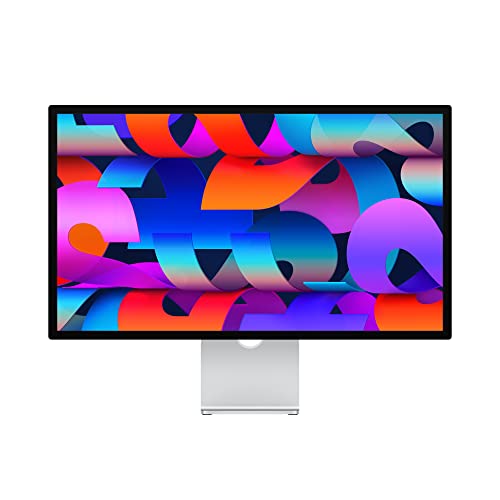
Apple 27-Inch 5K Studio Display
Best for: color-critical work and video calls
- Screen Size
- 27-inch
- Resolution
- 5K
- Ports
- Thunderbolt 3, USB-C
- Features
- Height-Adjustable Stand
- Dimensions
- 6.61 × 24.5 × 18.8 inches
- Weight
- 13.9 pounds
This Apple monitor features a 27-inch 5K Retina display with P3 wide color support. It delivers 600 nits of brightness for clear visuals. The unit includes a 12MP Ultra Wide camera and a six-speaker sound system. Connectivity relies on Thunderbolt 3 and USB-C ports. It suits users who need high resolution and integrated audio for professional tasks.
- 27-inch 5K Retina resolution
- 600 nits brightness level
- Six-speaker sound system
- 12MP Ultra Wide camera
- P3 wide color support
- 60Hz refresh rate is lower than the 144Hz to 360Hz options on this list
- 27-inch size is smaller than the 32-inch to 49-inch displays available here
- 13.9-pound weight is lighter but offers less screen real estate than larger competitors
- You require a high-resolution 5K display for color-critical work
- You want built-in speakers and a camera without extra hardware
- You prefer a compact 27-inch footprint for your desk
- You need a high refresh rate for competitive gaming
- You want a larger screen for multitasking
- You require HDMI or DisplayPort connectivity
Verdict: Apple 27-Inch 5K Studio Display delivers sharp visuals and audio in a compact form factor. It fits users who prioritize resolution and integrated features over screen size and speed.

Samsung 49-inch Odyssey QD-OLED Gaming Monitor
Best for: Immersive ultrawide gaming with high speed
- Screen Size
- 49"
- Resolution
- DQHD
- Refresh Rate
- 240Hz
- Panel Type
- QD-OLED
- Response Time
- 0.03ms (GTG)
- Variable Refresh Rate
- G-Sync Compatible, FreeSync Premium Pro
This 49-inch ultrawide QD-OLED monitor delivers a 240Hz refresh rate and a 0.03ms response time. The 1800R curvature wraps around your field of vision for immersive gaming. It supports G-Sync and FreeSync to eliminate screen tearing. The aluminum silver design includes a height-adjustable stand. This display suits gamers who want expansive screen real estate and high speed.
- 240Hz refresh rate for smooth motion
- QD-OLED panel with 0.03ms response time
- 1800R curved screen for immersion
- G-Sync and FreeSync compatibility
- Height-adjustable stand included
- 27.8-pound weight is heavy for desk setups
- 47.1-inch width requires substantial desk space
- DQHD resolution is lower than 5K2K or 6K options
- You want an ultrawide display for immersive gaming
- You need high refresh rates for competitive play
- You have a large desk for the 49-inch size
- You prefer a standard 16:9 aspect ratio
- You have limited desk space for a 47-inch width
- You need 5K2K or 6K resolution for professional work
Verdict: Samsung Odyssey G93SC 49" QD-OLED is a fast, immersive ultrawide monitor for gamers who prioritize speed and screen size. It fits those who can accommodate its large footprint and heavy build.

LG 39-inch UltraGear 5K2K Curved OLED
Best for: Ultrawide gaming and high-res creative work
- Screen Size
- 39"
- Resolution
- 5120 x 2160
- Refresh Rate
- 165Hz
- Panel Type
- OLED
- Response Time
- 0.03ms (GtG)
- Aspect Ratio
- 21:9
This LG monitor uses a 39-inch 21:9 OLED panel for a wide, curved workspace. It offers 5K2K resolution at 165Hz for detail or drops to WFHD for 330Hz speed. AI upscaling sharpens content without a GPU upgrade. The 143 PPI pixel density ensures crisp text. It suits gamers who want high resolution and speed, plus creators needing a large, color-accurate screen for editing.
- 4th Gen RGB Tandem OLED panel with 1.85M:1 contrast ratio
- Dual Mode: 5K2K at 165Hz or WFHD at 330Hz
- 143 PPI pixel density for sharp text and visuals
- UL-Verified Perfect Black and 100% Color Fidelity
- Built-in AI upscaling for enhanced detail
- 165Hz base refresh rate is lower than the 240Hz or 360Hz options on this list
- 23.6-pound weight is heavier than many standard 27-inch or 32-inch monitors
- 1500R curve may not suit users who prefer flat displays
- You want a single-screen ultrawide setup with high resolution
- You need 5K2K clarity for video editing or multitasking
- You play both cinematic AAA titles and competitive shooters
- You prefer a flat screen over a curved one
- You need a refresh rate higher than 165Hz at native resolution
- You want a smaller 27-inch or 32-inch standard 16:9 display
Verdict: LG 39-inch 5K2K OLED Gaming Monitor delivers a unique blend of high-resolution detail and variable speed. It fits gamers and creators who want a large, immersive ultrawide screen without sacrificing color accuracy or sharpness.

Dell UltraSharp 49-Inch Curved DQHD Monitor
Best for: Productivity and immersive viewing on a 32:9 screen
- Screen Size
- 49"
- Resolution
- 5120 x 1440
- Response Time
- 5 ms GTG (Fast)
- Aspect Ratio
- 32:9
- Ports
- USB Type-C
- Features
- Curved Screen
This Dell monitor features a 49-inch curved screen with a 32:9 aspect ratio. It delivers a Dual Quad HD resolution of 5120 x 1440 pixels. The panel uses Edge WLED backlighting and offers a 5 ms response time. You get 350 nits of brightness for clear visuals. This large display suits users needing extensive screen real estate for productivity or immersive viewing.
- 49-inch curved screen size
- 5120 x 1440 DQHD resolution
- 32:9 aspect ratio
- 5 ms GTG response time
- 350 nits brightness is lower than many OLED competitors
- 60.2 pounds weight makes it heavy and bulky
- LCD panel lacks the infinite contrast of OLED displays
- You need a single ultra-wide screen for multitasking
- You want a 32:9 aspect ratio for immersive content
- You prefer a large curved display for productivity
- You require OLED contrast and black levels
- You need high brightness above 350 nits
- You want a lightweight and portable monitor
Verdict: Dell 49-inch DQHD Curved Monitor provides a massive 32:9 workspace for users who prioritize screen width over peak brightness or OLED contrast. It fits those who want a single, large display for multitasking or media.

Samsung 32-Inch Odyssey G8 6K Monitor
Best for: 32-inch 6K gaming with dual mode
- Screen Size
- 32-inch
- Resolution
- 6144 x 3456, 3072 x 1728
- Refresh Rate
- 165Hz, 330Hz
- Panel Type
- Fast IPS
- Response Time
- 1ms
- Variable Refresh Rate
- NVIDIA G-SYNC, AMD FreeSync Premium
The Samsung Odyssey G8 is a 32-inch 6K gaming monitor featuring a Fast IPS panel. It offers a 165Hz refresh rate at 6K resolution, or switches to 3K at 330Hz via dual mode. The display supports HDR10+ and includes G-SYNC compatibility. Connectivity options include DisplayPort 2.1 and HDMI 2.1. It sits on an ergonomic stand that pivots, tilts, and swivels.
- 6K resolution delivers 224 PPI for sharp imagery
- Dual mode enables 3K at 330Hz for fast action
- Fast IPS panel provides 178-degree viewing angles
- Includes DisplayPort 2.1 and HDMI 2.1 inputs
- 165Hz refresh rate is lower than the 240Hz or 360Hz options on this list
- 32-inch size is smaller than the 37.5-inch to 49-inch monitors in the guide
- 10.8-pound weight is lighter than many larger curved screens here
- You want a 32-inch screen with 6K resolution
- You need dual mode switching for speed or clarity
- You need a refresh rate higher than 165Hz
- You prefer a screen larger than 32 inches
Verdict: Samsung Odyssey G8 32" 6K Monitor fits gamers who prioritize pixel density and dual-mode speed over maximum size or ultra-high refresh rates.

HP Series 5 Pro 34" WQHD USB-C
Best for: Shared ultrawide conferencing setups
- Screen Size
- 34"
- Resolution
- 3440 x 1440
- Ports
- USB-C
- Features
- Built-in Speakers, Webcam
- Dimensions
- 10.6 × 31.8 × 21.5 inches
- Weight
- 25.3 pounds
This two-pack of HP monitors delivers a 34-inch ultrawide WQHD (3440 x 1440) experience with a 1500R curve. You get a 5MP pop-up webcam and four 3W speakers built in. The stand offers height, tilt, and swivel adjustments. It includes a portable data hub. This setup suits teams needing shared productivity tools and clear conferencing audio on a wide display.
- 34-inch ultrawide 3440 x 1440 resolution
- 5MP pop-up tiltable webcam
- Four 3W down-firing speakers
- Height, tilt, and swivel adjustability
- 21.5-inch height is lower than many competitors
- 25.3-pound weight for the two-pack
- WQHD resolution is lower than 4K or 5K2K options
- You need a shared ultrawide screen for collaboration
- You want built-in conferencing hardware
- You prefer a curved 1500R display
- You require 4K or higher resolution
- You need a single large display
- You want a flat panel design
Verdict: HP Series 5 Pro 34" WQHD USB-C fits small teams needing shared ultrawide space and built-in conferencing tools. It works best when you value integrated audio and video hardware over maximum pixel density.

LG 32U990A-S 32" 6K Thunderbolt 5 Monitor
Best for: Professional color work and single-cable setups
- Screen Size
- 32 inches
- Resolution
- 6144 x 3456
- Refresh Rate
- 60Hz
- Panel Type
- Nano IPS Black
- Ports
- Thunderbolt 5, HDMI, DisplayPort, USB-C
- Features
- Built-in Speakers, Height-Adjustable Stand
The LG 32U990A-S is a 32-inch professional monitor with 6K resolution and Thunderbolt 5 connectivity. It features a Nano IPS Black panel with 99.5 percent Adobe RGB coverage and DisplayHDR 600. The display offers 224 pixels per inch for sharp text. It includes a KVM switch and supports 96 watts of laptop charging. This model suits users needing high pixel density and multi-system control.
- 6K resolution (6144×3456) for high pixel density
- Thunderbolt 5 connectivity with 96W charging
- 99.5 percent Adobe RGB color coverage
- Built-in KVM switch for dual computers
- Height-adjustable stand with portrait rotation
- 60Hz refresh rate limits motion smoothness
- 21-pound weight makes it heavy to move
- 600 nits peak brightness is modest for HDR
- You need precise color accuracy for creative work
- You want to connect a laptop via a single cable
- You control two computers with one keyboard and mouse
- You require a high refresh rate for gaming
- You prefer a lighter monitor for frequent moves
- You need higher peak brightness for HDR content
Verdict: LG 32U990A-S 32" 6K Thunderbolt 5 Monitor provides exceptional sharpness and color fidelity for professional tasks. It fits users who prioritize pixel density and streamlined connectivity over high refresh rates.

ASUS ProArt PA27UCDMR 27in 4K OLED
Best for: Mac users needing 4K OLED color accuracy
- Screen Size
- 26.5-inch
- Resolution
- 3840 x 2160
- Refresh Rate
- 240 Hz
- Panel Type
- QD-OLED
- Response Time
- 0.1 ms (GTG)
- Ports
- Thunderbolt 4, HDMI 2.1, DisplayPort 1.4
The ASUS ProArt PA27UCDMR is a 27-inch 4K OLED monitor designed for Mac users. It offers a 240Hz refresh rate and 0.1ms response time. The panel covers 99% DCI-P3 and 100% sRGB with Delta E < 1 accuracy. Dual Thunderbolt 4 ports provide 96W power delivery. It includes hardware calibration and supports multiple HDR formats. This display suits professionals needing precise color and high speed.
- 27-inch 4K UHD QD-OLED panel
- 240Hz refresh rate with 0.1ms response
- Delta E < 1 color accuracy
- Dual Thunderbolt 4 with 96W PD
- 99% DCI-P3 color gamut coverage
- 27-inch screen is smaller than many competitors
- 15.8-pound weight is heavier than average
- Dolby Vision support arrives in 2026/Q2
- You need a Mac-optimized display with Thunderbolt connectivity
- You require 4K resolution with high refresh rates
- You prioritize professional color accuracy for creative work
- You prefer larger screens like 32-inch or ultrawide formats
- You need immediate Dolby Vision support without updates
- You want a lighter monitor for easy desk movement
Verdict: ASUS ProArt PA27UCDMR 27in 4K OLED delivers professional color accuracy and high speed in a compact 27-inch frame. It fits Mac users who need Thunderbolt connectivity and precise color management for creative tasks.
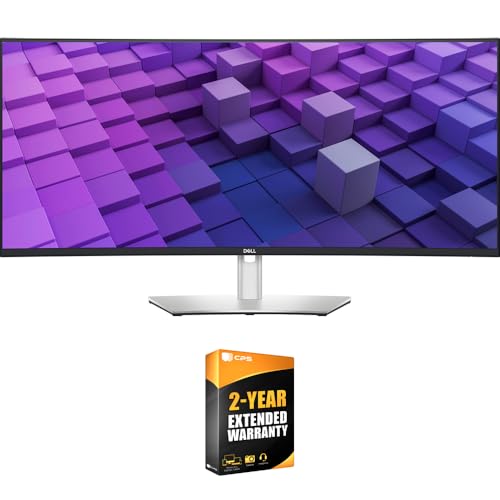
Dell 38-Inch IPS Black Curved Monitor
Best for: Ultrawide multitasking and USB-C connectivity
- Screen Size
- 37.5"
- Resolution
- 3840×1600
- Panel Type
- IPS Black
- Aspect Ratio
- 21:9
- Ports
- USB-C, USB-A, HDMI, DisplayPort, RJ45
- Features
- Curved Screen
This Dell UltraSharp monitor features a 37.5-inch 21:9 WQHD+ (3840×1600) curved IPS Black panel. It delivers a 2000:1 contrast ratio and 98% DCI-P3 color coverage. A USB-C hub provides 90W power delivery and 2.5GbE networking. The stand offers tilt, swivel, and height adjustments. It suits professionals needing wide screens for multitasking and precise color work.
- 2000:1 contrast ratio on a 37.5-inch IPS Black panel
- 90W USB-C power delivery with 2.5GbE networking
- 98% DCI-P3 color coverage for professional accuracy
- Auto KVM for switching between two PCs
- Lower 2000:1 contrast ratio compared to OLED competitors
- Heavier 29.3-pound build compared to standard flat monitors
- WQHD+ resolution is lower than the 4K or 6K options on this list
- You need a wide 21:9 screen for multitasking
- You require 90W USB-C charging for laptops
- You want accurate colors with 98% DCI-P3 coverage
- You prefer a flat display over a curved one
- You need 4K resolution or higher for sharp text
- You want OLED technology for infinite contrast
Verdict: Dell U3824DW 37.5-Inch WQHD+ Curved Monitor is a capable ultrawide for office work. It fits users who need a wide workspace and strong USB-C connectivity.

Kuycon G32X 32-Inch 6K IPS Monitor
Best for: Color-critical work and precise detail viewing
- Screen Size
- 32-inch
- Resolution
- 6016×3384
- Refresh Rate
- 60Hz
- Panel Type
- IPS
- Features
- HDR
- Dimensions
- 0.93 × 28.1 × 16.4 inches
The Kuycon G32X offers a 32-inch 6K IPS panel with 218 PPI for sharp visuals. It covers 98% DCI-P3 and 99% sRGB with a 10-bit color depth. The 60Hz refresh rate suits steady work rather than fast gaming. A 100W USB-C port charges devices while displaying video. The aluminum stand adjusts height, tilt, and pivot.
- 32-inch 6K IPS panel with 218 PPI
- 98% DCI-P3 and 99% sRGB color coverage
- 100W USB-C charging and video pass-through
- Height-adjustable stand with pivot capability
- 60Hz refresh rate is lower than the 165Hz to 360Hz found on other list items
- 15.2-pound weight is heavier than many slim ultrawide alternatives
- 6K resolution on 32 inches yields lower pixel density than 5K2K or 6K options on larger screens
- You need high color accuracy for photo or video editing
- You want a single-cable connection for laptop charging and display
- You prefer a 16:9 aspect ratio for standard productivity tasks
- You require a high refresh rate for competitive gaming
- You prefer an ultrawide 21:9 or 32:9 aspect ratio
- You need a 4K resolution on a 27-inch screen for higher pixel density
Verdict: Kuycon G32X 32-Inch 6K IPS Monitor delivers precise color and sharp text for creative professionals who prioritize image quality over motion speed. It fits users who value ergonomic adjustability and efficient cable management for desktop setups.

ViewSonic 38-Inch Curved IPS Monitor
Best for: business multitasking and wide workflows
- Screen Size
- 38 Inches
- Resolution
- 3840x1600p
- Panel Type
- IPS
- Aspect Ratio
- 21:9
- Ports
- HDMI, DisplayPort, USB, USB-C
- Features
- HDR, Curved Screen
This ViewSonic monitor offers a 38-inch 21:9 WQHD+ display with a 2300R curve. It uses an IPS panel for accurate 100% sRGB and Rec 709 color coverage. The design includes eye care features like flicker-free technology and a blue light filter. It supports HDR10 and connects via USB-C, HDMI, and DisplayPort. This screen suits business and office tasks that benefit from extra horizontal screen space.
- 38-inch 21:9 WQHD+ (3840x1600p) resolution
- IPS panel with 100% sRGB coverage
- 2300R curved screen for immersion
- Flicker-free and blue light filter for comfort
- USB-C, HDMI, and DisplayPort connectivity
- WQHD+ resolution is lower than the 4K or 5K2K displays on this list
- 27.7 pounds weight is heavier than many 27-inch or 32-inch options
- 2300R curve is less aggressive than the 1000R or 1800R curves found on some gaming monitors
- You need a wide 21:9 aspect ratio for multitasking
- You want accurate colors for business work
- You prefer a curved screen for comfort
- You require 4K or higher resolution
- You want a flat screen only
- You need a lightweight portable display
Verdict: ViewSonic VP3881A 38-Inch WQHD+ Monitor provides a wide, color-accurate workspace for office tasks. It fits users who value screen real estate and eye comfort over high refresh rates.
Specifications side by side

| Spec | ASUS ROG 32-Inch 4K OLED Gaming Monitor | ASUS 34-Inch 360Hz Curved OLED Gaming Monitor | Dell 40-Inch 5K2K Curved Ultrawide Monitor | LG 45-Inch 240Hz Curved OLED Monitor | Apple 27-Inch 5K Studio Display | Samsung 49-inch Odyssey QD-OLED Gaming Monitor | LG 39-inch UltraGear 5K2K Curved OLED | Dell UltraSharp 49-Inch Curved DQHD Monitor | Samsung 32-Inch Odyssey G8 6K Monitor | HP Series 5 Pro 34" WQHD USB-C | LG 32U990A-S 32" 6K Thunderbolt 5 Monitor | ASUS ProArt PA27UCDMR 27in 4K OLED | Dell 38-Inch IPS Black Curved Monitor | Kuycon G32X 32-Inch 6K IPS Monitor | ViewSonic 38-Inch Curved IPS Monitor |
|---|---|---|---|---|---|---|---|---|---|---|---|---|---|---|---|
| Screen Size | 32 Inch | 34 Inch | 39.7" | 45" | 27-inch | 49" | 39" | 49" | 32-inch | 34" | 32 inches | 26.5-inch | 37.5" | 32-inch | 38 Inches |
| Resolution | 3840 x 2160 | 3440 x 1440 | 5K2K WUHD | 3440 x 1440 | 5K | DQHD | 5120 x 2160 | 5120 x 1440 | 6144 x 3456, 3072 x 1728 | 3440 x 1440 | 6144 x 3456 | 3840 x 2160 | 3840×1600 | 6016×3384 | 3840x1600p |
| Refresh Rate | 240 Hz | 360Hz | – | 240Hz | – | 240Hz | 165Hz | – | 165Hz, 330Hz | – | 60Hz | 240 Hz | – | 60Hz | – |
| Panel Type | QD-OLED | QD-OLED | LED | OLED | – | QD-OLED | OLED | – | Fast IPS | – | Nano IPS Black | QD-OLED | IPS Black | IPS | IPS |
| Response Time | 0.03ms | 0.03ms GTG | 5 ms | 0.03ms | – | 0.03ms (GTG) | 0.03ms (GtG) | 5 ms GTG (Fast) | 1ms | – | – | 0.1 ms (GTG) | – | – | – |
| Aspect Ratio | – | – | 21:9 | 21:9 | – | – | 21:9 | 32:9 | – | – | – | – | 21:9 | – | 21:9 |
| Variable Refresh Rate | G-SYNC Compatible | – | – | FreeSync Premium Pro, G-SYNC Compatible | – | G-Sync Compatible, FreeSync Premium Pro | NVIDIA G-SYNC, FreeSync Premium Pro | – | NVIDIA G-SYNC, AMD FreeSync Premium | – | – | – | – | – | – |
| Ports | DisplayPort 2.1, HDMI 2.1, USB-C | DisplayPort 2.1, HDMI 2.1, USB-C | USB Type-C | HDMI 2.1, DisplayPort 1.4, USB Type-C | Thunderbolt 3, USB-C | HDMI 2.1, DisplayPort, USB Hub | HDMI, DP, USB-C | USB Type-C | DP 2.1, HDMI 2.1, USB | USB-C | Thunderbolt 5, HDMI, DisplayPort, USB-C | Thunderbolt 4, HDMI 2.1, DisplayPort 1.4 | USB-C, USB-A, HDMI, DisplayPort, RJ45 | – | HDMI, DisplayPort, USB, USB-C |
| Features | HDR | – | Curved Screen | Curved Screen, Power Delivery | Height-Adjustable Stand | Curved Screen, Height-Adjustable Stand | Curved Screen | Curved Screen | HDR | Built-in Speakers, Webcam | Built-in Speakers, Height-Adjustable Stand | HDR | Curved Screen | HDR | HDR, Curved Screen |
| Use | Gaming | Gaming | – | Gaming | – | Gaming | Gaming | – | Gaming | – | – | Mac | – | – | Business & Office, Office |
| Size | 16.3" x 28.3" x 2.6" | 14.7" x 32" x 4.2" | 16.5" x 37.3" x 4.3" | 45 inches | Tilt-Adjustable Stand | 240Hz Refresh Rate | – | 14.4" x 47.8" x 4.4" | 32 Inch | Two monitors with dual arms | 32" | 27 Inch | – | – | 38 Inches |
| Operating System | – | – | – | – | – | – | – | – | – | – | – | macOS | – | – | – |
| Host Interface | – | – | – | – | – | – | – | – | – | – | Thunderbolt 5 | – | – | – | – |
| Dimensions | 10.9 × 28.3 × 20.9 inches | 10.9 × 32 × 22.2 inches | 4.3 × 37.3 × 16.5 inches | 13.3 × 39.1 × 26.1 inches | 6.61 × 24.5 × 18.8 inches | 11.2 × 47.1 × 20.9 inches | 12.7 × 36.3 × 23.8 inches | 4.4 × 47.8 × 14.4 inches | 10.4 × 28.1 × 23.4 inches | 10.6 × 31.8 × 21.5 inches | 23 × 8 × 28 inches | 8.9 × 23.9 × 22.4 inches | 42 × 21 × 9 inches | 0.93 × 28.1 × 16.4 inches | 14.8 × 41.2 × 24.8 inches |
| Weight | 19.2 pounds | 18.3 pounds | 41.9 pounds | 29.8 pounds | 13.9 pounds | 27.8 pounds | 23.6 pounds | 60.2 pounds | 10.8 pounds | 25.3 pounds | 21 pounds | 15.8 pounds | 29.3 pounds | 15.2 pounds | 27.7 pounds |
| Color | BLACK | BLACK | Information Not Available | Black | silver | Aluminum Silver | Black | Black | Black | Black/Silver | – | BLACK SILVER | Platinum Silver | Silver | Black |
| Model | PG32UCDM3 | PG34WCDN | U4025QW | 45GX900A-B.AUS | MK0U3LL/A | LS49CG932SNXZA | 39GX950B-B.AUS | U4924DW | LS32HG802ESXZA | HP 34" WQHD | 32U990A-S.AWP_AG9_1 | PA27UCDMR | E99DELU3824DW | A-G32X | VP3881A |
If you need extra horizontal workspace, compare the best ultrawide monitors under 1500 for wider aspect ratios.
How we selected these monitors

We gathered monitors from Amazon listings that match the Under $1500 price range. The list is ordered by availability first, then by the listing's overall rating weighted by count, and finally by how well the specs meet our criteria. We show only one size or variant per product family. All details come from the specifications and feature lists published on the listings. Prices and stock are shown live on the page and are refreshed at least daily. Products can move in or out as prices change. We do not physically handle these monitors. You can trust the list because it relies strictly on published data. This method ensures you see the most relevant options based on current market data. The guide updates to reflect these changes.
How to choose the right one
Match resolution to size
Higher pixel density ensures sharp text and detailed images, especially on smaller screens. The Apple 27-Inch 5K Studio Display delivers exceptional clarity on a compact frame. In contrast, larger ultrawide models like the LG 45-Inch WQHD OLED use lower resolutions to maintain performance. You should check the pixel density relative to your viewing distance. If you sit close, a 5K or 4K panel provides better detail. For wider fields of view, QHD or 6K resolutions offer a balance of sharpness and screen real estate without overwhelming your graphics card.
Check refresh rate needs
Refresh rate determines how smoothly motion appears on screen. Gamers often prefer 240Hz panels, such as those found in the ASUS ROG 32-Inch 4K OLED or the Samsung 49-inch Odyssey QD-OLED. These high speeds reduce motion blur in fast-paced titles. If you primarily do office work or video editing, a 60Hz IPS panel like the LG 32U990A-S is sufficient. Higher refresh rates consume more power and may generate more heat. You should select a rate that matches your primary activity to avoid unnecessary hardware demands.
Choose panel technology
Panel type affects contrast, color accuracy, and response time. OLED panels, seen in the ASUS and LG gaming monitors, offer infinite contrast and deep blacks. This makes them ideal for dark room gaming and media consumption. IPS panels, used in the Dell UltraSharp and ViewSonic business monitors, provide consistent colors and wide viewing angles. They are better for collaborative work or bright environments. You should consider your lighting conditions. OLEDs shine in low light, while IPS panels remain reliable for color-critical tasks in varied lighting.
Verify connectivity ports
Ports determine how easily you can connect your devices. USB-C ports with Power Delivery simplify setups by charging laptops and transmitting data through a single cable. The ASUS ROG 32-Inch 4K OLED and HP Series 5 Pro 34" feature these convenient connections. Thunderbolt 5, found on the LG 32U990A-S, offers even higher bandwidth for professional workflows. HDMI and DisplayPort remain essential for gaming consoles and dedicated graphics cards. You should check your current device requirements before purchasing to ensure compatibility.
Assess physical footprint
Ultrawide and curved monitors require significantly more desk space. The Dell 49-inch Curved DQHD Monitor measures 47.8 inches wide and weighs 60.2 pounds. The Samsung 49-inch Odyssey QD-OLED also demands a large footprint. You must ensure your desk can accommodate these dimensions and support the weight. Smaller 27-inch or 32-inch models, like the ASUS ProArt, are easier to position. Consider your workspace layout. A cramped desk may benefit from a compact 4K panel rather than a sprawling ultrawide display.
Frequently asked questions
Which monitor offers the best 4K gaming performance?
The ASUS ROG PG32UCDM3 is the top choice for high-speed 4K gaming. It features a 240Hz OLED panel with G-SYNC support for smooth motion. The 32-inch screen delivers sharp visuals in a compact form factor. It also includes USB-C connectivity for convenient device attachment.
What is the best ultrawide OLED monitor for immersion?
The LG 45GX900A-B.AUS provides deep immersion with a 45-inch WQHD OLED panel. It runs at 240Hz and supports G-SYNC for responsive gameplay. The curved design fills your peripheral vision effectively. You get vivid colors and fast refresh rates on a single large display.
Which monitor is best for Mac users needing color accuracy?
The ASUS ProArt PA27UCDMR is optimized for macOS users. It offers 4K UHD resolution on a 27-inch OLED panel with 240Hz refresh rates. Thunderbolt 4 connectivity ensures seamless integration with Apple devices. You get precise color management and high-speed performance for creative tasks.
Is there a monitor with a built-in webcam for video calls?
The HP Series 5 Pro 34" WQHD includes a built-in webcam and speakers. It is designed for shared ultrawide conferencing setups. The USB-C connection simplifies cable management. You get integrated audio and video hardware without needing external peripherals for meetings.
Which monitor provides the highest resolution for professional work?
The Apple 27-Inch 5K Studio Display delivers exceptional sharpness with its 5K resolution. It fits users who prioritize pixel density over screen size. The height-adjustable stand allows for ergonomic positioning. You get crisp text and detailed images ideal for color-critical work.
What is the best large monitor for productivity and multitasking?
The Dell U4924DW offers a massive 49-inch DQHD curved screen. Its 32:9 aspect ratio creates a wide workspace for multitasking. The curved design enhances immersion for media and office work. You get extensive screen real estate without splitting your view across multiple monitors.
Which monitor supports Thunderbolt 5 for single-cable connectivity?
The LG 32U990A-S features a Thunderbolt 5 host interface. It provides 6K resolution with 60Hz refresh rates on a 32-inch IPS panel. You get streamlined connectivity for professional setups. The monitor includes built-in speakers and a height-adjustable stand for ergonomic use.
See also