Best Monitors for Home Office: 15 Spec-Based Picks
As Amazon Associates, we earn from qualifying purchases. This means we may receive a small commission at no extra cost to you if you click through and make a purchase.
As an Amazon Associate we earn from qualifying purchases. Links on this page are affiliate links.
Finding the best monitors for home office setups requires focusing on specs that match your daily workflow. We compared 15 options based strictly on the specifications published on their listings. Our top pick is the KTC 32-Inch 4K UHD White VA Monitor, which leads because it offers a large 31.5-inch 4K UHD screen for sharp visuals. This guide helps you decide which display size, resolution, and connectivity features best support your specific tasks.
Choose resolution based on screen size

For screens larger than 27 inches, 4K resolution ensures text remains sharp. Smaller displays often use 1080p to reduce cost. Check the listed resolution first. Match the pixel density to your viewing distance. This spec directly affects reading comfort during long workdays.
| # | Product | Best for | Price |
|---|---|---|---|
| 1 | KTC 32-Inch 4K UHD White VA Monitor Best overall | Home office users needing large 4K screens | |
| 2 | ViewSonic 27-Inch 4K UHD IPS Monitor Also great | Sharp text and color accuracy | |
| 3 | ViewSonic 27-Inch 4K USB-C Monitor Best power delivery | Single-cable 4K home office setups | |
| 4 | Thinlerain 27-Inch 4K 160Hz Webcam Monitor Also great | Vertical work and video conferencing | |
| 5 | ViewSonic 27-Inch 1080p Conferencing Monitor Also great | Home office video conferencing setups | |
| 6 | ViewSonic 32-Inch 4K UHD IPS Monitor Best premium | Home offices needing large 4K screens with USB-C | |
| 7 | ViewSonic 24-Inch 120Hz Dual Monitor Pack Best budget | dual-screen home office productivity | |
| 8 | Gawfolk 32 Inch 4K Curved Monitor Best 60hz | home office multitasking on a large screen | |
| 9 | ViewSonic TD2465 24 Inch Touch Monitor Also great | touch input and USB hub integration | |
| 10 | ViewSonic VG2758-2K 27-Inch 1440p Docking Monitor Also great | Office setups needing USB-C docking and Ethernet | |
| 11 | ViewSonic 34-Inch Curved 120Hz VA Ultrawide Also great | multitasking and laptop docking | |
| 12 | ViewSonic VG2751 27-Inch 1080p Monitor Best height-adjustable stand | Ergonomic home office setups with USB-C laptops | |
| 13 | ViewSonic 24 Inch 1080p Dual Pack Also great | users needing two screens on arms | |
| 14 | ViewSonic 34in UWQHD Webcam Monitor Best ultrawide qhd | wide multitasking and USB-C docking | |
| 15 | ViewSonic 24 Inch 1080p Touch Monitor Also great | Interactive home office tasks and presentations |
The best fit for you

- You need a large 4K screen with strong ergonomics – KTC 32-Inch 4K UHD White VA Monitor – This 31.5-inch VA panel delivers sharp 4K visuals and fits users who value color fidelity.
- You want single-cable connectivity for 4K and charging – ViewSonic 27-Inch 4K USB-C Monitor – The USB-C port provides convenient charging and 4K clarity for a clutter-free desk setup.
- You require vertical work and video conferencing capabilities – Thinlerain 27-Inch 4K 160Hz Webcam Monitor – This model includes a built-in webcam and 160Hz refresh rate for practical vertical work setups.
- You need dual-screen productivity on a budget – ViewSonic 24-Inch 120Hz Dual Monitor Pack – This dual pack prioritizes screen real estate for multitasking over high resolution.
Is Home Office Use Worth Prioritizing?

Monitors labeled for home office use often include features like USB-C connectivity, ergonomic stands, or built-in webcams. These specs simplify your desk by reducing cable clutter or supporting video calls. Some models offer height-adjustable stands for better posture. Others provide single-cable docking for laptops. If you value a clean workspace or need integrated conferencing tools, this category fits your needs. Standard monitors may lack these conveniences.
Worth it if
- You want a clutter-free desk with single-cable USB-C connectivity
- You need built-in webcams or ergonomic stands for long workdays
- You prioritize specific office workflows over high refresh rates
Skip it if
- You only need basic display output without extra ports
- You prioritize high refresh rates for fast-paced gaming
- You prefer a minimal setup without integrated cameras or hubs

KTC 32-Inch 4K UHD White VA Monitor
Best for: Home office users needing large 4K screens
- Use
- Business & Office, Office, Home Office
- Screen Size
- 32"
- Resolution
- 3840 x 2160
- Refresh Rate
- 60Hz
- Ports
- HDMI 2.0, DP 1.4
- Panel Type
- VA
This KTC H32U6 is a 32-inch 4K UHD monitor with a VA panel and white finish. It offers 99% sRGB color gamut and HDR10 support for clear visuals. The stand adjusts for height, tilt, and swivel to reduce neck strain. You get two HDMI 2.0 ports and one DisplayPort 1.4 for reliable connectivity. It suits home office users who want a large, bright screen with ergonomic flexibility.
- 32-inch 4K UHD resolution for sharp text
- 99% sRGB color gamut with HDR10
- Full ergonomic stand with height adjustment
- Low blue light and flicker-free tech
- VA panel has slower response than IPS
- Only two HDMI ports limit multi-device setups
- You need a large 32-inch screen for detailed work
- You want a white monitor to match your desk
- You prioritize color accuracy and contrast for media
- You require USB-C connectivity for docking
- You need high refresh rates for gaming
- You prefer IPS panels for wider viewing angles
Verdict: KTC 32 Inch 4K White Monitor delivers sharp 4K visuals and strong ergonomics for home office tasks. It fits users who value large screens and color fidelity over high-speed gaming performance.

ViewSonic 27-Inch 4K UHD IPS Monitor
Best for: Sharp text and color accuracy
- Use
- Business & Office, Mac, Office, Home Office
- Screen Size
- 27 Inch
- Resolution
- 3840 x 2160
- Panel Type
- IPS
- Ports
- Dual HDMI, DisplayPort
- Features
- HDR
This 27-inch ViewSonic monitor delivers 4K UHD resolution on an IPS panel with 400-nit brightness. It supports HDR10 for better contrast in images and video. Connectivity includes dual HDMI and DisplayPort inputs. Eye Care technology and an anti-glare screen help reduce strain during long work sessions. It fits well in streamlined single-screen or multi-monitor home office setups.
- 27-inch 4K UHD (3840×2160) IPS panel
- 400-nit brightness for clear visuals
- HDR10 support for improved detail
- Dual HDMI and DisplayPort inputs
- Eye Care technology with anti-glare screen
- 60Hz refresh rate limits smooth motion
- 12.1-pound weight is heavier than lighter alternatives
- No built-in webcam or speakers
- You need sharp 4K text for document work
- You want a clean design with thin bezels
- You prefer IPS color accuracy for creative tasks
- You require USB-C connectivity for docking
- You need a built-in webcam for calls
- You want a curved screen for immersion
Verdict: ViewSonic 27-Inch 4K IPS Home Office Monitor suits professionals who prioritize sharp text and color accuracy over high refresh rates. It is ideal for static office tasks rather than fast-paced gaming.

ViewSonic 27-Inch 4K USB-C Monitor
Best for: Single-cable 4K home office setups
- Use
- Business & Office, Mac, Office, Home Office
- Screen Size
- 27 Inch
- Resolution
- 3840 x 2160
- Panel Type
- IPS
- Ports
- USB-C, HDMI, DisplayPort
- Features
- HDR, Built-in Speakers, Power Delivery
This 27-inch IPS monitor delivers 4K UHD resolution for sharp text and clear images in your home office. It features 65W USB-C power delivery to charge your laptop through a single cable. HDR10 support enhances contrast for media viewing. Integrated eye care features like Flicker-Free technology help reduce strain during long work sessions. The compact 8.6-pound design fits well on standard desks.
- 65W USB-C power delivery for laptop charging
- 27-inch IPS panel with 4K UHD resolution
- HDR10 support for improved color and contrast
- Flicker-Free technology and Blue Light Filter
- Multiple inputs including HDMI and DisplayPort
- 65W power delivery is lower than the 100W option on other list picks
- 8.6-pound weight is heavier than some 27-inch competitors
- You need a single-cable USB-C connection for your laptop
- You prefer 4K resolution for detailed work
- You want built-in eye care features for long hours
- You require more than 65W of power delivery
- You need a larger 32-inch screen size
- You are looking for a lighter, more portable monitor
Verdict: ViewSonic 27 Inch 4K USB-C Monitor is a solid choice for home office users who value 4K clarity and convenient USB-C charging. It suits those who prioritize eye comfort and a clutter-free desk setup over maximum power output.

Thinlerain 27-Inch 4K 160Hz Webcam Monitor
Best for: Vertical work and video conferencing
- Use
- Gaming, Business & Office, Office, Home Office
- Screen Size
- 27"
- Resolution
- 3840 x 2160
- Refresh Rate
- 160Hz
- Panel Type
- IPS
- Response Time
- 1ms GTG
This Thinlerain monitor pairs 4K UHD resolution with a 160Hz refresh rate on an IPS panel. You get a pop-up 3MP webcam and built-in speakers for home office use. The stand pivots 90 degrees for vertical work. It connects via HDMI, DisplayPort, and USB-C. This setup suits users who need high clarity, smooth motion, and integrated video tools.
- 4K UHD (3840×2160) resolution for sharp detail
- 160Hz refresh rate and 1ms GTG response time
- Pop-up 3MP webcam with physical privacy shutter
- 90-degree pivot for vertical portrait orientation
- Dual built-in speakers
- Webcam requires a separate USB-A to USB-B connection
- Brightness is limited to 350 nits
- Slightly larger footprint at 24 inches wide
- You want high refresh rates for smooth motion
- You need a built-in camera for video calls
- You rotate your screen for vertical tasks
- You prefer a standard 60Hz office display
- You want a higher brightness level
- You need a single cable webcam solution
Verdict: Thinlerain 27-Inch 4K 160Hz Monitor fits users who need high refresh rates and a built-in camera for video calls. It is a practical pick for vertical work setups.
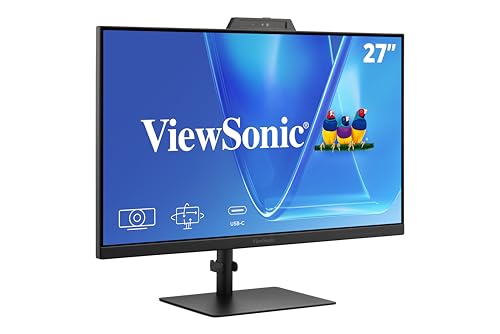
ViewSonic 27-Inch 1080p Conferencing Monitor
Best for: Home office video conferencing setups
- Use
- Business & Office, Mac, Office, Home Office
- Screen Size
- 27-Inch
- Resolution
- 1080p
- Refresh Rate
- 120Hz
- Ports
- USB-C, HDMI, DisplayPort
- Features
- Built-in Speakers, Webcam
This 27-inch monitor offers 1080p resolution and a 120Hz refresh rate for smooth daily tasks. It integrates a 5MP IR webcam with Windows Hello support, eliminating the need for external cameras. You get built-in speakers and a microphone for clear audio during calls. USB-C connectivity simplifies setup for laptops. It is a practical all-in-one solution for home office workers who value integrated conferencing hardware.
- 120Hz refresh rate for smooth motion
- 5MP IR webcam with Windows Hello
- Built-in speakers and microphone
- USB-C connectivity for simplified setup
- 1080p resolution is lower than the 4K panels on this list
- 11.7-pound weight adds bulk to your desk setup
- 27-inch size is smaller than the 32-inch options available
- You need a single device for video calls and display
- You prefer a 120Hz refresh rate over higher resolutions
- You want Windows Hello facial recognition built in
- You require 4K UHD resolution for detailed work
- You prefer a larger 32-inch screen for more workspace
- You need a 1440p display for sharper text
Verdict: ViewSonic VG2741V 27-Inch Webcam Monitor is ideal for home office users who prioritize integrated conferencing tools and a 120Hz refresh rate over high resolution. It suits those who want to reduce desk clutter by combining display and camera functions.

ViewSonic 32-Inch 4K UHD IPS Monitor
Best for: Home offices needing large 4K screens with USB-C
- Use
- Business & Office, Mac, Office, Home Office
- Screen Size
- 32 Inch
- Resolution
- 3840 x 2160
- Panel Type
- IPS
- Ports
- USB-C, HDMI, DisplayPort
- Features
- HDR
This 32-inch 4K UHD IPS monitor delivers sharp detail and wide viewing angles for your home office. It features HDR10 support for richer colors and integrated eye-care technologies like Flicker-Free and Blue Light Filter. The 65W USB-C port simplifies your desk by providing video, data, and power delivery through a single cable. It includes HDMI and DisplayPort inputs for versatile connectivity.
- 32-inch 4K UHD (3840 x 2160) IPS display
- 65W USB-C connectivity for video, data, and charging
- HDR10 support for enhanced contrast and color
- Integrated Flicker-Free and Blue Light Filter technology
- Multiple input options including HDMI and DisplayPort
- Heavier build at 17.2 pounds compared to lighter 24-inch models
- 60Hz refresh rate limits smoothness for fast-paced gaming
- Larger 32-inch footprint requires more desk space than 24-inch options
- You need a large 4K screen for detailed work
- You want to reduce cable clutter with USB-C
- You prioritize color accuracy and viewing angles
- You have limited desk space for a 32-inch monitor
- You require a high refresh rate for competitive gaming
- You prefer a lighter and more portable display
Verdict: ViewSonic 32-Inch 4K USB-C Monitor is a solid choice for professionals who need a large, sharp display with convenient single-cable connectivity. It fits users who value screen real estate and color fidelity over portability or high refresh rates.

ViewSonic 24-Inch 120Hz Dual Monitor Pack
Best for: dual-screen home office productivity
- Use
- Business & Office, Mac, Office, Home Office
- Screen Size
- 24"
- Resolution
- 1080p
- Refresh Rate
- 120Hz
- Panel Type
- IPS
- Ports
- HDMI, DisplayPort, VGA
This dual-pack includes two 24-inch 1080p IPS monitors with 120Hz refresh rates. Designed for home office productivity, the frameless head-only units support VESA mounting for flexible setups. You get HDMI, DisplayPort, and VGA connectivity for Mac or PC systems. The 120Hz rate ensures smooth scrolling for documents and spreadsheets across your dual-screen workstation.
- Includes two 24-inch 1080p IPS displays
- 120Hz refresh rate for fluid scrolling
- Frameless bezels for clean side-by-side viewing
- VESA mountable head-only design
- 1080p resolution is lower than the 4K and 1440p options on this list
- 120Hz refresh rate is slower than the 160Hz and 120Hz+ gaming monitors included
- Sold as head-only units requiring separate VESA mounts or stands
- You need two screens for spreadsheets and documents
- You plan to mount monitors on arms or walls
- You want a 120Hz refresh rate for smooth office work
- You require 4K or higher resolution
- You want a single monitor with an included stand
- You need USB-C connectivity
Verdict: ViewSonic VA2456A Dual 24in 1080p is a practical dual-screen solution for users who prioritize quantity of screen real estate over high resolution. It fits home office workers who build custom VESA-mounted setups for multitasking.

Gawfolk 32 Inch 4K Curved Monitor
Best for: home office multitasking on a large screen
- Use
- Gaming, Business & Office, Office, Home Office
- Screen Size
- 32"
- Resolution
- 3840 x 2160
- Refresh Rate
- 60Hz
- Variable Refresh Rate
- FreeSync
- Ports
- HDMI 2.0, DP 1.4, 3.5mm audio
This 32-inch 4K UHD monitor features a VA panel with a 1500R curve and 60Hz refresh rate. It includes built-in speakers and supports FreeSync for tear-free visuals. The 3000:1 contrast ratio offers deep blacks, while 85% NTSC coverage ensures vivid colors. It is a solid option for home office tasks where screen real estate and image clarity matter more than high refresh rates.
- 3840×2160 4K UHD resolution on a 32-inch screen
- 1500R curved VA panel with 3000:1 contrast ratio
- Built-in speakers for simplified desk setups
- FreeSync support for smoother visuals at 60Hz
- 60Hz refresh rate is lower than the 100Hz to 160Hz options on this list
- 11.5-pound weight is heavier than many 24-inch or 27-inch competitors
- Tilt-only stand limits ergonomic adjustment compared to height-adjustable models
- You need a large 32-inch display for multitasking in a home office
- You prefer the deep contrast of a VA panel for media and work
- You want built-in speakers to reduce cable clutter on your desk
- You require a high refresh rate above 60Hz for gaming
- You need height, swivel, or pivot adjustments for ergonomic positioning
- You prefer an IPS panel for wider viewing angles and color consistency
Verdict: Gawfolk 32-Inch 4K Curved Monitor fits users who prioritize screen size and contrast over speed. It is a practical pick for home office workers who want a large, clear display with minimal peripheral setup.

ViewSonic TD2465 24 Inch Touch Monitor
Best for: touch input and USB hub integration
- Use
- Business & Office, Mac, Office, Home Office
- Screen Size
- 24 Inch
- Resolution
- 1920x1080p
- Refresh Rate
- 60Hz
- Ports
- USB, HDMI, DisplayPort, VGA
- Panel Type
- VA
The ViewSonic TD2465 is a 24-inch 1080p monitor featuring a 60Hz VA panel and 10-point projected capacitive touch. It includes a USB hub and built-in speakers. The stand offers adjustable height and tilt. This setup suits home office users who need direct screen interaction for presentations or POS tasks. It connects via HDMI, DisplayPort, and VGA.
- 10-point projected capacitive touch screen
- Built-in USB hub for device connectivity
- Integrated speakers for audio output
- Adjustable stand with height and tilt control
- Supports macOS vTouch driver for gestures
- 1080p resolution is lower than the 4K and 1440p displays on this list
- 60Hz refresh rate is slower than the 100Hz to 160Hz rates found on other picks
- 11.9-pound weight is heavier than many 24-inch IPS monitors in the group
- You need direct touch interaction for navigation or presentations
- You require a built-in USB hub to reduce cable clutter
- You prefer a VA panel with strong contrast ratios
- You require 4K or 1440p resolution for detailed work
- You need a high refresh rate for smooth motion
- You prefer an IPS panel for wider viewing angles
Verdict: The ViewSonic TD2465 24-Inch Touch Monitor fits home office users who rely on touch input for daily tasks. It provides a practical touch interface and convenient hub integration for specific workflow needs.

ViewSonic VG2758-2K 27-Inch 1440p Docking Monitor
Best for: Office setups needing USB-C docking and Ethernet
- Use
- Business & Office, Mac, Office, Home Office
- Screen Size
- 27"
- Resolution
- 2560 x 1440
- Refresh Rate
- 100Hz
- Panel Type
- IPS
- Ports
- USB-C, HDMI, DisplayPort, RJ45
This ViewSonic VG2758-2K is a 27-inch 1440p IPS monitor designed for home office setups. It features a 100Hz refresh rate and 100W USB-C charging. The display includes Flicker-Free technology and a Blue Light Filter to reduce eye strain. You get a versatile stand with height, tilt, swivel, and rotation adjustments. It also offers an RJ45 Ethernet port and a 5-port USB hub for streamlined connectivity.
- 100W USB-C charging supports single-cable docking
- 1440p QHD IPS panel with 100Hz refresh rate
- Advanced ergonomic stand with height and rotation
- Built-in RJ45 Ethernet port for wired networking
- Flicker-Free and Blue Light Filter for eye comfort
- 100Hz refresh rate is lower than the 120Hz or 160Hz options on this list
- 16.4-pound weight is heavier than many 27-inch competitors
- 1440p resolution is lower than the 4K UHD panels found in several other picks
- You need a single-cable USB-C connection for your laptop
- You require a wired Ethernet port for stable internet
- You want a monitor with extensive ergonomic adjustments
- You prefer a 4K UHD resolution for sharper text
- You want a high refresh rate for gaming
- You need a lighter monitor for easy transport
Verdict: ViewSonic VG2758-2K 27-Inch 1440p Docking Monitor fits professionals who prioritize docking convenience and ergonomic comfort over maximum resolution or speed. It is ideal for users who need a wired Ethernet connection and a sturdy, adjustable stand for long workdays.
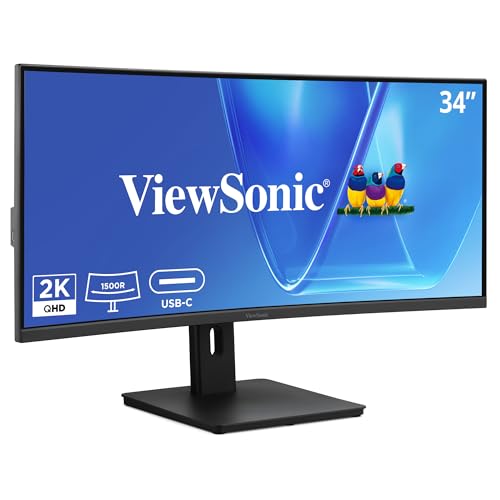
ViewSonic 34-Inch Curved 120Hz VA Ultrawide
Best for: multitasking and laptop docking
- Use
- Business & Office, Office, Home Office
- Screen Size
- 34-inch
- Resolution
- 3440 x 1440
- Refresh Rate
- 120Hz
- Response Time
- 3.5ms
- Aspect Ratio
- 21:9
The ViewSonic VG3409C is a 34-inch ultrawide monitor with a 3440 x 1440 resolution and a 1500R curve. It features a VA panel, 120Hz refresh rate, and 96W USB-C power delivery. This setup reduces cable clutter while providing ample screen space for multitasking and document work in a home office environment.
- 3440 x 1440 UWQHD resolution on a 34-inch screen
- 96W USB-C power delivery simplifies laptop connections
- 120Hz refresh rate for smooth visuals
- Integrated KVM switch manages multiple systems
- 18.5 pounds weight makes it bulkier than standard 27-inch models
- VA panel offers lower color accuracy than IPS alternatives
- 1440p resolution is lower than the 4K panels on other picks
- You need extra horizontal space for spreadsheets or code
- You want a single cable to power and connect your laptop
- You prefer a curved screen for immersive viewing
- You require 4K resolution for detailed image work
- You need a compact monitor for a small desk
- You prioritize color accuracy over contrast ratios
Verdict: ViewSonic VG3409C 34in Curved Ultrawide fits users who value screen real estate and simplified connectivity for their home office setup. It is ideal for multitasking but less suitable for those needing higher pixel density.
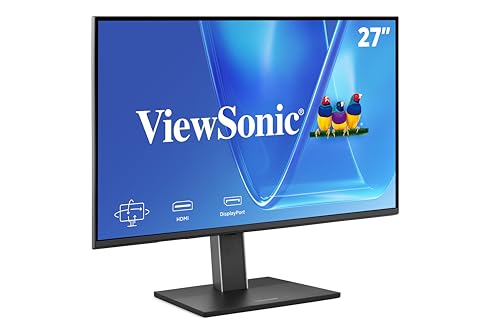
ViewSonic VG2751 27-Inch 1080p Monitor
Best for: Ergonomic home office setups with USB-C laptops
- Use
- Business & Office, Mac, Office, Home Office
- Screen Size
- 27-Inch
- Resolution
- 1920 x 1080
- Refresh Rate
- 100Hz
- Panel Type
- IPS
- Ports
- USB-C, HDMI, DisplayPort, VGA
The ViewSonic VG2751 is a 27-inch 1080p IPS monitor designed for home office productivity. It features a 100Hz refresh rate and single-cable USB-C connectivity for video, data, and power. The standout feature is its fully height-adjustable stand, which includes tilt, swivel, and rotate options. It also offers Flicker-Free technology and a Blue Light Filter to reduce eye strain during long workdays. This model suits users who prioritize ergonomic flexibility and clean desk setups over high resolution.
- Height-adjustable stand with tilt, swivel, and rotate capabilities
- Single-cable USB-C connectivity for video, data, and power
- 100Hz refresh rate on a 27-inch IPS panel
- Built-in USB hub for peripheral connectivity
- 1080p resolution is lower than the 4K and 1440p options on this list
- 100Hz refresh rate is slower than the 120Hz or 160Hz rates found in other picks
- 15-pound weight is heavier than many 24-inch competitors
- You need a monitor with a fully height-adjustable stand for ergonomic comfort
- You want to simplify your desk with single-cable USB-C connectivity
- You prefer a larger 27-inch screen for multitasking
- You require 4K resolution for detailed graphic work
- You need a high refresh rate for gaming
- You prefer a lighter monitor for frequent moving
Verdict: ViewSonic VG2751 27-Inch 1080p Monitor is a solid choice for home office workers who value ergonomic adjustability and clean connectivity over high resolution. It fits users who spend long hours at their desk and need a stand that supports precise positioning.
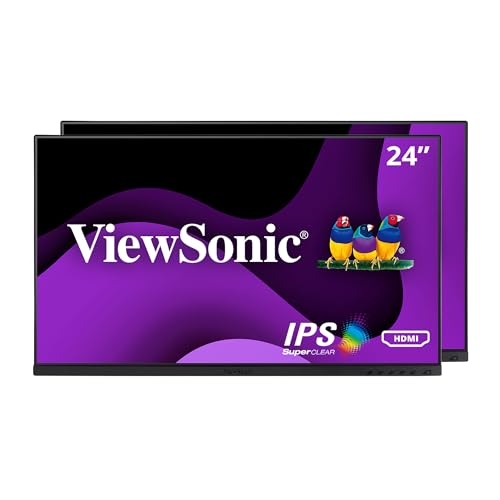
ViewSonic 24 Inch 1080p Dual Pack
Best for: users needing two screens on arms
- Use
- Business & Office, Office, Home Office
- Screen Size
- 24 Inch
- Resolution
- 1920 x 1080
- Refresh Rate
- 100Hz
- Panel Type
- IPS
- Ports
- HDMI, DisplayPort, VGA, USB hub
This dual pack includes two 24-inch 1080p IPS monitors with a 100Hz refresh rate. It features a stand-free design for monitor arm mounting and includes a USB hub. The ViewMode presets optimize settings for text or web work. It suits home office users who need expanded screen real estate for multitasking without the bulk of stands.
- Dual pack of two 24-inch monitors
- 100Hz refresh rate on IPS panel
- Stand-free design for arm mounting
- Built-in USB hub for peripherals
- ViewMode presets for text and web
- 1080p resolution is lower than 4K options
- 22.9 pound weight for the dual pack
- Includes VGA port alongside HDMI and DisplayPort
- You need two screens for productivity
- You use VESA-compatible monitor arms
- You work with text-heavy documents
- You require 4K resolution
- You prefer standalone monitors with built-in stands
- You need wireless connectivity
Verdict: ViewSonic 24 Inch 1080p Dual Pack provides two screens for multitasking. It fits users who mount monitors on arms and prioritize screen count over resolution.

ViewSonic 34in UWQHD Webcam Monitor
Best for: wide multitasking and USB-C docking
- Use
- Business & Office, Office, Home Office
- Screen Size
- 34 Inch
- Resolution
- UWQHD
- Aspect Ratio
- 21:9
- Ports
- USB-C, RJ45 Ethernet, HDMI, DisplayPort
- Features
- Curved Screen, Webcam
This 34-inch ultrawide monitor offers a 21:9 aspect ratio and UWQHD resolution for expanded horizontal workspace. It includes an integrated IR webcam with Windows Hello support for secure access. A 100W USB-C port provides docking, data, and power delivery. The curved VA panel is designed for home office multitasking and professional productivity.
- 34-inch ultrawide 21:9 UWQHD curved screen
- 100W USB-C docking with power delivery
- Integrated IR webcam with Windows Hello
- RJ45 Ethernet and dual video inputs
- 20.9-pound weight requires sturdy desk support
- UWQHD resolution is lower than 4K competitors
- 34-inch width exceeds standard 27-inch footprint
- You need extra horizontal screen space for spreadsheets
- You want a single cable for power and display
- You prefer built-in webcam for video calls
- You require 4K UHD resolution clarity
- You have limited desk width for ultrawide
- You prefer a standard 16:9 aspect ratio
Verdict: ViewSonic 34in UWQHD Webcam Monitor fits home office users who prioritize wide multitasking space and simplified USB-C connectivity over maximum pixel density. It is ideal for hybrid workers needing secure sign-in and wired networking.

ViewSonic 24 Inch 1080p Touch Monitor
Best for: Interactive home office tasks and presentations
- Use
- Business & Office, Mac, Office, Home Office
- Screen Size
- 24 inch
- Resolution
- 1080p
- Ports
- HDMI, DisplayPort, VGA, USB Hub
- Features
- Built-in Speakers, USB Hub, Touchscreen
- Operating System
- macOS
This ViewSonic TD2423D is a 24-inch 1080p monitor designed for interactive home office tasks. It features 10-point infrared touch for direct screen interaction. The display includes an anti-glare surface and Eye Care technology to reduce eye strain during long sessions. You get built-in speakers and a USB hub for convenient connectivity. It is a solid option for users who need touch input in a compact workspace.
- 10-point infrared touch screen for direct interaction
- Built-in dual speakers for audio output
- Integrated USB hub for device connectivity
- Anti-glare screen with Eye Care technology
- 1080p resolution is lower than the 4K and 1440p options on this list
- 11.5-pound weight is heavier than many standard 24-inch monitors
- You need direct touch input for presentations or shared workstations
- You want built-in speakers to simplify your desk setup
- You prefer a compact 24-inch display for limited desk space
- You require 4K or 1440p resolution for detailed work
- You need height adjustment or swivel capabilities for ergonomic positioning
- You want a lightweight monitor for easy portability
Verdict: ViewSonic 24 Inch 1080p Touch Monitor is a practical choice for users who require touch interaction in a home office setting. It suits those who value direct screen control and integrated audio over high resolution or ergonomic stand adjustments.
Specifications side by side

| Spec | KTC 32-Inch 4K UHD White VA Monitor | ViewSonic 27-Inch 4K UHD IPS Monitor | ViewSonic 27-Inch 4K USB-C Monitor | Thinlerain 27-Inch 4K 160Hz Webcam Monitor | ViewSonic 27-Inch 1080p Conferencing Monitor | ViewSonic 32-Inch 4K UHD IPS Monitor | ViewSonic 24-Inch 120Hz Dual Monitor Pack | Gawfolk 32 Inch 4K Curved Monitor | ViewSonic TD2465 24 Inch Touch Monitor | ViewSonic VG2758-2K 27-Inch 1440p Docking Monitor | ViewSonic 34-Inch Curved 120Hz VA Ultrawide | ViewSonic VG2751 27-Inch 1080p Monitor | ViewSonic 24 Inch 1080p Dual Pack | ViewSonic 34in UWQHD Webcam Monitor | ViewSonic 24 Inch 1080p Touch Monitor |
|---|---|---|---|---|---|---|---|---|---|---|---|---|---|---|---|
| Screen Size | 32" | 27 Inch | 27 Inch | 27" | 27-Inch | 32 Inch | 24" | 32" | 24 Inch | 27" | 34-inch | 27-Inch | 24 Inch | 34 Inch | 24 inch |
| Resolution | 3840 x 2160 | 3840 x 2160 | 3840 x 2160 | 3840 x 2160 | 1080p | 3840 x 2160 | 1080p | 3840 x 2160 | 1920x1080p | 2560 x 1440 | 3440 x 1440 | 1920 x 1080 | 1920 x 1080 | UWQHD | 1080p |
| Refresh Rate | 60Hz | – | – | 160Hz | 120Hz | – | 120Hz | 60Hz | 60Hz | 100Hz | 120Hz | 100Hz | 100Hz | – | – |
| Panel Type | – | IPS | IPS | IPS | – | IPS | IPS | – | – | IPS | – | IPS | IPS | – | – |
| Response Time | – | – | – | 1ms GTG | – | – | – | – | – | – | 3.5ms | – | – | – | – |
| Aspect Ratio | – | – | – | – | – | – | – | – | – | – | 21:9 | – | – | 21:9 | – |
| Variable Refresh Rate | – | – | – | – | – | – | – | FreeSync | – | – | – | – | – | – | – |
| Ports | HDMI 2.0, DP 1.4 | Dual HDMI, DisplayPort | USB-C, HDMI, DisplayPort | 2x HDMI, DisplayPort, USB-C, USB-A | USB-C, HDMI, DisplayPort | USB-C, HDMI, DisplayPort | HDMI, DisplayPort, VGA | HDMI 2.0, DP 1.4, 3.5mm audio | USB, HDMI, DisplayPort, VGA | USB-C, HDMI, DisplayPort, RJ45 | HDMI 2.1, DisplayPort, USB-C, RJ45 | USB-C, HDMI, DisplayPort, VGA | HDMI, DisplayPort, VGA, USB hub | USB-C, RJ45 Ethernet, HDMI, DisplayPort | HDMI, DisplayPort, VGA, USB Hub |
| Features | HDR | HDR | HDR, Built-in Speakers, Power Delivery | Built-in Speakers, Webcam | Built-in Speakers, Webcam | HDR | – | Built-in Speakers, Curved Screen | Built-in Speakers, USB Hub, Touchscreen | USB Hub | Curved Screen | Height-Adjustable Stand, USB Hub | USB Hub | Curved Screen, Webcam | Built-in Speakers, USB Hub, Touchscreen |
| Use | Business & Office, Office, Home Office | Business & Office, Mac, Office, Home Office | Business & Office, Mac, Office, Home Office | Gaming, Business & Office, Office, Home Office | Business & Office, Mac, Office, Home Office | Business & Office, Mac, Office, Home Office | Business & Office, Mac, Office, Home Office | Gaming, Business & Office, Office, Home Office | Business & Office, Mac, Office, Home Office | Business & Office, Mac, Office, Home Office | Business & Office, Office, Home Office | Business & Office, Mac, Office, Home Office | Business & Office, Office, Home Office | Business & Office, Office, Home Office | Business & Office, Mac, Office, Home Office |
| Size | 31.5" | 27 Inch | 27 Inch | 27 Inch | 27 Inch | 32 Inch | – | 32 Inch | – | 14.2" x 24.1" x 1.8" | 14.3" x 31.8" x 4.7" | 27 Inch | 24-Inch FHD (Dual Pack) | 34 Inch | 13.7" x 22.5" x 2.4" |
| Operating System | – | macOS | macOS | – | Windows | macOS | macOS | – | macOS | macOS | – | macOS | – | Windows | macOS |
| Dimensions | 9.8 × 28.2 × 21.1 inches | 2.1 × 24.2 × 14.5 inches | 8.2 × 24.2 × 17.2 inches | 8.67 × 24 × 21.3 inches | 8.11 × 24.1 × 21.7 inches | 9.2 × 28.1 × 19.6 inches | 2 × 21.2 × 12.4 inches | 3.89 × 27.6 × 16.3 inches | 7.8 × 21.6 × 15.8 inches | 8.6 × 24.1 × 20.7 inches | 11 × 31.8 × 16.9 inches | 8.6 × 24.1 × 15.8 inches | 2 × 12.6 × 21.2 inches | 9.3 × 31.8 × 21 inches | 22.5 × 4 × 13.7 inches |
| Weight | – | 12.1 pounds | 8.6 pounds | – | 11.7 pounds | 17.2 pounds | 11.9 pounds | 11.5 pounds | 11.9 pounds | 16.4 pounds | 18.5 pounds | 15 pounds | 22.9 pounds | 20.9 pounds | 11.5 pounds |
| Color | White | Black | Black | 3840 x 2160-160Hz | Black | Black | Black | Black | Black | Black | Black | Black | Black | Black | Black |
| Model | H32U6 | VA2756-4K-MHD | VS19281 | HD-270 | VS20457 | VX3267U-4K | VA2456A-MHD_H2 | GFTY982 | TD2465 | VG2758-2K | VS20781 | VG2751 | VG2448A-2_H2 | VG3457CV | TD2423D |
To align your display with your seating, you can evaluate measurements for best office chairs for home office.
How We Picked These Monitors

We identified monitors for home office use by scanning Amazon listings for the specific feature in the title or feature list. We selected only one size or variant from each product family to avoid redundancy. All details come directly from the published specifications and feature lists on those listings. We did not physically handle or test any of these products.
We ordered the 15 picks by availability first. Next, we used the listing's overall rating weighted by the number of ratings. Finally, we ranked them by how many of the guide's criteria the specs meet. Prices and stock status are shown live on the page and are refreshed daily. This text focuses solely on the selection methodology.
How to choose the right one
Match resolution to screen size
Screen size and resolution must work together for comfortable reading. A 32-inch monitor with 4K resolution, like the KTC 32-Inch 4K UHD White VA Monitor, keeps text sharp at normal viewing distances. Smaller 27-inch screens often use 4K for extra clarity, but 1080p is acceptable if you sit further away. Check the listed resolution before buying. Higher pixel density reduces eye strain during long work sessions. Ensure the spec matches your desk depth and typical viewing habits for the best experience.
Select the right panel type
Panel type affects color accuracy and viewing angles. IPS panels, found in the ViewSonic 27-Inch 4K UHD IPS Monitor, offer consistent colors from wide angles, which is ideal for collaborative work or creative tasks. VA panels, like the KTC model, provide deeper blacks and higher contrast, suitable for media consumption. TN panels are rarely listed for office use. Choose IPS if you need accurate color representation. Select VA if you prefer higher contrast for dark room environments. The panel type is a key spec for visual comfort.
Prioritize USB-C connectivity
USB-C ports simplify desk setups by combining video, data, and power delivery. The ViewSonic 27-Inch 4K USB-C Monitor allows you to connect a laptop with a single cable, reducing clutter significantly. This feature is essential for users with modern laptops that lack HDMI or DisplayPort outputs. Check the power delivery wattage if you plan to charge your device directly. Monitors without USB-C, like the KTC 32-Inch model, require separate cables for power and video. Decide if single-cable convenience is worth the potential trade-off in other specs.
Check for built-in peripherals
Built-in webcams and speakers reduce the need for additional accessories. The Thinlerain 27-Inch 4K 160Hz Webcam Monitor includes a camera, which is useful for frequent video calls. The ViewSonic 27-Inch 1080p Conferencing Monitor also integrates a webcam and speakers. These features save desk space and simplify setup. However, built-in webcams often have lower resolution than dedicated external cameras. Check if the monitor includes a microphone and speakers. If you require high-quality audio or video, you may still need external devices despite these integrated specs.
Consider ergonomic adjustability
An adjustable stand improves posture during long work hours. The ViewSonic VG2751 27-Inch 1080p Monitor features a height-adjustable stand, allowing you to position the screen at eye level. This spec is crucial for reducing neck strain. Many other monitors in this list have fixed stands. If you need flexibility, check the product specifications for tilt, swivel, or height adjustment capabilities. Alternatively, you can use a VESA-compatible mount. The ViewSonic 24-Inch 1080p Dual Pack supports arm mounting for custom setups. Prioritize ergonomics for daily comfort.
Evaluate ultrawide aspect ratios
Ultrawide monitors provide extra horizontal space for multitasking. The ViewSonic 34-Inch Curved 120Hz VA Ultrawide offers a 21:9 aspect ratio, allowing you to view multiple windows side by side without stacking. This is beneficial for spreadsheet work or coding. The ViewSonic 34in UWQHD Webcam Monitor also features an ultrawide display with a built-in webcam. These monitors often use QHD resolution, which may result in lower pixel density on larger screens. Check the aspect ratio spec to ensure it fits your desk width and workflow needs effectively.
Frequently asked questions
What is the best monitor size for a home office?
Most home office users find 27 inches to be the ideal balance of screen real estate and desk space. This size supports 4K resolution for sharp text without requiring excessive distance. Larger 32-inch models offer more workspace but need 4K clarity to remain readable. Smaller 24-inch screens are better for dual-monitor setups or compact desks.
Do I need a USB-C monitor for my home office?
USB-C monitors simplify your desk by connecting video, data, and power through a single cable. The ViewSonic 27-Inch 4K USB-C Monitor and the ViewSonic 32-Inch 4K UHD IPS Monitor both offer this convenience. This setup reduces cable clutter and allows you to charge your laptop while working. It is ideal for clean, minimalistic workspaces.
Which monitor panel type is best for office work?
IPS panels are generally preferred for office work due to their accurate colors and wide viewing angles. The ViewSonic 27-Inch 4K UHD IPS Monitor and the ViewSonic 24 Inch 1080p Dual Pack both use IPS technology. VA panels, like the KTC 32-Inch model, offer better contrast for dark rooms but may have slower response times. Choose based on your lighting environment.
Are built-in webcams necessary for home office monitors?
Built-in webcams are useful if you attend frequent video calls and want to reduce desk clutter. The Thinlerain 27-Inch 4K 160Hz Webcam Monitor and the ViewSonic 27-Inch 1080p Conferencing Monitor include integrated cameras. This feature eliminates the need for a separate webcam, saving space and simplifying your setup. It is a practical choice for hybrid workers.
Can I use monitors for dual-screen productivity?
Yes, many monitors are designed for dual-screen setups to boost multitasking efficiency. The ViewSonic 24-Inch 120Hz Dual Monitor Pack provides two 1080p screens for expanded workspace. You can also mount individual monitors on arms for flexible positioning. This approach maximizes screen real estate for spreadsheets, coding, or research without needing a single ultrawide display.
Is a curved monitor good for home office use?
Curved monitors can improve immersion and reduce eye strain by keeping edges at a consistent distance. The Gawfolk 32 Inch 4K Curved Monitor offers a large, clear display with this design. The ViewSonic 34-Inch Curved 120Hz VA Ultrawide provides extra horizontal space for multitasking. These models suit users who want a focused, expansive view for long work sessions.
Do I need touch screen capability for office work?
Touch screen capability is useful for interactive tasks or presentations but is not essential for standard office work. The ViewSonic TD2465 24 Inch Touch Monitor and the ViewSonic 24 Inch 1080p Touch Monitor provide direct input options. These features help if you frequently navigate menus or annotate documents. Most users prefer traditional keyboard and mouse inputs for efficiency.
What resolution should I choose for a 27-inch monitor?
For a 27-inch monitor, 4K resolution is recommended for sharp text and clear visuals. The ViewSonic 27-Inch 4K UHD IPS Monitor delivers high pixel density for comfortable reading. 1080p on this size can appear pixelated if you sit close to the screen. Higher resolution ensures detailed images and crisp documents, which is vital for professional home office tasks.
See also