8 Best HP Monitors with Built-In Speakers, Compared
As Amazon Associates, we earn from qualifying purchases. This means we may receive a small commission at no extra cost to you if you click through and make a purchase.
As an Amazon Associate we earn from qualifying purchases. Links on this page are affiliate links.
Finding the best HP monitors with built in speakers requires looking at specific hardware details. We compared 8 models based strictly on the specifications published on their listings. The HP Series 3 Pro 24-Inch 100Hz IPS Monitor leads this group because it combines a 100Hz refresh rate with a compact 24-inch form factor. This balance supports users who need adjustable ergonomics and basic audio on a standard desk. You can use this guide to decide which display size and port selection fits your workspace. Each option offers integrated sound, so you can prioritize screen resolution or connectivity features without buying external audio equipment.
Match resolution and ports to your desk

Most HP monitors with built-in speakers offer 1080p or 1440p resolutions. If you need a single cable for video and power, look for USB-C ports. The HP 527pm provides 1440p clarity and USB-C connectivity. For standard setups, the HP Series 3 Pro uses HDMI and DisplayPort. Choose based on whether you prioritize screen space or simple connectivity.
| # | Product | Best for | Price |
|---|---|---|---|
| 1 | HP Series 3 Pro 24-Inch 100Hz IPS Monitor Best overall | compact desks needing adjustable stands and sound | |
| 2 | HP Series 5 Pro 34" WQHD Webcam Monitor Also great | remote work and ultrawide multitasking | |
| 3 | HP Series 5 Pro 49" 165Hz DQHD Monitor Best premium | large desktop multitasking and conferencing | |
| 4 | HP VH240a 23.8 inch IPS Monitor Best budget | compact desktop setups with audio needs | |
| 5 | HP 527pm 27-Inch QHD USB-C Monitor Best 1440p qhd | remote workers needing 27-inch QHD resolution | |
| 6 | HP 524pm 24-inch FHD USB-C Monitor Also great | compact hybrid work setups | |
| 7 | HP Series 5 Pro 34" WQHD USB-C Also great | Ultrawide productivity and video conferencing | |
| 8 | HP P34hc G4 34" Curved WQHD Monitor Best ultrawide qhd | multitasking and wide-screen productivity |
The best fit for you

- You want the best overall monitor with adjustable stand – HP Series 3 Pro 24-Inch 100Hz IPS Monitor – The 24-inch IPS panel offers 100Hz refresh and built-in speakers for ergonomic flexibility.
- You need an ultrawide screen for remote work – HP Series 5 Pro 34" WQHD Webcam Monitor – This 34-inch WQHD display includes a webcam and USB-C for integrated conferencing.
- You require a large desktop for multitasking – HP Series 5 Pro 49" 165Hz DQHD Monitor – The 49-inch curved DQHD screen provides 165Hz speed and a built-in webcam.
- You seek a budget-friendly compact display with audio – HP VH240a 23.8 inch IPS Monitor – The 23.8-inch IPS panel delivers FHD resolution and built-in speakers at a low cost.
- You need a 27-inch QHD monitor for hybrid work – HP 527pm 27-Inch QHD USB-C Monitor – This 1440p display features USB-C connectivity, a webcam, and built-in speakers.

HP Series 3 Pro 24-Inch 100Hz IPS Monitor
Best for: compact desks needing adjustable stands and sound
- Features
- Built-in Speakers
- Screen Size
- 24"
- Resolution
- 1920×1080
- Refresh Rate
- 100Hz
- Panel Type
- IPS
- Ports
- HDMI, Displayport, VGA
This HP Series 3 Pro monitor gives you a 24-inch FHD IPS display with a 100Hz refresh rate. It includes built-in dual 2W speakers for basic audio needs. The stand allows tilt, swivel, pivot, and height adjustments. You get HDMI, DisplayPort, and VGA connectivity. It suits users who need a flexible, standard-sized screen with integrated sound for everyday tasks.
- 100Hz refresh rate for smoother motion
- Built-in dual 2W speakers
- Full ergonomic stand with height adjustment
- IPS panel for wide viewing angles
- 24-inch size is smaller than the 34-inch and 49-inch options on this list
- 1080p resolution is lower than the WQHD and DQHD displays elsewhere
- 2W speaker output is quieter than typical multi-speaker setups
- You need a compact 24-inch screen for a tight desk space
- You want built-in speakers to avoid external audio hardware
- You require height and pivot adjustments for comfort
- You need a 4K or ultrawide display for detailed work
- You want high-end audio quality for media consumption
- You prefer a larger 27-inch or 34-inch viewing area
Verdict: HP Series 3 Pro 24" 100Hz FHD Monitor fits users who prioritize adjustable ergonomics and basic audio in a standard 24-inch form factor.

HP Series 5 Pro 34" WQHD Webcam Monitor
Best for: remote work and ultrawide multitasking
- Features
- Built-in Speakers, Webcam
- Screen Size
- 34"
- Resolution
- 3440 x 1440
- Ports
- USB-C
- Dimensions
- 10.6 × 31.8 × 21.5 inches
- Weight
- 25.3 pounds
This ultrawide monitor offers a 34-inch curved WQHD display with a 3440 x 1440 resolution. It includes built-in 4x 3W speakers and a 5MP pop-up webcam with AI noise reduction. The stand provides height, tilt, and swivel adjustments for ergonomic positioning. You get a portable dock included for connectivity. This setup suits professionals who need a large workspace and integrated conferencing tools.
- 34-inch WQHD curved display with 3440 x 1440 resolution
- 4x 3W down-firing built-in speakers
- 5MP pop-up webcam with AI noise reduction
- Height, tilt, and swivel adjustability
- Includes portable USB-C dock
- Heavier build at 25.3 pounds compared to smaller 24-inch models
- 60Hz refresh rate limits suitability for high-speed gaming
- Single monitor configuration occupies significant desk width
- You need an ultrawide screen for multitasking across multiple windows
- You require a built-in webcam and microphone for video calls
- You want height-adjustable ergonomics for long work sessions
- You prefer a standard 16:9 aspect ratio display
- You need a high-refresh-rate panel for competitive gaming
- You have limited desk space for a 31.8-inch wide monitor
Verdict: HP Series 5 Pro 34" WQHD USB-C Monitor delivers a spacious ultrawide view with essential conferencing hardware. It fits remote workers who value integrated audio and video tools alongside a large, adjustable display.

HP Series 5 Pro 49" 165Hz DQHD Monitor
Best for: large desktop multitasking and conferencing
- Features
- Built-in Speakers, Curved Screen, USB Hub, Webcam
- Screen Size
- 49"
- Resolution
- 5120 x 1440
- Refresh Rate
- 165Hz
- Response Time
- 5ms GtG
- Aspect Ratio
- 32:9
This HP Series 5 Pro 549pm offers a massive 49-inch DQHD (5120 x 1440) curved VA display for immersive multitasking. It features a rapid 165Hz refresh rate and 5ms response time for fluid visuals. The monitor includes built-in speakers, a 5MP webcam, and dual microphones for conferencing. USB-C connectivity provides up to 140W power delivery. It suits users needing a large, high-performance screen for work and media.
- 49-inch DQHD (5120 x 1440) curved VA display
- 165Hz refresh rate with 5ms GtG response time
- Built-in speakers and 5MP webcam with dual mics
- USB-C with up to 140W power delivery
- Heavy 58.8-pound build requires sturdy support
- 53-inch length demands significant desk depth
- VA panel may have narrower viewing angles than IPS
- You need a single large screen for multitasking
- You want high refresh rates for smooth visuals
- You require built-in audio and video conferencing tools
- You have limited desk space for a 49-inch monitor
- You prefer IPS panels for wider viewing angles
- You need a lighter monitor for easy repositioning
Verdict: HP 49" DQHD 165Hz Curved Monitor fits professionals who need an expansive workspace and high-speed performance in one integrated unit. It is ideal for users with ample desk depth who value built-in conferencing features.
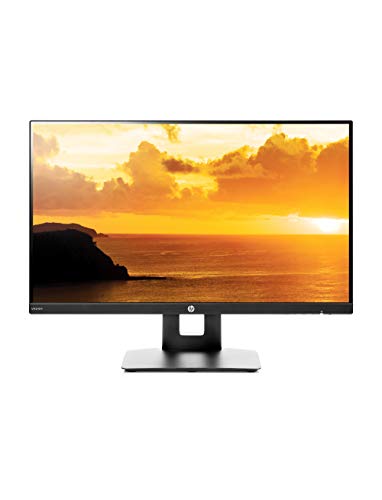
HP VH240a 23.8 inch IPS Monitor
Best for: compact desktop setups with audio needs
- Features
- Built-in Speakers
- Screen Size
- 23.8-inch
- Resolution
- 1920 x 1080
- Refresh Rate
- 60Hz
- Panel Type
- IPS
- Response Time
- 5ms
The HP VH240a is a 23.8-inch Full HD monitor with an IPS panel and built-in speakers. It offers a 60Hz refresh rate and 5ms response time for clear visuals. This micro-edge design supports VESA mounting and portrait rotation. It includes HDMI and VGA ports for connectivity. You will appreciate the integrated audio and energy-efficient LED backlighting for a clean desk setup.
- 23.8-inch Full HD (1920×1080) IPS display
- Built-in integrated speakers
- VESA mounting and portrait rotation support
- HDMI and VGA connectivity
- 60Hz refresh rate is lower than the 100Hz and 165Hz options on this list
- 1080p resolution is lower than the WQHD and DQHD screens available
- 23.8-inch size is smaller than the 34-inch and 49-inch models listed
- You need a compact monitor for a small desk space
- You want built-in audio without extra cables
- You prefer an IPS panel for wide viewing angles
- You require a high refresh rate for fast-paced gaming
- You need a larger screen for multitasking
- You want a higher resolution than 1080p
Verdict: The HP VH240a 23.8" FHD IPS Monitor fits users who need a reliable, space-saving display with built-in sound for everyday tasks. It is a solid choice for basic computing needs.

HP 527pm 27-Inch QHD USB-C Monitor
Best for: remote workers needing 27-inch QHD resolution
- Features
- Built-in Speakers, USB Hub, Webcam
- Screen Size
- 27"
- Resolution
- 2560 x 1440
- Refresh Rate
- 100Hz
- Panel Type
- IPS
- Ports
- USB-C, RJ-45, HDMI, DisplayPort
This HP Series 5 Pro monitor features a 27-inch 1440p QHD IPS display with a 100Hz refresh rate. It includes four 3W down-firing speakers for clear audio during meetings. The unit comes with a 5MP pop-up webcam and AI noise-reduction microphones. It also provides a portable dock for data sync. This setup suits professionals who need a compact, all-in-one conferencing solution with solid visual and audio specs.
- 27-inch 1440p QHD IPS panel
- Four 3W down-firing speakers
- 5MP pop-up webcam with AI noise reduction
- 100Hz refresh rate
- Includes portable dock for data sync
- 100Hz refresh rate is lower than the 165Hz found on other models in this list
- 24.2-inch width makes it bulkier than the 23.8-inch and 24-inch options available
- 17.4-pound weight is heavier than the standard 24-inch and 23.8-inch monitors on the list
- You need a 27-inch screen for higher resolution work
- You want built-in speakers and a webcam in one unit
- You require USB-C connectivity for data and power
- You prefer a smaller 24-inch or 23.8-inch footprint
- You need a 165Hz refresh rate for fast-paced gaming
- You are looking for an ultrawide 34-inch or 49-inch display
Verdict: HP 527pm 27-inch QHD USB-C Monitor is a practical choice for remote workers who value a larger 1440p screen and integrated audio. It fits users who prioritize conferencing features over the highest refresh rates or smallest footprint.

HP 524pm 24-inch FHD USB-C Monitor
Best for: compact hybrid work setups
- Features
- Built-in Speakers, Webcam
- Screen Size
- 23.8"
- Resolution
- FHD
- Ports
- USB-C, DisplayPort, HDMI
- Size
- Single monitor
- Dimensions
- 7.46 × 21.2 × 19.8 inches
The HP 524pm is a 23.8-inch Full HD monitor designed for hybrid work. It features a 5MP pop-up webcam and four 3W down-firing speakers for clear audio. You get four-way adjustability, including height adjustment up to 150 mm. The USB-C port supports data sync up to 5Gbps. This model includes a special edition portable dock for convenient connectivity.
- 23.8-inch Full HD IPS display
- 4x 3W built-in speakers
- 5MP pop-up tiltable webcam
- Four-way ergonomic adjustability
- USB-C with 5Gbps data sync
- 1080p resolution is lower than the WQHD and DQHD panels on the list
- 14.6-pound weight is heavier than the lighter 24-inch options
- 24-inch screen is smaller than the 34-inch and 49-inch ultrawides available
- You need a compact 24-inch screen for a small desk
- You require built-in speakers and a webcam for meetings
- You want four-way adjustability for ergonomic comfort
- You need a high-resolution 4K or ultrawide display
- You prefer a lighter monitor for easy transport
- You want a larger screen for multitasking
Verdict: The HP 524pm 24" FHD USB-C Monitor fits users who prioritize a compact size and integrated conferencing tools. It is a solid choice for hybrid workers who need a dedicated, adjustable screen with audio and video capabilities.

HP Series 5 Pro 34" WQHD USB-C
Best for: Ultrawide productivity and video conferencing
- Features
- Built-in Speakers, USB Hub, Webcam
- Screen Size
- 34"
- Resolution
- 3440 x 1440
- Ports
- USB-C
This HP Series 5 Pro monitor features a 34-inch curved WQHD display with a 3440 x 1440 resolution. It includes built-in 4x 3W down-firing speakers and a 5MP pop-up webcam with AI noise reduction. The stand offers height, tilt, and swivel adjustments. A portable dock is included for connectivity. It suits professionals needing a wide workspace and integrated conferencing tools.
- 34-inch WQHD (3440 x 1440) curved display
- 4x 3W built-in down-firing speakers
- 5MP pop-up webcam with AI noise reduction
- Height, tilt, and swivel adjustability
- 60Hz refresh rate is lower than the 100Hz and 165Hz options on this list
- Fixed 1500R curvature limits viewing angles compared to flat panels
- You need an ultrawide screen for multitasking
- You want built-in speakers and a webcam
- You require height-adjustable ergonomics
- You need a high refresh rate for gaming
- You prefer a flat screen without curvature
- You want a smaller 24-inch or 27-inch display
Verdict: HP Series 5 Pro 34" WQHD USB-C provides a spacious ultrawide view with integrated audio and video tools. It fits users who prioritize screen real estate and conferencing features over high refresh rates.

HP P34hc G4 34" Curved WQHD Monitor
Best for: multitasking and wide-screen productivity
- Features
- Built-in Speakers, Curved Screen, Height-Adjustable Stand, USB Hub
- Screen Size
- 34 inch
- Resolution
- 3440 x 1440
- Refresh Rate
- 60Hz
- Ports
- HDMI, DisplayPort, USB-C, USB-A
- Dimensions
- 4.41 × 31.9 × 14.4 inches
This 34-inch ultrawide monitor offers a WQHD resolution of 3440 by 1440 pixels for expanded horizontal workspace. It features a curved screen and built-in speakers to enhance immersion and audio clarity. The stand allows for height, tilt, and slide adjustments to suit your ergonomic needs. A single USB-C cable handles video, data, and power delivery. It is designed for users who need extra screen real estate without cluttering their desk with multiple cables.
- 34-inch WQHD (3440 x 1440) curved display
- Built-in speakers for integrated audio
- Height-adjustable stand with tilt and slide options
- USB-C port supports video, data, and charging
- 60Hz refresh rate is lower than the 165Hz option on this list
- 23.2-pound weight is heavier than the 24-inch models in the guide
- Single built-in speaker is less robust than multi-speaker setups
- You need a wide screen for multitasking or spreadsheets
- You want a clean desk setup using a single USB-C cable
- You prefer a curved display for better peripheral viewing
- You require a high refresh rate for competitive gaming
- You are limited to a 24-inch or 27-inch footprint
- You need a webcam for video conferencing
Verdict: HP P34hc G4 34" Curved USB-C Monitor provides a spacious 3440 x 1440 curved display with convenient USB-C connectivity. It fits professionals who prioritize screen width and ergonomic adjustability over high-speed gaming performance.
Specifications side by side

| Spec | HP Series 3 Pro 24-Inch 100Hz IPS Monitor | HP Series 5 Pro 34" WQHD Webcam Monitor | HP Series 5 Pro 49" 165Hz DQHD Monitor | HP VH240a 23.8 inch IPS Monitor | HP 527pm 27-Inch QHD USB-C Monitor | HP 524pm 24-inch FHD USB-C Monitor | HP Series 5 Pro 34" WQHD USB-C | HP P34hc G4 34" Curved WQHD Monitor |
|---|---|---|---|---|---|---|---|---|
| Screen Size | 24" | 34" | 49" | 23.8-inch | 27" | 23.8" | 34" | 34 inch |
| Resolution | 1920×1080 | 3440 x 1440 | 5120 x 1440 | 1920 x 1080 | 2560 x 1440 | FHD | 3440 x 1440 | 3440 x 1440 |
| Refresh Rate | 100Hz | – | 165Hz | 60Hz | 100Hz | – | – | 60Hz |
| Panel Type | IPS | – | – | IPS | IPS | – | – | – |
| Response Time | – | – | 5ms GtG | 5ms | – | – | – | – |
| Aspect Ratio | – | – | 32:9 | 16:9 | – | – | – | – |
| Ports | HDMI, Displayport, VGA | USB-C | USB-C | HDMI, VGA | USB-C, RJ-45, HDMI, DisplayPort | USB-C, DisplayPort, HDMI | USB-C | HDMI, DisplayPort, USB-C, USB-A |
| Features | Built-in Speakers | Built-in Speakers, Webcam | Built-in Speakers, Curved Screen, USB Hub, Webcam | Built-in Speakers | Built-in Speakers, USB Hub, Webcam | Built-in Speakers, Webcam | Built-in Speakers, USB Hub, Webcam | Built-in Speakers, Curved Screen, Height-Adjustable Stand, USB Hub |
| Size | 24-Inch Series 3 | Single monitor with single arm | – | 23.8 Inch | Single monitor | Single monitor | – | 34 Inch |
| Dimensions | 8.35 × 21.2 × 17.6 inches | 10.6 × 31.8 × 21.5 inches | 53 × 18.2 × 12.1 inches | 21.2 × 8.6 × 19.7 inches | 8.15 × 24.2 × 21.4 inches | 7.46 × 21.2 × 19.8 inches | – | 4.41 × 31.9 × 14.4 inches |
| Weight | 7.7 pounds | 25.3 pounds | 58.8 pounds | 10 pounds | 17.4 pounds | 14.6 pounds | – | 23.2 pounds |
| Color | Black | Black/Silver | Wide color gamut, including HDR colors | Black | Black/Silver | Black/Silver | Black/Silver | Black |
| Model | HP 24" FHD | HP 34" WQHD | HP Series 5 Pro 549pm | 2DS80AA#ABA | HP 527pm | HP 524pm | – | 21Y56AA#ABA |
How to choose the right one
Check resolution needs
Start by matching the pixel count to your desk depth. The HP Series 3 Pro offers 1080p FHD resolution, which is sharp enough for a 24-inch screen at a normal viewing distance. If you sit closer to a larger display, higher clarity matters more. The HP 527pm provides 1440p QHD resolution on a 27-inch panel. This extra detail helps text remain crisp when you are working on spreadsheets or documents. Choose 1080p for standard tasks and 1440p if you need more screen space without scaling issues.
Evaluate refresh rates
Refresh rate determines how smoothly motion appears on screen. Most office monitors run at 60Hz, which is standard for general use. However, the HP Series 5 Pro 49-inch model features a 165Hz refresh rate. This higher speed reduces motion blur, which is beneficial if you also play games or watch fast-paced video. For pure productivity, 60Hz is sufficient. The HP P34hc G4 operates at 60Hz. It is designed for steady, static content. Select a higher refresh rate only if you notice flickering or need smoother animations during specific tasks.
Consider panel types
Panel technology affects color accuracy and viewing angles. IPS panels are common in this list and provide wide viewing angles. This means colors stay consistent even if you look at the screen from the side. The HP Series 3 Pro and the HP VH240a both use IPS technology. This is ideal for collaborative work where others might view your screen. Curved screens, like the HP P34hc G4, wrap around your field of view. This can reduce eye strain during long sessions. Choose IPS for color fidelity and curved designs for immersion.
Assess port requirements
Ports determine what devices you can connect easily. USB-C is a versatile option that carries video, data, and power through one cable. The HP 527pm and the HP 524pm both include USB-C ports. This simplifies desk setup if you use a laptop. Standard HDMI and DisplayPort connections are also available on many models. The HP Series 3 Pro includes HDMI and DisplayPort alongside VGA. Ensure your computer has matching outputs. Check the number of ports if you need to connect multiple peripherals simultaneously without a hub.
Review integrated features
Built-in features can replace external hardware. Several HP monitors include webcams and USB hubs. The HP Series 5 Pro 34-inch webcam model integrates video conferencing tools directly. This is useful for remote workers who need a clean desk setup. The HP 527pm also features a webcam and USB hub. These additions save space and reduce cable clutter. If you do not need video calls, you might skip these models to save money or focus on pure display quality. Check the feature list to see if audio, video, or connectivity tools are included in the unit.
Frequently asked questions
Which HP monitor with speakers has the highest refresh rate?
The HP Series 5 Pro 49" 165Hz DQHD Monitor offers the highest refresh rate at 165Hz. This curved display provides smooth motion for gaming or fast-paced work. It also includes a webcam and USB hub for added convenience. This model is ideal for users who need high-speed performance in a large format.
Do any of these HP monitors include a built-in webcam?
Yes, several models feature integrated webcams for video conferencing. The HP Series 5 Pro 34" WQHD, HP 527pm 27-Inch QHD, and HP 524pm 24-inch FHD all include cameras. The HP Series 5 Pro 49" 165Hz DQHD Monitor also has a webcam. These units combine audio and video tools in one device.
Which HP monitor supports USB-C connectivity?
Multiple HP monitors with built-in speakers support USB-C ports. The HP Series 5 Pro 34" WQHD, HP 527pm 27-Inch QHD, HP 524pm 24-inch FHD, and HP P34hc G4 34" Curved WQHD all feature this connection. USB-C allows you to transmit video and power through a single cable for simpler desk setups.
What is the largest screen size available on this list?
The largest screen size is 49 inches, found on the HP Series 5 Pro 49" 165Hz DQHD Monitor. This ultrawide curved display offers extensive workspace for multitasking. It is significantly larger than the next biggest option, which is the 34-inch models like the HP Series 5 Pro 34" WQHD.
Are there HP monitors with built-in speakers that have curved screens?
Yes, two models feature curved displays. The HP Series 5 Pro 49" 165Hz DQHD Monitor has a large curved screen. The HP P34hc G4 34" Curved WQHD Monitor also offers a curved design. These curves can enhance immersion and viewing angles for both work and media consumption.
Which HP monitor is best for compact desks?
The HP Series 3 Pro 24-Inch 100Hz IPS Monitor is ideal for compact desks. It measures 21.2 inches in width and weighs 7.7 pounds. The HP VH240a 23.8 inch IPS Monitor is another space-saving option at 21.2 inches wide. Both provide 1080p resolution and built-in speakers in a small footprint.
Does the HP 527pm monitor have an Ethernet port?
Yes, the HP 527pm 27-Inch QHD USB-C Monitor includes an Ethernet port. It also features HDMI, DisplayPort, and USB-C connections. This model provides 1440p QHD resolution and 100Hz refresh rate. The integrated speakers and webcam make it a complete solution for remote workers.
See also