Best 75Hz Monitors in 2026: 15 Picks Ranked by Specs
As Amazon Associates, we earn from qualifying purchases. This means we may receive a small commission at no extra cost to you if you click through and make a purchase.
As an Amazon Associate we earn from qualifying purchases. Links on this page are affiliate links.
Finding the best 75Hz monitors often requires balancing resolution, panel type, and connectivity. We compared 15 options ranked strictly by their published specifications. The Dell 27-Inch 1440p USB-C Monitor leads because it combines a 1440p QHD display with USB-C ports for a tidy single-cable setup. This guide helps you decide which screen fits your workflow, whether you need a large ultrawide canvas, a portable secondary display, or a triple-monitor office setup.
Match Resolution to Screen Size

Choose your resolution based on panel size. A 27-inch 1080p display shows visible pixels, while 1440p offers sharp text. For large 32-inch screens, 1080p looks soft, so prefer 1440p. Ultrawide models like the 40-inch Deco Gear use 5K2K for dense detail. Check the resolution spec to ensure clarity matches your viewing distance.
| # | Product | Best for | Price |
|---|---|---|---|
| 1 | Dell 27-Inch 1440p USB-C Monitor Best overall | laptop users seeking a single-cable 1440p setup | |
| 2 | Deco Gear 40-Inch 5K2K Curved Ultrawide Monitor Best premium | multitasking and creative design work | |
| 3 | ASUS 27-Inch 1080p USB-C Docking Monitor Best budget | laptop docking with 27-inch IPS display | |
| 4 | FYHXele 27 Inch Touchscreen Monitor Best business | Business touch input and office meetings | |
| 5 | ASUS ROG Strix XG129C 12-Inch Touch Monitor Also great | secondary ultrawide touch displays | |
| 6 | LG 32-Inch QHD IPS Monitor Best 32 inch | Productivity and color-accurate design work | |
| 7 | Kado 27" Curved Triple Monitor Also great | multi-monitor office and gaming setups | |
| 8 | Samsung 34-Inch WQHD 75Hz Monitor Also great | Ultrawide multitasking and gaming | |
| 9 | HP 14" WQXGA IPS Monitor Also great | portable high-resolution secondary displays | |
| 10 | Kado 24" Triple Monitor 3-Pack Also great | users needing three synchronized screens | |
| 11 | ASUS VA329HE 32-Inch 1080p IPS Monitor Also great | Large 32-inch screens with wide viewing angles | |
| 12 | KS 24-inch Dual Monitor Set Also great | Dual screen productivity setups | |
| 13 | ASUS ProArt 24-Inch WUXGA 75Hz Monitor Best usb-a | Color-accurate professional creative work | |
| 14 | Kado 22" 3-Pack Monitor 75Hz Also great | compact triple-monitor office setups | |
| 15 | Philips 32" Curved VA Monitor Best va | immersive media viewing and casual gaming |
The best fit for you

- You need a tidy 1440p laptop setup with one cable – Dell 27-Inch 1440p USB-C Monitor – This 27-inch monitor offers 1440p resolution and USB-C connectivity for a single-cable connection.
- You require maximum screen real estate for creative design work – Deco Gear 40-Inch 5K2K Curved Ultrawide Monitor – The 40-inch 5K2K panel provides a 21:9 aspect ratio for extensive multitasking space.
- You want a convenient USB-C docking solution with speakers – ASUS 27-Inch 1080p USB-C Docking Monitor – This 27-inch IPS display includes USB-C docking and built-in speakers for office use.
- You need touch input for business meetings and office tasks – FYHXele 27 Inch Touchscreen Monitor – The 27-inch 1080p screen features a touchscreen interface for direct interaction during presentations.
- You need three synchronized screens for productivity without separate stands – Kado 24" Triple Monitor 3-Pack – This 24-inch triple monitor pack provides three 1080p displays in a ready-made configuration.
Is 75Hz the right refresh rate for you?

A 75Hz refresh rate updates the image 75 times per second. This offers smoother motion than 60Hz for everyday tasks like web browsing and document editing. It also supports Variable Refresh Rate technologies like FreeSync or Adaptive-Sync, which reduce screen tearing during compatible gaming. Most models in this list prioritize resolution and connectivity over high-speed performance. You get reliable fluidity for productivity without the premium cost of higher refresh rates.
Worth it if
- You prioritize sharp text and multi-window productivity over competitive gaming speed.
- You want a smooth desktop experience with reduced screen tearing for casual media.
- You need a display that balances clear visuals with standard motion fluidity.
Skip it if
- You play fast-paced competitive shooters requiring high frame rates.
- You need the absolute smoothest motion for high-end gaming.
- You prioritize pixel density and color accuracy over refresh speed.

Dell 27-Inch 1440p USB-C Monitor
Best for: laptop users seeking a single-cable 1440p setup
- Refresh Rate
- 75Hz
- Screen Size
- 27-inch
- Resolution
- 2560×1440
- Response Time
- 4Ms
- Variable Refresh Rate
- AMD FreeSync
- Ports
- USB-C, USB 3.2 Gen 1 Type-A
The Dell S2722DC is a 27-inch monitor with a 2560×1440 resolution and 75Hz refresh rate. It uses a USB-C connection to provide 65W power delivery, video, and data through a single cable. The stand offers height, tilt, swivel, and pivot adjustments. Built-in speakers are included. This setup suits users who want a clean desk and clear visuals for work and casual gaming.
- 2560×1440 WQHD resolution for sharp detail
- USB-C port with 65W power delivery
- Height-adjustable stand with pivot capability
- Built-in speakers reduce cable clutter
- AMD FreeSync for tear-free 75Hz gaming
- 11.9-pound weight is heavier than many 27-inch flat competitors
- 65W power delivery may be insufficient for high-performance laptops
- VA panel limits viewing angles compared to IPS alternatives
- You use a laptop that supports USB-C video and charging
- You need a single-cable solution for your desk
- You want a monitor that pivots for portrait mode
- You require an IPS panel for wider viewing angles
- You need a higher refresh rate than 75Hz
- You prefer a lighter monitor for frequent moving
Verdict: Dell S2722DC 27-inch WQHD USB-C Monitor is a practical choice for laptop users who value a tidy workspace and clear 1440p images. It fits those who need flexible stand adjustments and basic audio without extra speakers.
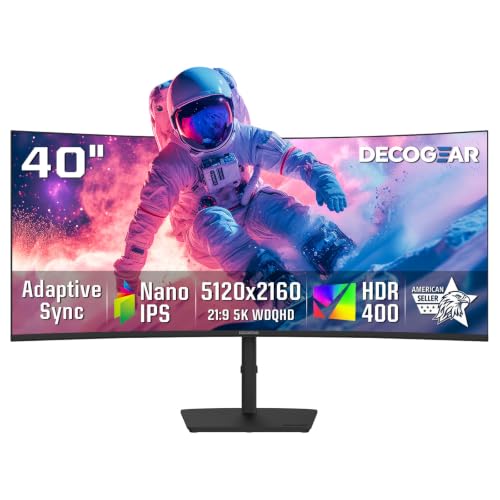
Deco Gear 40-Inch 5K2K Curved Ultrawide Monitor
Best for: multitasking and creative design work
- Refresh Rate
- 75Hz
- Screen Size
- 40"
- Resolution
- 5120×2160
- Panel Type
- Nano IPS
- Response Time
- 1ms MPRT
- Aspect Ratio
- 21:9
This Deco Gear monitor offers a 40-inch 5120×2160 display with a 75Hz refresh rate. The Nano IPS panel covers 100% sRGB and 96% DCI-P3 for accurate color work. It includes 90W USB-C charging and a built-in KVM switch. The R2500 curve and adjustable stand enhance comfort. It suits professionals needing a wide workspace for coding or editing.
- 5120×2160 resolution for sharp detail
- 100% sRGB and 96% DCI-P3 color coverage
- 90W USB-C power delivery
- Built-in KVM and PIP/PBP support
- R2500 curved screen design
- 40-inch size is larger than most 27-inch competitors
- 17.8 pounds weight adds bulk to the desk setup
- 75Hz refresh rate limits high-speed gaming performance
- You need a wide 21:9 workspace for multitasking
- You require 90W USB-C charging for laptops
- You want accurate color for creative work
- You prefer a compact 24-inch or 27-inch screen
- You need a high refresh rate for competitive gaming
- You want a portable or lightweight display
Verdict: Deco Gear 40-Inch 5K2K Ultrawide Monitor fits users who prioritize screen real estate and color accuracy over portability. It is ideal for desk-bound professionals managing complex workflows.

ASUS 27-Inch 1080p USB-C Docking Monitor
Best for: laptop docking with 27-inch IPS display
- Refresh Rate
- 75Hz
- Screen Size
- 27-inch
- Resolution
- 1920 x 1080
- Panel Type
- IPS
- Variable Refresh Rate
- Adaptive-Sync, FreeSync
- Ports
- HDMI, USB-C, DisplayPort, RJ45
This 27-inch monitor delivers Full HD 1080p resolution on an IPS panel with a 75Hz refresh rate. It features Adaptive-Sync for smooth visuals and includes a USB-C port that provides up to 65W charging. The stand offers height, tilt, swivel, and pivot adjustments. Built-in speakers and eye care technologies round out the package for a complete desktop setup.
- 27-inch IPS panel with 1920 x 1080 resolution
- 75Hz refresh rate with Adaptive-Sync technology
- USB-C port supports 65W laptop charging
- Ergonomic stand with height, tilt, swivel, and pivot adjustments
- Built-in speakers and RJ45 LAN port
- 1080p resolution is lower than the 2560×1440 or 5120×2160 options on this list
- 14.3-pound weight is heavier than the 14-inch HP model
- 27-inch screen is smaller than the 32-inch or 34-inch ultrawide alternatives
- You need a single cable to connect your laptop and charge it
- You want a 27-inch display with ergonomic stand adjustments
- You prefer IPS panels for wide viewing angles
- You require higher than 1080p resolution for detailed work
- You need an ultrawide 21:9 aspect ratio for multitasking
- You want a monitor lighter than 14 pounds
Verdict: ASUS 27-inch Docking Monitor fits users who want a convenient USB-C docking solution with a 27-inch IPS screen. It suits those who prioritize ergonomic adjustments and built-in speakers over higher resolution.

FYHXele 27 Inch Touchscreen Monitor
Best for: Business touch input and office meetings
- Refresh Rate
- 75Hz
- Screen Size
- 27 Inch
- Resolution
- 1080P FHD
- Panel Type
- IPS
- Variable Refresh Rate
- FreeSync
- Ports
- HDMI, DisplayPort, USB, VGA
The FYHXele 27 Inch Touchscreen Monitor offers a 1080p FHD resolution with a 75Hz refresh rate. Its IPS panel provides 178° viewing angles for consistent colors. You get 10-point capacitive touch support for direct interaction. It includes FreeSync to reduce stuttering. This display suits business environments, meetings, and office tasks where touch input adds efficiency.
- 27-inch IPS panel with 1080p FHD resolution
- 10-point capacitive touchscreen for direct control
- 75Hz refresh rate with FreeSync support
- 178° viewing angles for consistent color
- VESA mountable (100mm x 100mm)
- 1080p resolution is lower than the WQHD and 4K options on this list
- 27-inch size is smaller than the 32-inch and 34-inch ultrawide monitors available
- Touch function is incompatible with consoles like PS5, Switch, and Xbox
- You need direct touch interaction for presentations or data entry
- You work in a business office setting requiring clear visuals
- You want a 75Hz display with FreeSync for smooth motion
- You require 4K or WQHD resolution for detailed work
- You need to connect a gaming console like PS5 or Xbox
- You prefer a larger 32-inch or ultrawide screen size
Verdict: The FYHXele 27 Inch Touchscreen Monitor fits business users who need touch input for office tasks and meetings. It is a practical option for those prioritizing direct interaction over high resolution.

ASUS ROG Strix XG129C 12-Inch Touch Monitor
Best for: secondary ultrawide touch displays
- Refresh Rate
- 75Hz
- Screen Size
- 12.3-Inch
- Resolution
- 1920 x 720
- Panel Type
- IPS
- Aspect Ratio
- 24:9
- Ports
- Dual USB-C, HDMI 1.2
This compact ultrawide display offers 1920×720 resolution on a 12-inch IPS panel with 75Hz refresh rate. It features 10-point touch control and 125% sRGB color coverage. The slim 12.3-inch form factor fits under a primary screen. You get dual USB-C ports and HDMI 1.2 connectivity. It includes ROG SensorPanel software for system monitoring. This setup suits gamers needing extra screen real estate without bulk.
- 125% sRGB and 90% DCI-P3 color gamut
- 10-point multi-finger touchscreen input
- Dual USB-C ports with 20W Power Delivery
- 1920×720 resolution for reduced black bars
- 1920×720 resolution is lower than the 1080p or higher options on this list
- 12-inch screen size is significantly smaller than the 14-inch to 40-inch range of other picks
- You want a secondary ultrawide screen for system stats or shortcuts
- You need touch interaction for quick app or OSD control
- You have limited desk space and need a slim 12-inch profile
- You require a primary display with 1080p or higher resolution
- You prefer a standard 16:9 aspect ratio over 24:9
- You need a larger screen for immersive gaming or productivity
Verdict: ASUS 12-inch Touch Gaming Monitor provides a unique ultrawide touch experience for secondary tasks. It fits buyers who value compact size and interactive controls over high resolution or large screen real estate.
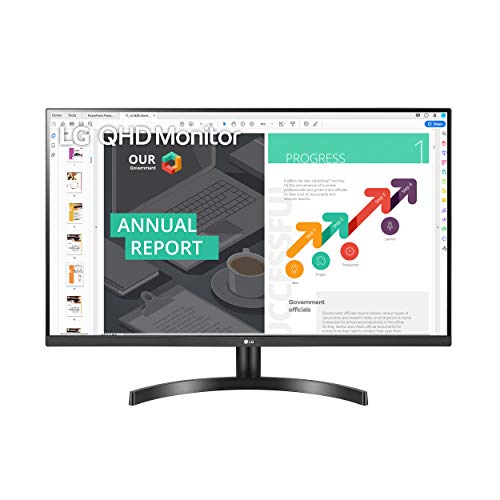
LG 32-Inch QHD IPS Monitor
Best for: Productivity and color-accurate design work
- Refresh Rate
- 75Hz
- Screen Size
- 32"
- Resolution
- 2560×1440
- Panel Type
- IPS
- Variable Refresh Rate
- AMD FreeSync
- Features
- HDR
This 32-inch monitor delivers a 2560×1440 QHD resolution on an IPS panel. It refreshes at 75Hz and supports AMD FreeSync for smoother visuals. The display covers 99% of the sRGB color spectrum and includes HDR 10 compatibility. Reader Mode reduces blue light to help minimize eye fatigue during long work sessions. It is a solid option for those needing a large, color-accurate screen for productivity and casual gaming.
- 32-inch QHD (2560×1440) resolution
- IPS panel with 99% sRGB coverage
- 75Hz refresh rate with AMD FreeSync
- HDR 10 compatibility
- 75Hz refresh rate is lower than 100Hz options
- 15.9-pound weight is heavier than smaller monitors
- You need a large 32-inch screen for detailed work
- You prioritize accurate color reproduction for design tasks
- You want a monitor with eye-care features like Reader Mode
- You require a high refresh rate above 75Hz for competitive gaming
- You prefer a lighter or more portable display setup
- You need a 4K resolution for maximum pixel density
Verdict: LG 32-Inch QHD IPS Monitor offers a spacious QHD display with accurate colors for designers and office workers. It fits users who value screen real estate and eye comfort over high-speed gaming performance.

Kado 27" Curved Triple Monitor
Best for: multi-monitor office and gaming setups
- Refresh Rate
- 75Hz
- Screen Size
- 27"
- Resolution
- 1920×1080
- Ports
- HDMI
- Features
- Built-in Speakers, Curved Screen
- Use
- Gaming, Business & Office, Office
This Kado trio includes three 27-inch curved monitors with 1920×1080 resolution and 75Hz refresh rates. The 1500R curvature and 100% sRGB coverage support immersive gaming and office work. Each unit features built-in speakers and fast response times. You get a seamless multi-screen setup ideal for reducing eye strain during long sessions.
- 1500R curved screen reduces peripheral distortion
- 100% sRGB color gamut for accurate visuals
- Built-in speakers save desk space
- 75Hz refresh rate for smooth motion
- Full HD resolution limits detail compared to QHD options
- Heavier build at 12.2 pounds per monitor
- Only HDMI ports available for connectivity
- You need a triple monitor setup for multitasking
- You want curved screens for immersive viewing
- You prefer built-in audio for simplicity
- You require high-resolution QHD or 4K displays
- You need multiple connection types like DisplayPort
- You prefer single-panel compact setups
Verdict: Kado 27" Curved Triple Monitor 75Hz suits users who need three screens for productivity or gaming. The curved design and built-in speakers make it a practical choice for desk-heavy workflows.

Samsung 34-Inch WQHD 75Hz Monitor
Best for: Ultrawide multitasking and gaming
- Refresh Rate
- 75Hz
- Screen Size
- 34"
- Resolution
- 3440 x 1440
- Response Time
- 4ms
- Aspect Ratio
- 21:9
- Variable Refresh Rate
- AMD FreeSync
This 34-inch ultrawide monitor offers a 3440 x 1440 resolution and 75Hz refresh rate. It uses a VA panel for a 3000:1 contrast ratio and supports AMD FreeSync. The slim design includes a Y-stand and metallic bezel. You get split-screen features for multitasking. It suits users who need wide workspace and smooth visuals.
- 3440 x 1440 WQHD resolution
- 3000:1 contrast ratio
- AMD FreeSync support
- PBP/PIP split screen features
- Heavier at 15.2 pounds
- VA panel viewing angles
- Limited to HDMI ports
- You want a wide ultrawide display
- You need split-screen multitasking
- You play games with AMD graphics
- You prefer IPS panels
- You need multiple input types
- You want a lighter monitor
Verdict: Samsung 34-Inch WQHD 75Hz Monitor delivers a spacious 21:9 canvas with high contrast. It fits professionals who value screen real estate and gamers using AMD cards.

HP 14" WQXGA IPS Monitor
Best for: portable high-resolution secondary displays
- Refresh Rate
- 75Hz
- Screen Size
- 14.3"
- Resolution
- 2560 x 1600
- Panel Type
- IPS Black
- Response Time
- 7 ms
- Aspect Ratio
- 16:10
This HP 14-inch monitor offers a compact 14.3-inch viewable area with WQXGA resolution and 75Hz refresh rate. The IPS panel delivers reliable color accuracy. It weighs just 1.39 pounds and measures 0.3 inches thick, making it highly portable. You get a 16:10 aspect ratio for better vertical workspace. It suits users needing a lightweight, high-resolution secondary display for travel or tight desks.
- WQXGA resolution for sharp text and images
- IPS panel technology for consistent viewing angles
- Lightweight 1.39-pound design for portability
- Thin 0.3-inch profile saves desk space
- Smaller 14-inch screen size compared to 27-inch and 32-inch options
- Lower resolution than 4K or ultrawide models on the list
- 16:10 aspect ratio limits horizontal space for multitasking
- You need a highly portable monitor for travel
- You prioritize screen sharpness over large size
- You want a compact display for a small workspace
- You require a large screen for immersive gaming
- You need ultrawide resolution for extended spreadsheets
- You prefer standard 16:9 aspect ratio displays
Verdict: HP 14" WQXGA IPS Monitor fits travelers and minimalists who value portability and sharp text over large screen real estate.

Kado 24" Triple Monitor 3-Pack
Best for: users needing three synchronized screens
- Refresh Rate
- 75Hz
- Screen Size
- 24"
- Resolution
- 1920×1080
- Ports
- HDMI
- Features
- Built-in Speakers
- Use
- Gaming, Business & Office, Office
This Kado 24-inch triple monitor set includes three 1920×1080 displays with 75Hz refresh rates. It features 100% sRGB color coverage and built-in speakers to save desk space. The flat screens reduce peripheral distortion for a seamless view. You get a cohesive multi-display solution for productivity or gaming without needing separate stands for each unit.
- Three 24-inch 1920×1080 monitors in one package
- 75Hz refresh rate for smooth visuals
- 100% sRGB color gamut for accurate colors
- Built-in speakers for audio convenience
- Full HD resolution is lower than the WQHD or 4K options on this list
- 24-inch size is smaller than the 27-inch and 32-inch monitors available elsewhere
- 9.46-pound weight per monitor adds bulk to the setup
- You need three identical screens for a multi-monitor workflow
- You prefer a flat display over curved options
- You want built-in speakers to reduce cable clutter
- You require 4K or WQHD resolution for detailed work
- You prefer larger 27-inch or 32-inch displays
- You want a single monitor instead of a triple setup
Verdict: Kado 24" Triple Monitor 3-Pack offers a ready-made triple display solution with 100% sRGB coverage. It suits users who need three synchronized screens for productivity or immersive gaming without managing separate stands.

ASUS VA329HE 32-Inch 1080p IPS Monitor
Best for: Large 32-inch screens with wide viewing angles
- Refresh Rate
- 75Hz
- Screen Size
- 32 Inch
- Resolution
- 1920×1080
- Panel Type
- IPS
- Variable Refresh Rate
- Adaptive-Sync, FreeSync
- Ports
- HDMI, VGA
The ASUS VA329HE is a 32-inch Full HD monitor with an IPS panel and 75Hz refresh rate. It features Adaptive-Sync to reduce screen tearing. The display offers wide 178-degree viewing angles and includes Eye Care technologies for comfort. It supports VESA mounting and connects via HDMI and VGA ports. This model suits users who need a large screen for general tasks or casual media viewing.
- 32-inch Full HD (1920×1080) resolution
- IPS panel with 178-degree viewing angles
- 75Hz refresh rate with Adaptive-Sync
- VESA wall-mountable design
- TÜV Rheinland-certified Flicker-free and Low Blue Light
- 1080p resolution on a 32-inch screen results in lower pixel density compared to WQHD options
- 15.7 pounds weight is heavier than many 24-inch or 27-inch alternatives
- Includes only one HDMI port and one VGA port, limiting connectivity options
- You want a large 32-inch display for desktop use
- You need wide viewing angles for collaborative work
- You prefer VESA mounting to save desk space
- You require high-resolution text clarity for detailed work
- You need multiple modern digital video inputs
- You prioritize a lightweight and compact monitor
Verdict: ASUS VA329HE 32-Inch 1080p IPS Monitor delivers a spacious display with wide viewing angles for general productivity. It fits users who value screen size and eye comfort over pixel density or extensive connectivity.

KS 24-inch Dual Monitor Set
Best for: Dual screen productivity setups
- Refresh Rate
- 75Hz
- Screen Size
- 24”
- Resolution
- 1920 x 1080
- Dimensions
- 1.75 × 21.3 × 12.7 inches
- Weight
- 23 pounds
This kit includes two 24-inch Full HD monitors with a 75Hz refresh rate. It comes with a dual stand to help you run multiple programs side by side. The set includes HDMI cables and a power adaptor. It is designed for users who need extra screen space without buying separate units. The combined weight is 23 pounds.
- Includes two 24-inch Full HD displays
- 75Hz refresh rate for smooth visuals
- Dual stand included for desk organization
- HDMI cables and power adaptor provided
- 23-pound total weight is heavier than single monitors
- 1080p resolution is lower than WQHD options on this list
- Fixed 24-inch size offers less flexibility than larger alternatives
- You need two screens for multitasking
- You want a ready-to-use dual setup
- You prefer Full HD resolution
- You require 4K or WQHD resolution
- You need a single large ultrawide display
- You want a lightweight portable solution
Verdict: KS 24-inch Dual Monitor Set provides two screens in one package for users who value productivity over high resolution. It fits those who want a complete dual setup with cables and a stand included.

ASUS ProArt 24-Inch WUXGA 75Hz Monitor
Best for: Color-accurate professional creative work
- Refresh Rate
- 75Hz
- Screen Size
- 24"
- Resolution
- 1920 x 1200
- Response Time
- 5ms
- Aspect Ratio
- 16:10
- Ports
- HDMI, DisplayPort, USB Type-A, USB-C
This ASUS ProArt monitor delivers a 24-inch WUXGA (1920×1200) display with a 75Hz refresh rate and 5ms response time. You get Calman Verified color accuracy with Delta E<2, covering 100% sRGB and 97% DCI-P3. The USB-C port provides up to 96W power delivery, simplifying your desk setup. This screen suits creators who need precise color reproduction and a 16:10 aspect ratio for expanded vertical workspace during editing or design tasks.
- 100% sRGB and 97% DCI-P3 color gamut coverage
- USB-C port with 96W power delivery
- Calman Verified Delta E<2 color accuracy
- Ergonomic stand with height, tilt, swivel, and pivot adjustments
- 24-inch screen size is smaller than many competitors
- 5ms response time is slower than gaming-focused displays
- WUXGA resolution is lower than WQHD or 4K options
- You need precise color accuracy for professional creative work
- You want a single-cable USB-C connection for power and data
- You prefer a 16:10 aspect ratio for vertical workspace
- You require a 4K or higher resolution display
- You need a refresh rate above 75Hz for gaming
- You want a screen larger than 24 inches
Verdict: ASUS ProArt 24" WUXGA 75Hz Monitor is a color-accurate display for professionals who value precision over high refresh rates. It fits users who need USB-C power delivery and a compact 16:10 workspace.
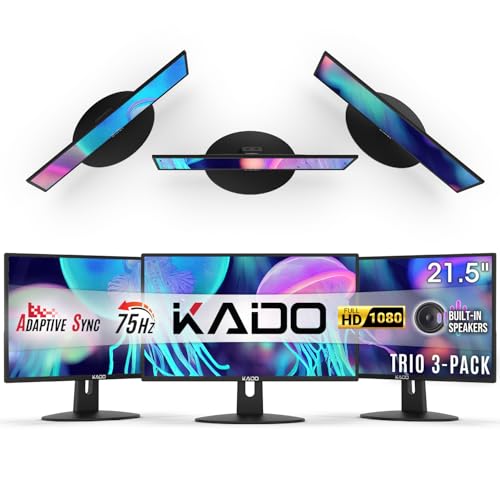
Kado 22" 3-Pack Monitor 75Hz
Best for: compact triple-monitor office setups
- Refresh Rate
- 75Hz
- Screen Size
- 22"
- Resolution
- 1920×1080
- Ports
- HDMI
- Features
- Built-in Speakers
- Use
- Gaming, Business & Office, Office
This Kado 22-inch monitor is part of a triple-pack setup designed for multi-display workflows. It delivers Full HD 1080p resolution at a 75Hz refresh rate. The panel covers 99% of the sRGB color gamut for accurate visuals. Built-in speakers save desk space. Its compact 22-inch size fits well in tight office or gaming environments where multiple screens are needed.
- Triple-pack configuration for seamless multi-view setups
- 99% sRGB color gamut for accurate visuals
- Built-in speakers to save desk space
- 75Hz refresh rate for smooth motion
- 22-inch screen is smaller than most 27-inch competitors
- 1080p resolution is lower than the WQHD options on this list
- 8.25-pound weight per unit adds bulk to desk mounts
- You need a triple-monitor arrangement for productivity
- You have limited desk depth and want compact 22-inch screens
- You want built-in audio without extra cables
- You require 4K or higher resolution for detailed work
- You prefer large 32-inch displays for immersive viewing
- You need USB-C connectivity for single-cable docking
Verdict: Kado 22" Triple 1080p 75Hz Monitor offers a compact, space-saving solution for users who specifically need three screens in a row. It suits office workers and gamers who prioritize multi-display efficiency over large screen real estate or high resolution.

Philips 32" Curved VA Monitor
Best for: immersive media viewing and casual gaming
- Refresh Rate
- 75Hz
- Resolution
- 1920×1080
- Response Time
- 4ms
- Variable Refresh Rate
- Adaptive-Sync
- Ports
- HDMI, DisplayPort, VGA, audio out
- Panel Type
- VA
This Philips 32-inch monitor features a Full HD 1920×1080 resolution on a VA panel. It offers a 75Hz refresh rate with Adaptive-Sync for smoother visuals. The 1500R curve and 104% sRGB coverage provide an immersive, colorful experience. It includes multiple connectivity options and VESA mounting support. The 4ms response time suits casual gaming. It is a solid choice for desktop setups needing a large, curved display.
- 32-inch curved VA panel with 1500R curvature
- 104% sRGB color gamut coverage
- 75Hz refresh rate with Adaptive-Sync
- Includes HDMI, DisplayPort, and VGA ports
- VESA compatible for wall mounting
- Full HD 1080p resolution on a 32-inch screen
- 18.7 pounds weight is heavier than smaller monitors
- 104% sRGB is lower than the 100% DCI-P3 coverage on some professional models
- You want a large, immersive screen for media consumption
- You need a curved display for wider viewing angles
- You value color accuracy with over 100% sRGB coverage
- You require 4K resolution for sharp text
- You prefer IPS panels for better viewing angles
- You need a lightweight monitor for frequent moving
Verdict: Philips 32" Curved VA Monitor delivers a large, immersive viewing experience with good color coverage. It fits users who prioritize screen size and curvature over high resolution or portability.
Specifications side by side

| Spec | Dell 27-Inch 1440p USB-C Monitor | Deco Gear 40-Inch 5K2K Curved Ultrawide Monitor | ASUS 27-Inch 1080p USB-C Docking Monitor | FYHXele 27 Inch Touchscreen Monitor | ASUS ROG Strix XG129C 12-Inch Touch Monitor | LG 32-Inch QHD IPS Monitor | Kado 27" Curved Triple Monitor | Samsung 34-Inch WQHD 75Hz Monitor | HP 14" WQXGA IPS Monitor | Kado 24" Triple Monitor 3-Pack | ASUS VA329HE 32-Inch 1080p IPS Monitor | KS 24-inch Dual Monitor Set | ASUS ProArt 24-Inch WUXGA 75Hz Monitor | Kado 22" 3-Pack Monitor 75Hz | Philips 32" Curved VA Monitor |
|---|---|---|---|---|---|---|---|---|---|---|---|---|---|---|---|
| Screen Size | 27-inch | 40" | 27-inch | 27 Inch | 12.3-Inch | 32" | 27" | 34" | 14.3" | 24" | 32 Inch | 24” | 24" | 22" | – |
| Resolution | 2560×1440 | 5120×2160 | 1920 x 1080 | 1080P FHD | 1920 x 720 | 2560×1440 | 1920×1080 | 3440 x 1440 | 2560 x 1600 | 1920×1080 | 1920×1080 | 1920 x 1080 | 1920 x 1200 | 1920×1080 | 1920×1080 |
| Refresh Rate | 75Hz | 75Hz | 75Hz | 75Hz | 75Hz | – | 75Hz | 75Hz | 75 Hz | 75Hz | 75Hz | 75Hz | 75Hz | 75Hz | 75Hz |
| Panel Type | – | Nano IPS | IPS | IPS | IPS | IPS | – | – | IPS Black | – | IPS | – | – | – | – |
| Response Time | 4Ms | 1ms MPRT | – | – | – | – | – | 4ms | 7 ms | – | – | – | 5ms | – | 4ms |
| Aspect Ratio | – | 21:9 | – | – | 24:9 | – | – | 21:9 | 16:10 | – | – | – | 16:10 | – | – |
| Variable Refresh Rate | AMD FreeSync | Adaptive Sync | Adaptive-Sync, FreeSync | FreeSync | – | AMD FreeSync | – | AMD FreeSync | – | – | Adaptive-Sync, FreeSync | – | – | – | Adaptive-Sync |
| Ports | USB-C, USB 3.2 Gen 1 Type-A | HDMI 2.0, DP 1.4, USB-C, USB-B, USB-A | HDMI, USB-C, DisplayPort, RJ45 | HDMI, DisplayPort, USB, VGA | Dual USB-C, HDMI 1.2 | – | HDMI | HDMI, DisplayPort | – | HDMI | HDMI, VGA | – | HDMI, DisplayPort, USB Type-A, USB-C | HDMI | HDMI, DisplayPort, VGA, audio out |
| Features | Built-in Speakers | HDR, Built-in Speakers, Curved Screen | Built-in Speakers, Height-Adjustable Stand | Touchscreen | Touchscreen | HDR | Built-in Speakers, Curved Screen | – | – | Built-in Speakers | – | – | Power Delivery | Built-in Speakers | Curved Screen |
| Use | – | – | – | Gaming, Business & Office, Business | Gaming | – | Gaming, Business & Office, Office | Gaming | – | Gaming, Business & Office, Office | – | – | – | Gaming, Business & Office, Office | – |
| Size | 27 Inch | 40 inch | 27 Inch | – | – | 32 Inch | 27 | 34" | 8.2" x 12.6" x 0.3" | 24" 3-Pack | 16.7" x 28.6" x 2.7" | 2400A | 24”-WUXGA-75Hz-5ms | 22 | 32" |
| Dimensions | 6.88 × 24.1 × 15.8 inches | 9.57 × 37.3 × 23.7 inches | 24.1 × 8.9 × 14.7 inches | 1.68 × 22.3 × 13.9 inches | 6.97 × 12 × 5.12 inches | 8.2 × 28.1 × 20.2 inches | 2.83 × 24.5 × 14.6 inches | 3.76 × 12.8 × 7.3 inches | 0.3 × 12.6 × 8.2 inches | 1.85 × 21.3 × 12.6 inches | 28.6 × 18.8 × 7.9 inches | 1.75 × 21.3 × 12.7 inches | 20.9 × 7.49 × 15.7 inches | 1.46 × 19.9 × 11.9 inches | 20.6 × 27.9 × 11.1 inches |
| Weight | 11.9 pounds | 17.8 pounds | 14.3 pounds | – | 1.23 pounds | 15.9 pounds | 12.2 pounds | 15.2 pounds | 1.39 pounds | 9.46 pounds | 15.7 pounds | 23 pounds | – | 8.25 pounds | 18.7 pounds |
| Color | Platinum Silver | Black | BLACK | Black-27" | BLACK | Black | Black | Black | Silver | Black | BLACK | Black | Black&Silver | Black | Black/Silver |
| Model | S2722DC | WKDGEDGE401 | VA27ECPSN | 27-1K-75Hz | XG129C | 32QN600-B | KADO-C27-TRIPLE | LS34J550WQNXZA | B88JWAA | KADO-E24-TRIPLE | VA329HE | DS-2400A | 24-75 | KADO-E22X-TRIPLE | 322E1C |
If you need a wider 21:9 aspect ratio for multitasking, evaluate the best 75Hz ultrawide monitors for your setup.
How We Selected 75Hz Monitors

We identified products by scanning Amazon listings for the 75Hz refresh rate in titles or feature lists. This ensures every monitor on the list meets your core requirement for smooth motion. We only selected one size or variant from each product family to avoid redundancy.
We ordered the final list by availability first, then by overall rating weighted by count. We also considered how many of our specific criteria each spec met. All details come from published specifications. We do not handle products or test them ourselves. Prices update daily on the page.
How to choose the right 75Hz monitor
Match resolution to size
Screen size dictates pixel density. A 27-inch 1080p display shows visible pixels, while 1440p offers sharp text. For large 32-inch screens, 1080p looks soft, so prefer 1440p. The Dell 27-Inch 1440p USB-C Monitor provides clear images for office work. The LG 32-Inch QHD IPS Monitor delivers a spacious QHD display suitable for designers. Avoid 1080p on screens larger than 27 inches if you read text often.
Check panel type needs
Panel technology affects viewing angles and contrast. IPS panels offer wide viewing angles and accurate colors, making them ideal for design. The ASUS 27-Inch 1080p USB-C Docking Monitor uses an IPS screen for consistent color from any angle. VA panels, like the Philips 32" Curved VA Monitor, provide higher contrast for media viewing. Choose IPS for productivity and VA for immersive movie watching or casual gaming.
Use USB-C for simplicity
USB-C ports simplify your desk by carrying video, data, and power through one cable. This is perfect for laptop users. The Dell 27-Inch 1440p USB-C Monitor allows a tidy single-cable setup. The ASUS ProArt 24-Inch WUXGA 75Hz Monitor includes power delivery to charge your device. Check if your laptop supports USB-C video output. If it does, this port type reduces cable clutter significantly.
Consider ultrawide aspect ratio
Ultrawide monitors offer a 21:9 aspect ratio for extensive multitasking. The Deco Gear 40-Inch 5K2K Curved Ultrawide Monitor fits users who prioritize screen real estate. The Samsung 34-Inch WQHD 75Hz Monitor delivers a spacious canvas for professionals. This format allows you to view multiple windows side-by-side without stacking. It is ideal for creative design work or managing complex workflows on a single screen.
Evaluate multi-monitor setups
Triple monitor packs save space and sync displays easily. The Kado 27" Curved Triple Monitor suits users needing three screens for productivity. The Kado 24" Triple Monitor 3-Pack offers a ready-made solution for synchronized screens. These units often include built-in speakers and curved designs for immersion. They are practical for desk-heavy workflows where you need maximum visibility without managing separate stands and cables.
Frequently asked questions
Which 75Hz monitor is best for laptop users?
The Dell 27-Inch 1440p USB-C Monitor is the top choice for laptop users. It features a 1440p QHD resolution and USB-C ports. This allows for a single-cable setup that handles video, data, and power. The 27-inch size fits most desks, and it includes built-in speakers for basic audio needs.
What is the best ultrawide 75Hz monitor for multitasking?
The Deco Gear 40-Inch 5K2K Curved Ultrawide Monitor is ideal for multitasking. It offers a 21:9 aspect ratio and 5K2K resolution for extensive screen real estate. The IPS panel ensures accurate colors for creative work. It also includes Adaptive-Sync and built-in speakers, making it a premium desk-bound solution.
Are there good 75Hz monitors with touchscreens?
Yes, the FYHXele 27 Inch Touchscreen Monitor supports direct touch input for office tasks. It uses a 1080p IPS panel with HDMI and VGA ports. For a more compact option, the ASUS ROG Strix XG129C is a 12-inch ultrawide touch display. It connects via HDMI and USB-C for secondary tasks.
Which 75Hz monitor offers the best color accuracy?
The ASUS ProArt 24-Inch WUXGA 75Hz Monitor is designed for color-accurate professional work. It features a WUXGA resolution and USB-C ports with power delivery. The LG 32-Inch QHD IPS Monitor is also excellent for designers. It provides a spacious QHD display with HDR support and accurate colors for creative tasks.
Can I get a triple monitor setup with 75Hz?
The Kado 27 Curved Triple Monitor provides three screens in one unit. It uses 1080p FHD resolution and includes built-in speakers. For a different configuration, the Kado 24 Triple Monitor 3-Pack offers synchronized screens. It includes cables and a stand, making it easy to set up a productivity-focused multi-display workspace.
Which 75Hz monitor is best for large screens?
The LG 32-Inch QHD IPS Monitor is a strong option for large screens. It offers a spacious QHD display with FreeSync support. The Philips 32 Curved VA Monitor provides an immersive viewing experience with a curved VA panel. Both models prioritize screen size and eye comfort for general productivity and media viewing.
Is a 27-inch 1080p monitor worth buying?
A 27-inch 1080p monitor like the ASUS VA329HE offers wide viewing angles due to its IPS panel. However, pixel density is lower than 1440p options. The ASUS 27-Inch 1080p USB-C Docking Monitor is better for docking needs. It includes Ethernet and ergonomic adjustments, prioritizing connectivity and adjustments over higher resolution.
What is the most portable 75Hz monitor?
The HP 14 WQXGA IPS Monitor is highly portable. It weighs only 1.39 pounds and features a WQXGA resolution for sharp text. The ASUS ROG Strix XG129C is another compact option at 12 inches. It is lightweight and designed for secondary tasks, offering touch controls and USB-C connectivity for travel.
See also