Best 16:9 Monitors: 15 Spec-Based Picks
As Amazon Associates, we earn from qualifying purchases. This means we may receive a small commission at no extra cost to you if you click through and make a purchase.
As an Amazon Associate we earn from qualifying purchases. Links on this page are affiliate links.
Choosing the best 16 9 monitors requires looking at specific technical details rather than marketing claims. We compared 15 options ranked by their published specifications to help you find the right display. The top pick is the BenQ RD320UA 32" 4K Programming Monitor because it combines a large 4K UHD IPS panel with USB-C connectivity for developers. This guide helps you decide which screen size, resolution, and port configuration fit your desk and workflow.
Match resolution to your desk size

The list includes 6K, 4K, QHD, and FHD displays. Higher pixel counts require larger screens to remain readable. A 27-inch 4K monitor offers dense text, while a 32-inch 4K or 6K screen provides ample workspace. Choose a resolution that matches your viewing distance and available desk space.
| # | Product | Best for | Price |
|---|---|---|---|
| 1 | BenQ RD320UA 32" 4K Programming Monitor Best overall | programmers needing large 4K screens and USB-C | |
| 2 | Dell 32-Inch 4K Thunderbolt Hub Monitor Best thunderbolt 4 | professionals needing large 4K screens and Thunderbolt 4 | |
| 3 | INNOCN 27-Inch 4K DisplayPort Monitor Best displayport | 4K color work with USB-C laptop connectivity | |
| 4 | Dell 32-Inch 4K 100Hz IPS Monitor Best 100hz | Large 4K screens with USB-C power delivery | |
| 5 | Dell UltraSharp 32 Inch 4K Monitor Best premium | large 4K professional workspaces | |
| 6 | Dell UltraSharp 27-Inch 1440p Monitor Best usb hub | Office productivity with USB hub convenience | |
| 7 | Dell 31.5-Inch 4K UHD Monitor Also great | Productivity and media on a large 4K screen | |
| 8 | Lenovo ThinkVision T27-40 27" FHD Monitor Best budget | office tasks requiring eye comfort | |
| 9 | HP OMEN 31.5-Inch QHD 165Hz Gaming Monitor Best 165hz | Large-screen gaming with high refresh rates | |
| 10 | Lenovo ThinkVision P27Q-40 27" WQHD Monitor Also great | Office work and general productivity | |
| 11 | Lenovo ThinkVision T27i-30 27" Full HD Also great | basic computing on a large screen | |
| 12 | Lenovo ThinkVision P24q-30 24" WQHD Monitor Also great | Compact desks needing sharp 1440p clarity | |
| 13 | Dell U3224KB 31.5-inch 6K Monitor Best 6k | High-resolution creative work with webcam needs | |
| 14 | Lenovo ThinkVision P27QD-40 27" WQHD Monitor Also great | color-accurate creative work | |
| 15 | Lenovo ThinkCentre TIO24 Gen5 24" FHD Monitor Also great | compact office setups with video calls |
The best fit for you

- You are a programmer needing large 4K screens – BenQ RD320UA 32" 4K Programming Monitor – It offers a 32-inch 4K display with USB-C charging for developers.
- You need Thunderbolt 4 connectivity for your workflow – Dell 32-Inch 4K Thunderbolt Hub Monitor – It features Thunderbolt 4 ports and a 120Hz refresh rate.
- You want high refresh rates for gaming – HP OMEN 31.5-Inch QHD 165Hz Gaming Monitor – It delivers 165Hz refresh rates on a 31.5-inch QHD panel.
Is a 16:9 aspect ratio worth your money?

A 16:9 ratio fills most standard desks with a wide, familiar canvas. You get balanced space for side-by-side windows, which helps when coding or editing documents. The list shows this shape works for everything from 24-inch office screens to 32-inch 4K displays. It is the standard for media and most productivity tasks. If you prefer tall, vertical layouts for coding or design, this shape may feel too wide. Otherwise, it remains a practical default.
Worth it if
- You need wide space for multiple side-by-side windows.
- You watch standard video content or play mainstream games.
- You want a display that fits most standard desks without awkward gaps.
Skip it if
- You primarily read documents or code in tall, vertical columns.
- You need maximum vertical height for spreadsheets or timelines.
- You plan to use portrait orientation for your primary workflow.

BenQ RD320UA 32" 4K Programming Monitor
Best for: programmers needing large 4K screens and USB-C
- Aspect Ratio
- 16:9
- Screen Size
- 32”
- Resolution
- 3840×2160
- Ports
- USB-C
- Panel Type
- IPS
- Dimensions
- 28 × 23 × 18 inches
The BenQ RD320UA is a 32-inch 4K UHD monitor designed for programming tasks. It features an IPS panel with a 2000:1 contrast ratio and a Nano Matte finish to reduce reflections. The display includes specific coding modes for better text clarity and a MoonHalo backlight for ambient lighting. It connects via USB-C with 90W power delivery. This monitor suits users who need high resolution and eye-care features for long coding sessions.
- 32-inch 4K UHD resolution for sharp detail
- IPS panel with Nano Matte low reflection coating
- USB-C port with 90W power delivery
- Dedicated coding modes for dark and light themes
- MoonHalo backlight with customizable color temperature
- 2000:1 contrast ratio is lower than typical 1000:1 IPS panels
- 34.2 pounds weight is heavier than many 27-inch competitors
- Ergonomic stand limits height adjustment range compared to full arms
- You need a large 32-inch screen for coding
- You want USB-C connectivity with 90W charging
- You prefer a matte panel to reduce glare
- You require a 120Hz or higher refresh rate
- You need a 16:10 aspect ratio for more vertical space
- You prefer a lighter monitor under 30 pounds
Verdict: BenQ RD320UA 32-inch 4K Monitor offers a large 4K display with specialized coding features and USB-C charging, making it ideal for developers who prioritize screen real estate and eye comfort over high refresh rates.

Dell 32-Inch 4K Thunderbolt Hub Monitor
Best for: professionals needing large 4K screens and Thunderbolt 4
- Aspect Ratio
- 16:9
- Screen Size
- 31.5"
- Resolution
- 3840 x 2160
- Refresh Rate
- 120Hz
- Panel Type
- IPS
- Ports
- Thunderbolt
This 31.5-inch 16:9 monitor delivers 4K UHD resolution on an IPS panel with a 120Hz refresh rate. It features a Thunderbolt 4 port for seamless connectivity and HDR support. The large screen offers ample space for multitasking. It suits professionals who need high clarity and fast updates. The build includes a slim bezel design. It is a solid option for detailed work.
- 31.5-inch 4K UHD (3840 x 2160) display
- 120Hz refresh rate for smooth motion
- Thunderbolt 4 port for versatile connectivity
- IPS panel with HDR support
- Weighs 20.6 pounds, making it heavier than many 27-inch competitors
- Dimensions of 36.5 x 20 x 9.75 inches require more desk depth
- 16:9 aspect ratio limits vertical screen space compared to 16:10 models
- You need a large 31.5-inch screen for multitasking
- You require Thunderbolt 4 connectivity for your devices
- You want a 120Hz refresh rate for smoother visuals
- You have limited desk depth for a 36.5-inch wide monitor
- You prefer lighter monitors under 15 pounds
- You need a 16:10 aspect ratio for more vertical space
Verdict: Dell UltraSharp 31.5" 120Hz Thunderbolt Monitor fits users who need a large, high-resolution display with fast refresh rates and robust connectivity. It is ideal for those with ample desk space who prioritize screen real estate and Thunderbolt integration.

INNOCN 27-Inch 4K DisplayPort Monitor
Best for: 4K color work with USB-C laptop connectivity
- Aspect Ratio
- 16:9
- Screen Size
- 27"
- Resolution
- 3840 x 2160
- Refresh Rate
- 60hz
- Panel Type
- IPS
- Ports
- DisplayPort, HDMI, USB-C
This 27-inch monitor delivers a 3840 x 2160 resolution on an IPS panel with HDR400 support. It features a USB-C port for direct connection to laptops and Mac devices, along with DisplayPort and HDMI inputs. The stand offers height, swivel, and pivot adjustments. It is a strong option for users needing color accuracy and versatile connectivity for professional work or media consumption.
- 3840 x 2160 4K UHD resolution
- USB-C, DisplayPort, and HDMI connectivity
- Height, swivel, and pivot adjustable stand
- HDR400 certification with Delta E < 2 color accuracy
- 60Hz refresh rate is lower than the 100Hz or 120Hz options on this list
- 1000:1 contrast ratio is lower than the 2000:1 ratio found in the BenQ model
- 400 nits peak brightness is lower than HDR600 or higher-tier HDR displays
- You need a 4K display with USB-C connectivity for a laptop or Mac
- You require ergonomic adjustments like height and pivot for long work sessions
- You prioritize color accuracy with Delta E < 2 for photo or video editing
- You require a high refresh rate above 60Hz for fast-paced gaming
- You need a higher peak brightness than 400 nits for bright environments
- You prefer a larger 31.5-inch or 32-inch screen size
Verdict: INNOCN 27" 4K USB-C IPS Monitor is ideal for professionals who need precise color and flexible connectivity. It suits users who value ergonomic adjustability and 4K clarity over high refresh rates.

Dell 32-Inch 4K 100Hz IPS Monitor
Best for: Large 4K screens with USB-C power delivery
- Aspect Ratio
- 16:9
- Screen Size
- 31.5-Inch
- Resolution
- 3840 x 2160
- Refresh Rate
- 100Hz
- Panel Type
- IPS
- Response Time
- 5ms
The Dell P3225QE offers a 31.5-inch 4K display with a 100Hz refresh rate. It uses an IPS panel for accurate colors and includes USB-C with 90W power delivery. The adjustable stand supports height, tilt, swivel, and pivot. You get sharp visuals and smooth motion for work and light gaming. This monitor suits users who want a large, high-resolution screen with versatile connectivity.
- 31.5-inch 4K Ultra HD (3840 x 2160) resolution
- 100Hz refresh rate with 5ms GTG response time
- 99% sRGB color gamut coverage
- USB-C with up to 90W Power Delivery
- Fully adjustable stand with pivot capability
- 100Hz refresh rate is lower than the 120Hz and 165Hz options on this list
- 21.1 pounds weight is heavier than many 27-inch competitors
- 31.5-inch size is larger than the 24-inch and 27-inch alternatives
- You need a large 31.5-inch screen for detailed work
- You want USB-C connectivity with high power delivery
- You prefer a 100Hz refresh rate for smooth motion
- You require a refresh rate higher than 100Hz
- You need a lighter monitor under 15 pounds
- You prefer a smaller 24-inch or 27-inch display
Verdict: Dell P3225QE 31.5" 100Hz 4K Monitor fits professionals who value large 4K screens and USB-C power delivery over high refresh rates.

Dell UltraSharp 32 Inch 4K Monitor
Best for: large 4K professional workspaces
- Aspect Ratio
- 16:9
- Screen Size
- 32"
- Resolution
- 3840 x 2160
- Refresh Rate
- 120Hz
- Panel Type
- IPS
- Ports
- Thunderbolt
This Dell UltraSharp monitor features a 32-inch 4K UHD display with a 120Hz refresh rate. The IPS panel provides wide viewing angles and accurate colors. A Thunderbolt hub integrates connectivity for peripherals. The 32-inch screen size offers ample space for multitasking. It suits professionals who need high resolution and smooth motion for detailed work.
- 32-inch 4K UHD resolution for sharp detail
- 120Hz refresh rate for smooth motion
- IPS panel technology for consistent colors
- Integrated Thunderbolt hub for connectivity
- Heavier build at 20.6 pounds compared to lighter 27-inch options
- Larger 32-inch footprint requires more desk space than smaller monitors
- 120Hz refresh rate is lower than the 165Hz found on gaming-focused displays
- You need a large 32-inch screen for detailed work
- You want 4K resolution with a 120Hz refresh rate
- You prefer a Thunderbolt hub for device connectivity
- You require a smaller 24 or 27-inch monitor
- You need a higher 165Hz refresh rate for competitive gaming
- You prefer a lighter display under 15 pounds
Verdict: Dell UltraSharp 32" 4K 120Hz Monitor delivers a spacious 32-inch 4K canvas with a 120Hz refresh rate. It fits users who prioritize screen real estate and Thunderbolt connectivity for professional tasks.

Dell UltraSharp 27-Inch 1440p Monitor
Best for: Office productivity with USB hub convenience
- Aspect Ratio
- 16:9
- Screen Size
- 27"
- Resolution
- WQHD
- Panel Type
- LED
- Response Time
- 5 ms
- Ports
- USB Type-C
The Dell UltraSharp U2724D is a 27-inch 16:9 monitor with WQHD resolution. It features a 5 ms response time and 350 nit brightness. The height-adjustable stand includes a built-in USB hub for convenient connectivity. This model suits users who need a reliable display for productivity and moderate media consumption. Its platinum silver finish adds a professional look to your desk setup.
- 27-inch WQHD display for clear visuals
- Built-in USB hub for easy connectivity
- Height-adjustable stand for ergonomic positioning
- 5 ms response time for smooth motion
- 350 nit brightness for decent visibility
- 350 nit brightness is lower than HDR models on this list
- WQHD resolution is lower than the 4K panels found on other picks
- 16:9 aspect ratio limits vertical space compared to ultrawide options
- You need a height-adjustable stand with a USB hub
- You prefer a 27-inch 16:9 screen for general tasks
- You want a professional platinum silver design
- You require 4K resolution for detailed work
- You need HDR support for high dynamic range content
- You want a larger 31.5-inch display
Verdict: Dell UltraSharp U2724D 27" WQHD Monitor offers a solid balance of ergonomics and connectivity for office work. It fits buyers who prioritize the USB hub and adjustable stand over higher resolution.
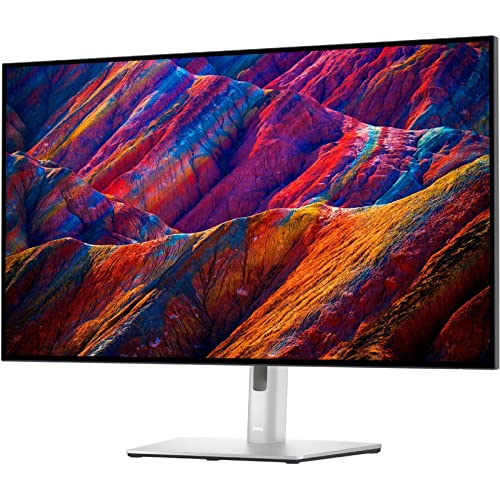
Dell 31.5-Inch 4K UHD Monitor
Best for: Productivity and media on a large 4K screen
- Aspect Ratio
- 16:9
- Screen Size
- 31.5"
- Resolution
- 4K UHD
- Refresh Rate
- 75Hz
- Panel Type
- WLED LCD
- Response Time
- 5 ms GTG
This Dell UltraSharp U3223QE is a 31.5-inch 16:9 monitor with 4K UHD resolution. It offers 400 nits of brightness and a 5 ms GTG response time. The 75Hz refresh rate suits office work and media consumption. You get ample desktop space with over 8 million pixels. VESA mount compatibility adds flexibility. This model fits users needing a large, sharp display for general tasks.
- 4K UHD resolution for detailed visuals
- 31.5-inch 16:9 screen size
- 400 nits brightness for clear images
- 5 ms GTG response time for smooth motion
- VESA mount compatibility for flexible setup
- 75Hz refresh rate is lower than the 100Hz and 120Hz options on this list
- 22.8 pounds weight is heavier than the 27-inch and 24-inch competitors
- 28.1-inch width requires more desk space than smaller models
- You need a large 31.5-inch screen for detailed work
- You prefer 4K UHD resolution for sharp text and images
- You want VESA mount flexibility for your desk setup
- You require a high refresh rate above 75Hz for gaming
- You have limited desk space and need a smaller 24-inch or 27-inch monitor
- You prioritize a lighter weight display under 20 pounds
Verdict: Dell UltraSharp U3223QE 31.5 inch 4K Monitor provides a large 4K canvas for productivity. It suits users who value screen real estate and image clarity over high refresh rates.

Lenovo ThinkVision T27-40 27" FHD Monitor
Best for: office tasks requiring eye comfort
- Aspect Ratio
- 16:9
- Screen Size
- 27"
- Resolution
- Full HD
- Refresh Rate
- 48-120Hz
- Panel Type
- IPS
- Variable Refresh Rate
- 48-120Hz
The Lenovo ThinkVision T27-40 is a 27-inch 16:9 monitor with Full HD resolution. It uses an IPS panel covering 99% of the sRGB color gamut. The display supports a 48-120Hz variable refresh rate. It includes a stand that lifts, tilts, pivots, and swivels. This model suits users who prioritize eye comfort certifications and adjustable ergonomics over higher pixel density.
- 27-inch IPS panel with 99% sRGB color coverage
- 48-120Hz variable refresh rate for smooth motion
- Ergonomic stand with lift, tilt, pivot, and swivel functions
- TÜV Rheinland 5-star Eye Comfort Certification
- Full HD resolution offers lower pixel density on a 27-inch screen compared to 4K or WQHD options
- USB-C port provides only 15W power delivery, limiting device charging capabilities
- 1080p resolution is less sharp than the 4K or WQHD displays found in other picks
- You need a large 27-inch screen for general office tasks
- You value certified eye comfort features for long viewing sessions
- You require an adjustable stand for ergonomic positioning
- You require high pixel density for detailed graphic design work
- You need fast refresh rates for competitive gaming
- You want a higher resolution like 4K or WQHD for crisp text
Verdict: Lenovo ThinkVision T27-40 27" FHD Monitor is a practical choice for users who need a large, comfortable viewing area with solid color accuracy. It fits office workers who prioritize eye protection and stand adjustability over sharpness.

HP OMEN 31.5-Inch QHD 165Hz Gaming Monitor
Best for: Large-screen gaming with high refresh rates
- Aspect Ratio
- 16:9
- Screen Size
- 31.5 inch
- Resolution
- 2560 x 1440
- Refresh Rate
- 165Hz
- Panel Type
- IPS
- Response Time
- 1ms GtG
The HP OMEN 32q is a 31.5-inch 16:9 gaming monitor with QHD resolution. It features a 165Hz refresh rate and 1ms GtG response time to reduce motion blur. The IPS panel covers 99% sRGB and 95% DCI-P3 for accurate colors. Peak brightness reaches 400 nits. It supports AMD FreeSync for smoother gameplay. This display suits players who prioritize speed and color fidelity on a large screen.
- 165Hz refresh rate for fluid motion
- 1ms GtG response time eliminates blur
- 99% sRGB and 95% DCI-P3 color coverage
- 400 nits peak brightness
- AMD FreeSync variable refresh rate support
- 31.5-inch size is larger than the 27-inch and 24-inch options on this list
- 19.8-pound weight is heavier than smaller monitors
- QHD resolution is lower than the 4K panels found on several other picks
- You want a large 31.5-inch screen for immersive gaming
- You prioritize high refresh rates and fast response times
- You need wide color gamut coverage for visual fidelity
- You require 4K resolution for sharper text or image detail
- You need a compact 24-inch or 27-inch desk footprint
- You prefer a lighter monitor for easy repositioning
Verdict: The HP OMEN 32q QHD 165Hz Monitor delivers high-speed performance and vibrant colors on a large 31.5-inch frame. It fits gamers who want a spacious display with smooth motion handling and accurate color reproduction.
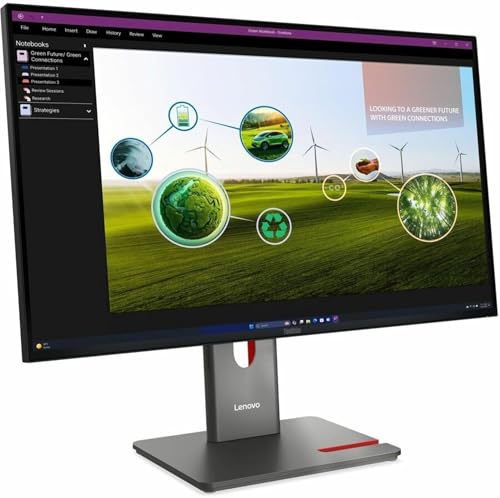
Lenovo ThinkVision P27Q-40 27" WQHD Monitor
Best for: Office work and general productivity
- Aspect Ratio
- 16:9
- Screen Size
- 27"
- Resolution
- 2560 x 1440
- Panel Type
- IPS
- Response Time
- 4 ms
- Dimensions
- 1.8 × 24.2 × 14.1 inches
The Lenovo ThinkVision P27Q-40 is a 27-inch 16:9 monitor with WQHD (1440p) resolution and an IPS panel. It weighs 9.48 pounds and measures 24.2 inches wide. This display offers a balanced mix of sharpness and color accuracy for general tasks. It suits users who need a reliable secondary screen or a dedicated workstation monitor without excessive bulk.
- 27-inch WQHD (1440p) resolution
- IPS panel technology
- 16:9 aspect ratio
- Compact 9.48-pound build
- Lower 1440p resolution compared to 4K models on this list
- Heavier 9.48-pound weight than many 27-inch competitors
- You want a sharp 1440p display for office work
- You prefer the color consistency of an IPS panel
- You need a 27-inch 16:9 screen for general use
- You require 4K (3840×2160) resolution
- You need a high-refresh-rate gaming display
- You want a lighter monitor under 8 pounds
Verdict: Lenovo ThinkVision P27Q-40 27" WQHD Monitor provides solid 1440p clarity for office tasks. It fits users who value standard IPS quality over high resolution or speed.

Lenovo ThinkVision T27i-30 27" Full HD
Best for: basic computing on a large screen
- Aspect Ratio
- 16:9
- Screen Size
- 27"
- Resolution
- Full HD
- Panel Type
- IPS
- Dimensions
- 8.05 × 24.1 × 21.4 inches
- Weight
- 4 pounds
The Lenovo ThinkVision T27i-30 is a 27-inch 16:9 monitor with Full HD (1080p) resolution and IPS panel technology. It offers a standard viewing experience with a 4-pound build. This display suits users who prioritize screen size over pixel density for basic tasks. It fits well in environments where a larger canvas is needed without the cost of higher resolutions.
- 27-inch viewable screen size
- IPS panel technology for wide viewing angles
- 16:9 aspect ratio
- Full HD 1080p resolution
- 4-pound lightweight design
- Full HD resolution is lower than the 4K or QHD options on this list
- 27-inch panel at 1080p results in lower pixel density than smaller high-res monitors
- Standard Full HD limits sharpness for detailed work compared to 4K displays
- You need a large 27-inch screen for general use
- You prefer IPS panels for consistent color and viewing angles
- You want a lightweight monitor that is easy to move
- You require 4K or QHD resolution for sharp text
- You do high-detail graphic design or video editing
- You want a monitor with higher pixel density for close viewing
Verdict: Lenovo ThinkVision T27i-30 27" Full HD is a solid choice for users who need a large, affordable display for basic computing tasks. It fits those who value screen real estate over pixel sharpness.

Lenovo ThinkVision P24q-30 24" WQHD Monitor
Best for: Compact desks needing sharp 1440p clarity
- Aspect Ratio
- 16:9
- Screen Size
- 23.8"
- Resolution
- 2560 x 1440
- Panel Type
- IPS
- Dimensions
- 1.8 × 21.2 × 12.7 inches
- Weight
- 8.38 pounds
The Lenovo ThinkVision P24q-30 is a 24-inch 16:9 monitor featuring a WQHD (1440p) resolution and an IPS panel. This combination delivers sharp text and accurate colors, making it a solid choice for general office work and content viewing. Its compact 23.8-inch viewable area fits well on smaller desks. The IPS technology ensures wide viewing angles, so the image remains consistent even if you move around your workspace.
- WQHD 1440p resolution for clear detail
- IPS panel for wide viewing angles
- 16:9 aspect ratio for standard content
- Compact 23.8-inch viewable area
- 24-inch size is smaller than the 27-inch and 32-inch options on this list
- Lower resolution than the 4K models included in the guide
- Weight of 8.38 pounds is heavier than typical slim 24-inch displays
- You need a monitor that fits on a compact desk
- You prefer crisp 1440p text for office tasks
- You want reliable color accuracy from an IPS panel
- You require a large screen for immersive media
- You need 4K resolution for detailed design work
- You prioritize a lightweight display for easy transport
Verdict: Lenovo ThinkVision P24q-30 24" WQHD Monitor offers a balanced mix of resolution and panel quality for users with limited desk space. It suits professionals who value sharp text and accurate colors over screen size.

Dell U3224KB 31.5-inch 6K Monitor
Best for: High-resolution creative work with webcam needs
- Aspect Ratio
- 16:9
- Screen Size
- 31.5"
- Resolution
- 6144 x 3456
- Refresh Rate
- 60 Hz
- Response Time
- 5 ms GTG (Fast)
- Ports
- USB Type-C
The Dell U3224KB is a 31.5-inch 16:9 monitor featuring a 6K resolution of 6144 x 3456. It includes a built-in webcam and USB Type-C connectivity for data transmission. The panel offers 450 nits of brightness and a 5 ms GTG response time. This display suits professionals who need high pixel density and integrated video capabilities for their workflow.
- 6144 x 3456 6K resolution for extreme clarity
- Built-in webcam for video conferencing
- USB Type-C port for data and connectivity
- 450 nits brightness for well-lit environments
- 5 ms response time is slower than the 120 Hz and 165 Hz panels on this list
- 5.5 pounds weight is lighter than most 31.5-inch competitors, potentially feeling less sturdy
- 450 nits brightness is lower than typical HDR-capable monitors in this category
- You need a 6K resolution for detailed design work
- You want a built-in webcam to save desk space
- You use USB Type-C for data transfer
- You require high refresh rates for competitive gaming
- You need HDR brightness levels above 450 nits
- You prefer a smaller 27-inch footprint
Verdict: Dell U3224KB 31.5-inch 6K Monitor delivers exceptional sharpness for creative tasks. It fits users who prioritize resolution and integrated webcam features over high refresh rates.
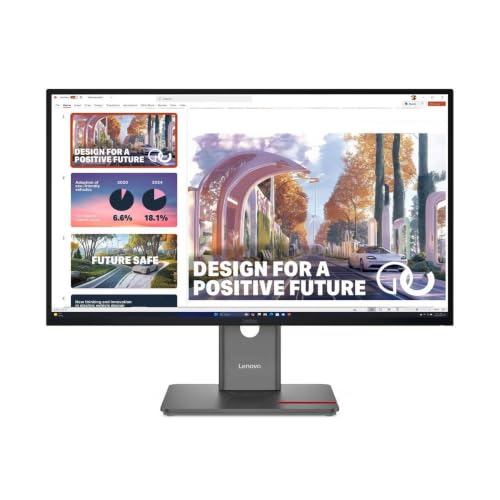
Lenovo ThinkVision P27QD-40 27" WQHD Monitor
Best for: color-accurate creative work
- Aspect Ratio
- 16:9
- Screen Size
- 27-inch
- Resolution
- WQHD
- Refresh Rate
- 120Hz
- Panel Type
- IPS
- Dimensions
- 1.8 × 24.1 × 14.1 inches
The Lenovo ThinkVision P27QD-40 is a 27-inch WQHD monitor with a 16:9 aspect ratio. It features an IPS panel and covers 98% of the DCI-P3 color space. The display supports a variable refresh rate from 24 to 120Hz. You get an ergonomic stand that lifts, tilts, pivots, and swivels. This model includes a USB hub and daisy-chaining capability. It suits users who need accurate colors and flexible positioning.
- 27-inch WQHD resolution on an IPS panel
- Factory calibrated 98% DCI-P3 color coverage
- 24-120Hz variable refresh rate
- Ergonomic stand with lift, tilt, pivot, and swivel
- Integrated USB hub and daisy chaining
- 27-inch screen is smaller than the 31.5-inch options on this list
- WQHD resolution is lower than the 4K displays available here
- 120Hz refresh rate is slower than the 165Hz gaming monitors on this list
- You need accurate colors for creative work
- You want a monitor with flexible ergonomic adjustments
- You prefer a 27-inch display size
- You require a 4K resolution display
- You need a 31.5-inch screen size
- You are looking for a high-refresh-rate gaming monitor
Verdict: The Lenovo ThinkVision P27QD-40 27" WQHD Monitor fits professionals who prioritize color accuracy and ergonomic flexibility over maximum screen size or resolution. It is a solid choice for design work where precise color reproduction matters more than pixel count.

Lenovo ThinkCentre TIO24 Gen5 24" FHD Monitor
Best for: compact office setups with video calls
- Aspect Ratio
- 16:9
- Screen Size
- 23.8 inch
- Resolution
- 1920 x 1080
- Response Time
- 4 ms
- Features
- Webcam
- Dimensions
- 2.9 × 21.3 × 14.5 inches
This 24-inch 16:9 monitor delivers Full HD resolution with a 4 ms response time. It includes a built-in webcam and offers 250 nits of brightness. The display uses WLED backlighting for consistent luminance. Eye Comfort Certification helps reduce visual fatigue. It is a practical option for users who need a compact screen with integrated video communication for office or home use.
- Built-in webcam for video calls
- 4 ms response time for smooth motion
- Eye Comfort Certification reduces visual fatigue
- 250 nits brightness for clear visuals
- Full HD resolution is lower than the 4K and QHD panels on this list
- 250 nits brightness is lower than many professional monitors
- 17.6 pounds weight is higher than most 24-inch competitors
- You need a monitor with a built-in webcam
- You want a compact 24-inch 16:9 display
- You prioritize eye comfort during long sessions
- You require 4K or QHD resolution
- You need high brightness for bright rooms
- You want a lightweight portable screen
Verdict: Lenovo TIO24 Gen5 24" Webcam Monitor suits users who need a compact display with an integrated camera. It fits office tasks where Full HD and eye comfort matter more than high resolution or peak brightness.
Specifications side by side

| Spec | BenQ RD320UA 32" 4K Programming Monitor | Dell 32-Inch 4K Thunderbolt Hub Monitor | INNOCN 27-Inch 4K DisplayPort Monitor | Dell 32-Inch 4K 100Hz IPS Monitor | Dell UltraSharp 32 Inch 4K Monitor | Dell UltraSharp 27-Inch 1440p Monitor | Dell 31.5-Inch 4K UHD Monitor | Lenovo ThinkVision T27-40 27" FHD Monitor | HP OMEN 31.5-Inch QHD 165Hz Gaming Monitor | Lenovo ThinkVision P27Q-40 27" WQHD Monitor | Lenovo ThinkVision T27i-30 27" Full HD | Lenovo ThinkVision P24q-30 24" WQHD Monitor | Dell U3224KB 31.5-inch 6K Monitor | Lenovo ThinkVision P27QD-40 27" WQHD Monitor | Lenovo ThinkCentre TIO24 Gen5 24" FHD Monitor |
|---|---|---|---|---|---|---|---|---|---|---|---|---|---|---|---|
| Screen Size | 32” | 31.5" | 27" | 31.5-Inch | 32" | 27" | 31.5" | 27" | 31.5 inch | 27" | 27" | 23.8" | 31.5" | 27-inch | 23.8 inch |
| Resolution | 3840×2160 | 3840 x 2160 | 3840 x 2160 | 3840 x 2160 | 3840 x 2160 | WQHD | 4K UHD | Full HD | 2560 x 1440 | 2560 x 1440 | Full HD | 2560 x 1440 | 6144 x 3456 | WQHD | 1920 x 1080 |
| Refresh Rate | – | 120Hz | 60hz | 100Hz | 120Hz | – | 75Hz | 48-120Hz | 165Hz | – | – | – | 60 Hz | 120Hz | – |
| Panel Type | – | IPS | IPS | IPS | IPS | LED | WLED LCD | IPS | IPS | IPS | IPS | IPS | – | IPS | – |
| Response Time | – | – | – | 5ms | – | 5 ms | 5 ms GTG | – | 1ms GtG | 4 ms | – | – | 5 ms GTG (Fast) | – | 4 ms |
| Aspect Ratio | – | 16:9 | 16:9 | 16:9 | 16:9 | 16:9 | 16:9 | 16:9 | 16:9 | 16:9 | 16:9 | 16:9 | 16:9 | 16:9 | 16:9 |
| Variable Refresh Rate | – | – | – | – | – | – | – | 48-120Hz | AMD FreeSync Premium, AdaptiveSync | – | – | – | – | – | – |
| Ports | USB-C | Thunderbolt | DisplayPort, HDMI, USB-C | HDMI 2.1, DisplayPort 1.4, USB-C | Thunderbolt | USB Type-C | HDMI | USB-A, USB-C, USB-B | HDMI | – | – | – | USB Type-C | – | – |
| Features | – | HDR | HDR, Built-in Speakers, Height-Adjustable Stand | – | – | Height-Adjustable Stand, USB Hub | – | – | – | – | – | – | Webcam | – | Webcam |
| Use | – | – | Mac | – | – | – | – | – | Gaming | – | – | – | – | – | – |
| Size | 32.0 | – | 27 Inch | – | 32 Inch | 13.9" x 24.1" x 2" | 75Hz | 14" x 24.1" x 1.8" | 31.5 inch | 14.1" x 24.2" x 1.8" | 14.3" x 24.1" x 2" | 12.7" x 21.2" x 1.8" | 19.2" x 28.2" x 2.6" | 14.1" x 24.1" x 1.8" | 14.5" x 21.3" x 2.9" |
| Operating System | – | – | macOS | – | – | – | – | – | – | – | – | – | – | – | – |
| Dimensions | 28 × 23 × 18 inches | 36.5 × 20 × 9.75 inches | 2.6 × 24 × 14 inches | 8.46 × 28.1 × 24.4 inches | 8.46 × 28.1 × 24.4 inches | 2 × 24.1 × 13.9 inches | 18.5 × 28.1 × 9.2 inches | 1.8 × 24.1 × 14 inches | 32.3 × 20.5 × 6.85 inches | 1.8 × 24.2 × 14.1 inches | 8.05 × 24.1 × 21.4 inches | 1.8 × 21.2 × 12.7 inches | 2.6 × 28.2 × 19.2 inches | 1.8 × 24.1 × 14.1 inches | 2.9 × 21.3 × 14.5 inches |
| Weight | 34.2 pounds | 20.6 pounds | – | 21.1 pounds | 20.6 pounds | 14.5 pounds | 22.8 pounds | 9.7 pounds | 19.8 pounds | 9.48 pounds | 4 pounds | 8.38 pounds | 5.5 pounds | 3.2 ounces | 17.6 pounds |
| Color | Metal Grey | Black, Silver | Black | Black | Black, Silver | Platinum Silver, Silver | Black, Silver | Eclipse Black, Black | Black | Eclipse Black | Black | Raven Black | Information Not Available | Raven Black, Black | Black |
| Model | RD320UA | U3225QE | 27C1U | DELL-P3225QE | E999DELU3225QE | 210-BKSF | U3223QE | T27-40 | OMEN 32Q | 64A7GAR6UZ | 63A4MAR1US | P24q-30 | U3224KB | P27QD-40 | TIO24 Gen5 |
If you need compact mobile displays, compare panel specs among the best 16 Inch portable monitors.
How We Picked 16:9 Monitors

We selected these monitors by scanning Amazon listings for the 16:9 aspect ratio. You will only see one size or variant from each product family. We relied entirely on the specifications and feature lists published directly on those product pages. We did not handle or test any units. Every detail here comes from the manufacturer's data. We included a product only when its listing explicitly stated this aspect ratio in the title or feature list.
We ordered the list by availability first. Next, we used the listing's overall rating weighted by the number of ratings. Finally, we sorted by how many of our specific criteria the specs met. This ensures you see the most relevant options first. Prices and stock levels are shown live on the page and refresh daily. They are not part of this static text.
Key Specs to Compare for 16:9

Check port connectivity needs
Your desk setup determines which ports you require. If you use a laptop, USB-C or Thunderbolt 4 allows single-cable charging and data transfer. The Dell U3225QE offers Thunderbolt 4 for robust integration. For standard PCs, HDMI and DisplayPort provide reliable video signals. The INNOCN 27C1U includes HDMI, DisplayPort, and USB-C for flexible connections. Ensure your computer has the matching output to avoid needing extra adapters or dongles on your desk.
Match refresh rate to use
Refresh rate affects motion smoothness. Most productivity monitors run at 60Hz to 120Hz. The Dell P3225QE offers 100Hz, which is sufficient for office work. Gamers need higher speeds. The HP OMEN 32Q delivers 165Hz for smooth motion handling. If you only browse the web or write code, a lower refresh rate saves money. Check the Hz value in the specifications to ensure the motion clarity matches your daily activities and visual comfort preferences.
Verify panel type quality
Panel type impacts viewing angles and color accuracy. IPS panels are standard for professional work because they maintain consistent colors from different angles. Most picks on this list use IPS technology. This includes the BenQ RD320UA and the Lenovo ThinkVision P27Q-40. Avoid older TN panels for color-critical tasks. IPS ensures that text remains sharp and images look correct even if you sit slightly off-center. Verify the panel type in the specs to guarantee reliable visual performance.
Consider variable refresh rate
Variable Refresh Rate (VRR) reduces screen tearing during fast motion. This feature is crucial for gaming. The HP OMEN 32Q supports FreeSync, which syncs the monitor with the graphics card. This prevents stuttering in games. Office monitors rarely include VRR because static content does not need it. Check the attributes list for FreeSync or G-Sync compatibility if you game. For pure productivity, this spec is less important than resolution or port availability.
Evaluate built-in features
Some monitors include extra hardware to simplify your setup. The INNOCN 27C1U has built-in speakers, reducing the need for external audio. The Dell U3224KB includes a webcam for video calls. The Lenovo TIO24 Gen5 also integrates a camera. These features save desk space and cable clutter. If you work remotely or attend frequent meetings, a monitor with a webcam is practical. Check the features list to see if the hardware matches your workflow needs without buying separate accessories.
Frequently asked questions
What is the largest 16:9 monitor resolution available in this list?
The highest resolution is 6K, found on the Dell U3224KB. This 31.5-inch display delivers exceptional sharpness for creative tasks. It also includes a built-in webcam. This model prioritizes resolution and integrated features over high refresh rates, making it suitable for detailed design work.
Which 16:9 monitors support Thunderbolt 4 connectivity?
The Dell U3225QE is the primary option with Thunderbolt 4. It also features a 120Hz refresh rate and HDR support. This port allows for robust integration with compatible laptops. You get fast data transfer and power delivery through a single cable, which simplifies desk setups for professionals.
Are there 16:9 monitors with high refresh rates for gaming?
Yes, several models offer refresh rates above the standard 60Hz. The HP OMEN 32Q provides 165Hz with FreeSync support for smooth motion. The Dell U3225QE and E999DELU3225QE both run at 120Hz. These displays cater to users who want faster performance without sacrificing screen real estate.
Which 16:9 monitor is best for programmers needing eye comfort?
The BenQ RD320UA is designed specifically for developers. It offers a 32-inch 4K display with specialized coding features. The monitor prioritizes eye comfort and screen real estate. It also includes USB-C charging for connected devices, making it a practical choice for long coding sessions.
Does the list include 16:9 monitors with built-in speakers?
The INNOCN 27C1U includes built-in speakers. This 27-inch 4K IPS monitor also features a height-adjustable stand. It suits professionals who need precise color and flexible connectivity. The integrated audio removes the need for external speakers, which is helpful for users with limited desk space.
What is the smallest screen size available for 16:9 monitors here?
The smallest option is the 24-inch Lenovo ThinkVision P24q-30. It offers WQHD resolution in a compact form factor. This monitor suits professionals with limited desk space who value sharp text and accurate colors. It provides a balanced mix of resolution and panel quality for tighter setups.
Which 16:9 monitors include a built-in webcam?
Two models feature integrated webcams: the Dell U3224KB and the Lenovo TIO24 Gen5. The Dell unit offers 6K resolution for creative work. The Lenovo option is a 24-inch FHD display for compact office setups. Both include cameras to support video calls without needing external hardware.
See also