15 Best 100Hz Monitors, Compared
As Amazon Associates, we earn from qualifying purchases. This means we may receive a small commission at no extra cost to you if you click through and make a purchase.
As an Amazon Associate we earn from qualifying purchases. Links on this page are affiliate links.
Finding the best 100Hz monitors requires looking at specific features that match your daily workflow. We compared 15 options based strictly on the specifications published on their listings. The BenQ 27-Inch 1080p USB-C IPS Monitor leads this list because it includes a built-in microphone and USB-C connectivity, making it ideal for office work requiring audio and single-cable setups. This guide helps you decide which screen size, resolution, and port selection fit your desk setup.
Choose resolution and ports first

You need to decide between standard 16:9 screens and wide 21:9 ultrawide displays. Ultrawide models like the Samsung ViewFinity S50GC offer more horizontal space for multitasking. Standard 27-inch monitors like the BenQ GW2786TC often include USB-C ports for single-cable laptop connections. Check your specific port needs and desired screen real estate before buying.
| # | Product | Best for | Price |
|---|---|---|---|
| 1 | BenQ 27-Inch 1080p USB-C IPS Monitor Best overall | Office work requiring USB-C and microphone | |
| 2 | Samsung 34-Inch ViewFinity S50GC Flat Ultrawide Also great | multitasking and smooth visuals on a wide screen | |
| 3 | LG 34-Inch Curved Smart Ultrawide Monitor Also great | media consumption and smart features | |
| 4 | LG 34-Inch Curved Ultrawide USB-C Monitor Also great | multitasking and content creation on a wide screen | |
| 5 | LG 34-Inch UltraWide 1080p IPS Monitor Best budget | multitasking and single-cable laptop setups | |
| 6 | InnoView 18.5" 2K 100Hz Dual Portable Monitor Best premium | portable dual-screen productivity setups | |
| 7 | Lenovo L27q-4a 27" QHD 100Hz Monitor Also great | Office productivity with clear QHD visuals | |
| 8 | LG 34-Inch Curved WQHD IPS Monitor Best 21:9 | multitasking with a single USB-C cable | |
| 9 | ASUS 27-Inch 1080p Webcam Monitor Best webcam | Remote workers needing an integrated webcam | |
| 10 | Philips 346E2CUAE 34" Curved USB-C Monitor Best adaptive-sync | wide workspace and USB-C charging | |
| 11 | FYHXele 32 Inch Touchscreen Monitor Also great | Office work and design with touch input | |
| 12 | Samsung ViewFinity S65TC Thunderbolt 4 Monitor Best thunderbolt 4 | Thunderbolt 4 connectivity and wide multitasking | |
| 13 | Pisichen 27" 2K 100Hz Touchscreen Monitor Also great | Users needing touch input with QHD resolution | |
| 14 | ASUS 24-Inch 1200p IPS Monitor Best 24 inch | Office work and document editing | |
| 15 | MSI 34-Inch Curved UWQHD Monitor Also great | multitasking and media viewing |
The best fit for you

- You need a microphone and USB-C for office work – BenQ 27-Inch 1080p USB-C IPS Monitor – It includes a built-in microphone and USB-C connectivity for a clean desk setup.
- You want a single cable solution for a laptop – LG 34-Inch Curved Ultrawide USB-C Monitor – This ultrawide monitor offers USB-C ports to simplify your connection and power needs.
- You prefer touch input for creative tasks – FYHXele 32 Inch Touchscreen Monitor – The 32-inch display features a touchscreen for direct interaction and ergonomic adjustability.
- You require Thunderbolt 4 for high-speed connectivity – Samsung ViewFinity S65TC Thunderbolt 4 Monitor – It provides Thunderbolt 4 ports for fast data transfer and wide multitasking.
Is a 100Hz refresh rate worth the upgrade?

A 100Hz refresh rate updates the image 100 times per second. This is higher than the standard 60Hz found on many basic displays. You notice smoother motion in scrolling web pages and moving windows. It also reduces stutter during video playback. Most monitors in this list use this rate for office productivity. You get smoother visuals without the premium cost of 144Hz gaming panels. It is a practical upgrade for daily tasks like document editing and web browsing.
Worth it if
- You want smoother scrolling and cursor movement during office work
- You watch videos or stream content on your monitor daily
- You use a laptop with USB-C and need balanced productivity specs
Skip it if
- You only view static documents and images
- You need the absolute lowest input lag for competitive gaming
- You already have a high-refresh-rate monitor for other tasks

BenQ 27-Inch 1080p USB-C IPS Monitor
Best for: Office work requiring USB-C and microphone
- Refresh Rate
- 100Hz
- Screen Size
- 27 Inch
- Resolution
- 1080p
- Panel Type
- IPS
- Ports
- USB-C
- Features
- Height-Adjustable Stand, USB Hub
The BenQ GW2786TC is a 27-inch office monitor with a 1080p IPS panel and 100Hz refresh rate. It includes a built-in noise-cancellation microphone and USB-C connectivity with 65W charging. The stand offers height, tilt, pivot, and swivel adjustments. Brightness Intelligence Tech adjusts to ambient light. This model suits users who need a single-cable solution for business or office work.
- 100Hz refresh rate for smoother motion
- USB-C port with 65W quick charging
- Built-in noise-cancellation microphone
- Height-adjustable stand with pivot support
- IPS panel for wide viewing angles
- 1080p resolution is lower than the WQHD or QHD panels found on most other 34-inch or 27-inch competitors in this list
- 27-inch screen size is smaller than the 34-inch ultra-wide options available from brands like Samsung and LG
- 9.1-pound weight is heavier than many standard 27-inch monitors, which often weigh under 8 pounds
- You need a 27-inch display for office tasks
- You want to connect one USB-C cable for video and charging
- You value a built-in microphone for calls
- You require WQHD or higher resolution for detailed work
- You prefer a 34-inch ultra-wide aspect ratio
- You need a lighter, more portable monitor
Verdict: BenQ GW2786TC 27" 100Hz USB-C Monitor is a practical office tool for users who prioritize connectivity and ergonomics over high resolution. It fits professionals who need a microphone and single-cable setup for their desk.

Samsung 34-Inch ViewFinity S50GC Flat Ultrawide
Best for: multitasking and smooth visuals on a wide screen
- Refresh Rate
- 100Hz
- Screen Size
- 34"
- Response Time
- 5ms
- Aspect Ratio
- 21:9
- Variable Refresh Rate
- AMD FreeSync
- Ports
- 2 x HDMI 2.2, 1 x DisplayPort 1.2
This Samsung monitor gives you a 34-inch Ultra-WQHD display with a 100Hz refresh rate. It features HDR10 for better color depth and AMD FreeSync to reduce tearing. An ambient light sensor adjusts brightness automatically. The borderless design helps when using multiple screens. It suits users who need wide screen real estate for multitasking or smooth visuals.
- 34-inch Ultra-WQHD resolution for wide viewing area
- 100Hz refresh rate reduces motion blur
- HDR10 supports over a billion colors
- Built-in ambient light sensor for eye care
- AMD FreeSync synchronizes refresh with graphics card
- 300 cd/m² brightness is lower than many competitors
- 3000:1 static contrast ratio is modest for VA panels
- 10.8 pounds weight is heavier than average for this size
- You want a wide screen for multitasking
- You prefer automatic brightness adjustment
- You need FreeSync for smoother gaming
- You need high brightness for bright rooms
- You prefer a lighter monitor for easy moves
- You want a higher contrast ratio for dark scenes
Verdict: Samsung 34" ViewFinity S50GC offers a wide 100Hz display with HDR10 and FreeSync. It fits users who value screen real estate and automatic eye care features for daily work or mixed use.

LG 34-Inch Curved Smart Ultrawide Monitor
Best for: media consumption and smart features
- Refresh Rate
- 100Hz
- Screen Size
- 34"
- Resolution
- 3440×1440
- Aspect Ratio
- 21:9
- Ports
- HDMI, USB
- Features
- HDR, Built-in Speakers, Curved Screen
This 34-inch ultrawide monitor delivers a 100Hz refresh rate on a QHD (3440×1440) panel. Its 1800R curve and 99% sRGB coverage suit media consumption. The built-in webOS23 system lets you stream directly without a PC. It also supports Apple AirPlay 2 and HomeKit for wireless casting from iOS or macOS devices.
- 100Hz refresh rate on QHD resolution
- Built-in webOS23 with streaming apps
- 99% sRGB color gamut and HDR10
- Apple AirPlay 2 and HomeKit support
- Heavier at 13.5 pounds than many flat panels
- 1800R curvature may not suit all desk setups
- Limited to 100Hz refresh rate
- You want a smart display with built-in streaming
- You use Apple devices and need AirPlay 2
- You prefer a curved screen for immersion
- You need a flat screen for precise alignment
- You require a higher refresh rate than 100Hz
- You want a lighter, more portable monitor
Verdict: LG 34SR60QC-W Smart Monitor fits users who want a 34-inch QHD display with built-in streaming and Apple AirPlay 2 support for a clutter-free desk setup.

LG 34-Inch Curved Ultrawide USB-C Monitor
Best for: multitasking and content creation on a wide screen
- Refresh Rate
- 100Hz
- Screen Size
- 34-inch
- Resolution
- 3440 x 1440
- Response Time
- 5ms
- Aspect Ratio
- 21:9
- Ports
- HDMI, DisplayPort, USB-C
This 34-inch curved monitor delivers a 3440 x 1440 resolution at a 100Hz refresh rate. It covers up to 99% of the sRGB color gamut and supports HDR10 for better contrast. You get USB-C with 65W power delivery, two HDMI ports, and a DisplayPort. The stand adjusts for height and tilt, and Reader Mode reduces blue light for long work sessions.
- 3440 x 1440 WQHD resolution on a 21:9 screen
- 100Hz refresh rate with 5ms response time
- USB-C port with 65W power delivery
- Height-adjustable ergonomic stand
- 99% sRGB color gamut coverage
- Heavier build at 15.2 pounds compared to many competitors
- Standard 100Hz refresh rate limits high-end gaming performance
- Curved 1000R radius may not suit all desk setups
- You need a wide screen for multitasking with multiple windows
- You want to charge your laptop via a single USB-C cable
- You prefer a curved display for immersive viewing
- You require a flat screen for precise color matching
- You need a higher refresh rate for competitive gaming
- You prefer a smaller 27-inch footprint
Verdict: LG 34-inch UltraWide WQHD Monitor offers a balanced mix of productivity features and decent color performance. It fits professionals who value screen real estate and USB-C convenience over high-speed gaming specs.

LG 34-Inch UltraWide 1080p IPS Monitor
Best for: multitasking and single-cable laptop setups
- Refresh Rate
- 100Hz
- Screen Size
- 34"
- Resolution
- 2560 x 1080
- Panel Type
- IPS
- Aspect Ratio
- 21:9
- Ports
- USB Type-C, DisplayPort, HDMI
This LG monitor gives you a 34-inch 21:9 UltraWide screen with 2560 x 1080 resolution. The IPS panel covers 99% of the sRGB color space and supports VESA DisplayHDR 400 for better contrast. You get a 100Hz refresh rate for smooth motion and USB Type-C connectivity for single-cable data and display output. It also includes built-in stereo speakers.
- 34-inch 21:9 UltraWide 2560 x 1080 resolution
- IPS panel with 99% sRGB coverage
- VESA DisplayHDR 400 certification
- 100Hz refresh rate
- USB Type-C connectivity
- 1080p resolution is lower than the QHD or Ultra-WQHD panels on this list
- 19.4 pounds weight is heavier than many 27-inch competitors
- You need extra horizontal screen space for multitasking
- You want USB Type-C for simplified laptop connections
- You prefer IPS color accuracy and viewing angles
- You require 1440p or higher resolution clarity
- You prefer a compact 24-inch or 27-inch footprint
- You need a higher refresh rate for fast gaming
Verdict: LG 34-inch UltraWide WFHD IPS Monitor offers wide multitasking space with USB-C convenience. It suits users who prioritize screen real estate and color accuracy over high resolution.

InnoView 18.5" 2K 100Hz Dual Portable Monitor
Best for: portable dual-screen productivity setups
- Refresh Rate
- 100Hz
- Screen Size
- 18.5"
- Resolution
- 2560 x 1440
- Panel Type
- IPS
- Ports
- DP, USB-C, HDMI
- Use
- Mac
This is a dual-screen portable monitor with two 18.5-inch panels. It offers 100Hz refresh rates and 2K resolution on each display. The IPS panel covers 100% sRGB for accurate colors. You get a 315° rotating top screen and a 0–180° adjustable stand. It weighs 5.15 pounds and connects via USB-C, HDMI, or DisplayPort. It suits users needing extra workspace on the go.
- 100Hz refresh rate on both screens
- 100% sRGB color gamut for design work
- Dual 18.5-inch 2K panels expand workspace
- 178° wide viewing angles with IPS panel
- Smaller 18.5-inch size compared to standard 27-inch or 34-inch monitors
- Heavier 5.15-pound build for a portable unit
- Lower 1000:1 contrast ratio compared to VA panels
- You need a dual-screen setup for coding or multitasking
- You travel frequently and need a lightweight portable solution
- You require accurate colors for design or video editing
- You prefer a single large display for immersive gaming
- You need a monitor larger than 18.5 inches
- You want a higher contrast ratio for dark room viewing
Verdict: InnoView 18.5" Dual Portable 100Hz Monitor is a compact dual-screen solution for travelers who need extra workspace. It fits professionals who value color accuracy and portability over large single-panel size.

Lenovo L27q-4a 27" QHD 100Hz Monitor
Best for: Office productivity with clear QHD visuals
- Refresh Rate
- 100Hz
- Screen Size
- 27"
- Resolution
- QHD
- Panel Type
- IPS
- Response Time
- 1ms MPRT
- Variable Refresh Rate
- VESA MediaSync
The Lenovo L27q-4a is a 27-inch monitor with QHD resolution and a 100Hz refresh rate. It uses an IPS panel for wide viewing angles. The display includes built-in dual 3W speakers tuned by MaxxAudio. You get VESA mount support and a smart cable management system. Eyesafe Display 2.0 helps reduce eye strain during long work sessions.
- 27-inch QHD (1440p) resolution
- 100Hz refresh rate with 1ms response time
- IPS panel for consistent color and viewing angles
- Built-in dual 3W MaxxAudio speakers
- Eyesafe Display 2.0 for low blue light
- 12.4 pounds weight is heavier than many 27-inch competitors
- 24.1-inch width is narrower than the 34-inch ultrawides on this list
- FHD 100Hz variants are available, but this QHD model is the premium option
- You want a crisp 1440p image on a standard 27-inch screen
- You need built-in speakers for quick meetings without extra gear
- You prefer an IPS panel for better color accuracy
- You need a 34-inch ultrawide for multitasking
- You require a 120Hz or higher refresh rate for competitive gaming
- You want a lighter portable monitor under 10 pounds
Verdict: The Lenovo L27q-4a 27" QHD 100Hz Monitor fits office workers who value clear QHD visuals and built-in audio. It is a solid choice for those who want a standard aspect ratio with good eye-care features.

LG 34-Inch Curved WQHD IPS Monitor
Best for: multitasking with a single USB-C cable
- Refresh Rate
- 100Hz
- Screen Size
- 34"
- Resolution
- 3440 x 1440
- Panel Type
- IPS
- Response Time
- 5ms
- Aspect Ratio
- 21:9
This LG monitor features a 34-inch 21:9 UltraWide WQHD IPS display with a 100Hz refresh rate. It offers 99% sRGB color coverage and HDR10 support for clear visuals. The curved 3800R screen reduces eye strain during long sessions. USB-C connectivity provides up to 96W power delivery. Built-in speakers with DepthSound simplify your desk setup for multitasking and media.
- 34-inch 21:9 UltraWide WQHD (3440×1440) IPS panel
- 100Hz refresh rate with 5ms response time
- USB-C with up to 96W power delivery
- Built-in speakers with DepthSound technology
- Heavier at 22.3 pounds compared to many competitors
- Resolution is WQHD, lower than the 4K options on the list
- Curvature is 3800R, less aggressive than the 1000R curve on the Samsung S65TC
- You need a wide screen for multitasking across multiple windows
- You want USB-C connectivity for single-cable laptop charging
- You prefer IPS panels for consistent viewing angles
- You require a 4K resolution for detailed graphic work
- You need a flat screen for precise alignment tasks
- You prioritize a high refresh rate above 100Hz for competitive gaming
Verdict: LG 34-inch 21:9 WQHD IPS Monitor suits professionals who need a wide workspace for multitasking. The USB-C port and built-in speakers make it a practical choice for clean desk setups.
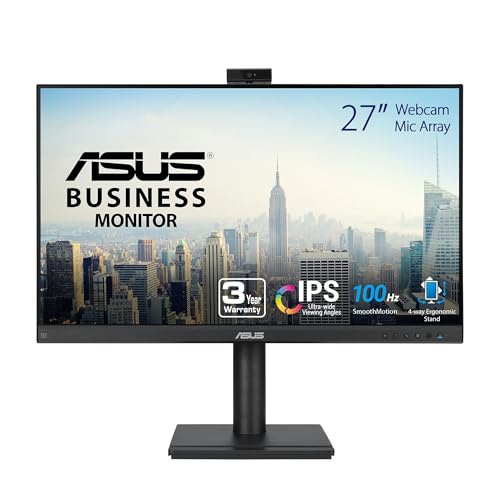
ASUS 27-Inch 1080p Webcam Monitor
Best for: Remote workers needing an integrated webcam
- Refresh Rate
- 100Hz
- Screen Size
- 27-inch
- Resolution
- 1920×1080
- Panel Type
- IPS
- Ports
- DisplayPort, HDMI, D-sub, VGA
- Features
- Built-in Speakers, Height-Adjustable Stand, Webcam
The ASUS BE279QFK is a 27-inch 1080p monitor with a 100Hz refresh rate and an IPS panel. It stands out by including a built-in Full HD webcam, microphone array, and stereo speakers. This all-in-one setup suits remote workers who want to minimize desk clutter. The frameless design and ergonomic stand with height adjustment add to its practical appeal for everyday office tasks.
- Built-in Full HD webcam and mic array
- Integrated stereo speakers for audio
- 100Hz refresh rate on IPS panel
- Height-adjustable stand with pivot function
- 99% sRGB color gamut coverage
- 1080p resolution is lower than the QHD or Ultra-WQHD panels on this list
- 27-inch screen size is smaller than the 34-inch or 32-inch options available
- 14.2-pound weight is heavier than many portable or compact alternatives
- You need a built-in webcam and microphone to simplify your desk setup
- You prefer a standard 27-inch screen size for general office work
- You want an IPS panel with wide viewing angles for collaborative tasks
- You require 4K or QHD resolution for detailed graphic design work
- You are looking for a larger 34-inch ultrawide display for multitasking
- You need USB-C connectivity for direct laptop docking and charging
Verdict: The ASUS BE279QFK 27-inch 1080p Monitor is a practical choice for remote workers who prioritize an integrated webcam and microphone over higher resolution. It fits users who want a complete video conferencing solution in a single package without extra peripherals.

Philips 346E2CUAE 34" Curved USB-C Monitor
Best for: wide workspace and USB-C charging
- Refresh Rate
- 100Hz
- Screen Size
- 34"
- Resolution
- 3440 x 1440
- Response Time
- 1ms (MPRT)
- Variable Refresh Rate
- Adaptive-Sync
- Ports
- USB-C, HDMI, DP, USB 3.2
This Philips monitor offers a 34-inch curved VA panel with UWQHD resolution. It supports 100Hz refresh rates and Adaptive-Sync for smooth visuals. A key feature is the USB-C port with Power Delivery, allowing you to charge connected devices. The display covers 121.3 percent of the sRGB gamut. It is designed for users who need an expansive workspace and versatile connectivity in a single cable solution.
- 3440 x 1440 UWQHD resolution for wide viewing area
- USB-C port with Power Delivery for single-cable charging
- 100Hz refresh rate with Adaptive-Sync technology
- 121.3 percent sRGB color gamut coverage
- VA panel may have slower pixel response than IPS alternatives
- 27.8 pounds weight is heavier than many 27-inch competitors
- Curved design may not suit all desk setups
- You want a large, immersive screen for multitasking
- You need USB-C connectivity for laptop charging
- You prefer curved displays for better peripheral viewing
- You require an IPS panel for faster response times
- You have limited desk space for a 34-inch width
- You need a flat screen for precise alignment
Verdict: Philips 34" Curved UWQHD 100Hz Monitor fits users who prioritize a wide, immersive workspace and convenient USB-C charging over the fastest possible pixel response times.

FYHXele 32 Inch Touchscreen Monitor
Best for: Office work and design with touch input
- Refresh Rate
- 100Hz
- Screen Size
- 32"
- Panel Type
- IPS
- Ports
- USB-C, HDMI, DisplayPort
- Resolution
- 1440p QHD
- Features
- Height-Adjustable Stand, Touchscreen
The FYHXele 32-inch monitor offers QHD resolution and a 100Hz refresh rate on an IPS panel. It features a 10-point touchscreen for direct interaction. The stand adjusts height, swivel, tilt, and rotation. USB-C, HDMI, and DisplayPort provide connectivity. This setup suits users who need large, responsive displays for office work or design tasks.
- 32-inch QHD (1440p) IPS display
- 100Hz refresh rate for smooth motion
- 10-point touchscreen capability
- Height, swivel, tilt, and rotation stand
- USB-C, HDMI, and DisplayPort connections
- 32-inch size is larger than most 27-inch competitors
- Touch function incompatible with consoles like PS5 or Switch
- 350cd/m² brightness is lower than typical HDR monitors
- You need a large touchscreen for presentations
- You want height and rotation adjustments
- You require USB-C connectivity for charging
- You primarily use gaming consoles
- You prefer 27-inch screens
- You need HDR10 certification
Verdict: FYHXele 32 Inch Touchscreen Monitor fits professionals needing a large, adjustable display with direct touch input. It serves office and design users who value screen real estate and ergonomic flexibility over console gaming compatibility.

Samsung ViewFinity S65TC Thunderbolt 4 Monitor
Best for: Thunderbolt 4 connectivity and wide multitasking
- Refresh Rate
- 100Hz
- Screen Size
- 34"
- Aspect Ratio
- 21:9
- Variable Refresh Rate
- AMD FreeSync
- Ports
- Thunderbolt 4, HDMI, DisplayPort, LAN
- Resolution
- Ultrawide QHD
This 34-inch curved monitor features an Ultra-WQHD resolution and a 100Hz refresh rate for smooth visuals. It connects via Thunderbolt 4, delivering 90W of power to your devices. The display includes HDR10 support and AMD FreeSync. You get a height-adjustable stand and built-in speakers. It suits users who need a wide workspace with high-speed connectivity and minimal cable clutter on their desk.
- Thunderbolt 4 port with 90W power delivery
- 34-inch 1000R curved Ultra-WQHD display
- 100Hz refresh rate with AMD FreeSync
- Built-in speakers save desk space
- Height-adjustable stand with tilt and swivel
- 17.9-pound weight makes it bulkier to move
- Curved screen limits side-by-side stacking with flat models
- You need a single cable for data, video, and 90W charging
- You want a wide 21:9 workspace for multitasking
- You prefer a curved display for immersive viewing
- You require a flat panel for precise edge alignment
- You need a smaller 27-inch footprint for tight desks
- You prefer a lightweight monitor for frequent travel
Verdict: Samsung ViewFinity S65TC Thunderbolt 4 Monitor is ideal for professionals who need high-speed Thunderbolt 4 connectivity and a wide, curved workspace for multitasking.

Pisichen 27" 2K 100Hz Touchscreen Monitor
Best for: Users needing touch input with QHD resolution
- Refresh Rate
- 100Hz
- Screen Size
- 27"
- Resolution
- 2560×1440
- Panel Type
- IPS
- Ports
- HDMI, DisplayPort, USB C
- Features
- Built-in Speakers, Touchscreen
The Pisichen 27-inch monitor features a QHD 2560×1440 IPS panel with a 100Hz refresh rate. It includes a 10-point touchscreen for direct interaction, which is useful for creative tasks or presentations. Connectivity options include HDMI, DisplayPort, and USB-C. This display is designed for users who want high resolution and touch capability in a standard desktop setup.
- 27-inch QHD (2560×1440) IPS panel for sharp visuals
- 100Hz refresh rate for smooth motion
- 10-point touchscreen for intuitive control
- USB-C port supports video and data
- Standard 100Hz refresh rate is lower than 120Hz or 144Hz gaming monitors
- 24.1-inch width makes it bulkier than 24-inch or 25-inch alternatives
- 27-inch size is smaller than the 34-inch ultrawide options on this list
- You need a touchscreen for presentations or creative work
- You want QHD resolution on a 27-inch screen
- You prefer direct touch interaction over a mouse
- You require a refresh rate higher than 100Hz for competitive gaming
- You prefer an ultrawide 34-inch display for multitasking
- You need a 4K resolution for maximum detail
Verdict: Pisichen 27" 2K 100Hz Touchscreen Monitor offers a unique blend of QHD resolution and touch capability. It fits users who value direct screen interaction for work or creative tasks rather than high-speed gaming performance.

ASUS 24-Inch 1200p IPS Monitor
Best for: Office work and document editing
- Refresh Rate
- 100Hz
- Screen Size
- 24.1-inch
- Resolution
- 1920 x 1200
- Panel Type
- IPS
- Aspect Ratio
- 16:10
- Ports
- DisplayPort, HDMI, D-sub, USB hub
The ASUS BE248QF is a 24-inch monitor with a 1920×1200 WUXGA IPS panel and 100Hz refresh rate. It offers a 16:10 aspect ratio for more vertical screen space. The stand provides height, tilt, swivel, and pivot adjustments. You get a built-in USB hub and stereo speakers. This setup suits users who need a compact, ergonomic display for office work or general computing.
- 1920×1200 WUXGA IPS panel with 100% sRGB color gamut
- 100Hz refresh rate for smooth motion
- Height-adjustable stand with 180-degree swivel and 90-degree pivot
- Built-in USB hub and stereo speakers
- 1200p resolution is lower than the QHD or 4K options on this list
- 24-inch screen size is smaller than the 27-inch and 34-inch models here
- 12.1-pound weight is heavier than many portable or slim alternatives
- You need a 16:10 aspect ratio for document editing
- You want a compact 24-inch display for small desks
- You require ergonomic adjustments like height and pivot
- You prefer high-resolution QHD or 4K visuals
- You need a large 34-inch ultrawide screen
- You want a portable monitor under 10 pounds
Verdict: ASUS 24 Inch 1200p 100Hz Monitor fits professionals who value screen real estate and adjustability over high resolution. It is a solid choice for office tasks where vertical space matters.

MSI 34-Inch Curved UWQHD Monitor
Best for: multitasking and media viewing
- Refresh Rate
- 100Hz
- Screen Size
- 34-inch
- Resolution
- 3440 x 1440
- Response Time
- 1ms
- Variable Refresh Rate
- Free-Synch
- Ports
- HDMI, DisplayPort
This MSI monitor offers a 34-inch ultrawide QHD display with a 100Hz refresh rate. The VA panel features a 1500R curve for immersive viewing. It includes FreeSync for smoother motion and built-in speakers for audio. The design is white, measuring 26.9 inches wide. It suits users who want a wide screen for multitasking or media consumption without needing high-end gaming specs.
- 34-inch ultrawide QHD resolution
- 100Hz refresh rate with FreeSync
- 1500R curved VA panel
- Built-in speakers included
- VA panel may have slower response times than IPS
- 22-pound weight makes it less portable
- 1500R curve is less aggressive than some competitors
- You need a wide screen for multitasking
- You prefer a curved display for immersion
- You want built-in audio without extra cables
- You require a flat panel for precise alignment
- You need high refresh rates for competitive gaming
- You want a lightweight portable monitor
Verdict: MSI PRO MP341CQW 34-inch Curved Monitor is a solid choice for office work or media viewing. It fits users who value screen real estate and a curved view over speed.
Specifications side by side

| Spec | BenQ 27-Inch 1080p USB-C IPS Monitor | Samsung 34-Inch ViewFinity S50GC Flat Ultrawide | LG 34-Inch Curved Smart Ultrawide Monitor | LG 34-Inch Curved Ultrawide USB-C Monitor | LG 34-Inch UltraWide 1080p IPS Monitor | InnoView 18.5" 2K 100Hz Dual Portable Monitor | Lenovo L27q-4a 27" QHD 100Hz Monitor | LG 34-Inch Curved WQHD IPS Monitor | ASUS 27-Inch 1080p Webcam Monitor | Philips 346E2CUAE 34" Curved USB-C Monitor | FYHXele 32 Inch Touchscreen Monitor | Samsung ViewFinity S65TC Thunderbolt 4 Monitor | Pisichen 27" 2K 100Hz Touchscreen Monitor | ASUS 24-Inch 1200p IPS Monitor | MSI 34-Inch Curved UWQHD Monitor |
|---|---|---|---|---|---|---|---|---|---|---|---|---|---|---|---|
| Screen Size | 27 Inch | 34" | 34" | 34-inch | 34" | 18.5" | 27" | 34" | 27-inch | 34" | 32" | 34" | 27" | 24.1-inch | 34-inch |
| Resolution | 1080p | – | 3440×1440 | 3440 x 1440 | 2560 x 1080 | 2560 x 1440 | QHD | 3440 x 1440 | 1920×1080 | 3440 x 1440 | – | – | 2560×1440 | 1920 x 1200 | 3440 x 1440 |
| Refresh Rate | 100Hz | 100Hz | 100Hz | 100Hz | 100Hz | 100Hz | 100Hz | 100Hz | 100Hz | 100Hz | 100Hz | 100Hz | 100Hz | 100Hz | 100Hz |
| Panel Type | IPS | – | – | – | IPS | IPS | IPS | IPS | IPS | – | IPS | – | IPS | IPS | – |
| Response Time | – | 5ms | – | 5ms | – | – | 1ms MPRT | 5ms | – | 1ms (MPRT) | – | – | – | – | 1ms |
| Aspect Ratio | – | 21:9 | 21:9 | 21:9 | 21:9 | – | – | 21:9 | – | – | – | 21:9 | – | 16:10 | – |
| Variable Refresh Rate | – | AMD FreeSync | – | – | – | – | VESA MediaSync | – | – | Adaptive-Sync | – | AMD FreeSync | – | – | Free-Synch |
| Ports | USB-C | 2 x HDMI 2.2, 1 x DisplayPort 1.2 | HDMI, USB | – | USB Type-C, DisplayPort, HDMI | DP, USB-C, HDMI | – | HDMI, DisplayPort, USB Type-C | DisplayPort, HDMI, D-sub, VGA | USB-C, HDMI, DP, USB 3.2 | USB-C, HDMI, DisplayPort | Thunderbolt 4, HDMI, DisplayPort, LAN | HDMI, DisplayPort, USB C | DisplayPort, HDMI, D-sub, USB hub | HDMI, DisplayPort |
| Features | Height-Adjustable Stand, USB Hub | HDR | HDR, Built-in Speakers, Curved Screen | HDR, Curved Screen, Height-Adjustable Stand | HDR | – | Built-in Speakers | HDR, Built-in Speakers, Curved Screen, Power Delivery | Built-in Speakers, Height-Adjustable Stand, Webcam | Built-in Speakers, Curved Screen, Power Delivery | Height-Adjustable Stand, Touchscreen | HDR, Built-in Speakers, Curved Screen, Height-Adjustable Stand | Built-in Speakers, Touchscreen | Built-in Speakers, Height-Adjustable Stand, USB Hub | Built-in Speakers |
| Use | Business & Office, Office | – | – | – | – | Mac | – | – | – | – | Gaming, Business & Office, Office | – | Gaming | – | – |
| Size | 27 Inch | 34- in Flat | – | – | – | 18.5 inch 2K 100Hz | 27" QHD 100Hz | 34 | 27 Inch | 34" | – | 34-in Curved | 27" | 24 Inch | 18.5" x 31.9" x 9.3" |
| Operating System | – | – | – | – | – | Windows | – | – | – | – | – | – | – | – | – |
| Dimensions | 9 × 24 × 18 inches | 8.7 × 32.1 × 18 inches | 8.79 × 31.9 × 19 inches | 10.2 × 31.9 × 22.4 inches | 9.1 × 32.1 × 21 inches | 0.96 × 16.7 × 10.2 inches | 7.72 × 24.1 × 22.5 inches | 9.1 × 32.2 × 21.1 inches | 8.8 × 24 × 21.8 inches | 14.4 × 31.8 × 4.3 inches | 2.69 × 28.2 × 16.7 inches | 9.5 × 31.8 × 22.1 inches | 0.71 × 24.1 × 14.2 inches | 8.3 × 20.9 × 18.6 inches | 6 × 26.9 × 17.6 inches |
| Weight | 9.1 pounds | 10.8 pounds | 13.5 pounds | 15.2 pounds | 19.4 pounds | 5.15 pounds | 12.4 pounds | 22.3 pounds | 14.2 pounds | 27.8 pounds | – | 17.9 pounds | – | 12.1 pounds | 22 pounds |
| Color | White | Black | White | Black | White | black | Cloud Grey | Black | BLACK | Black | Black-32" | White | black | BLACK | White |
| Model | GW2786TC | FBASAMLS34C502GAN | 34SR60QC-W.AUS | 34WR55QK-B.AUS | 34U530A-W.AUS | INVPM809 | 67BFGCC6US | 34U650A-B.AUS | BE279QFK | 346E2CUAE | FYHXTGM | FBASAMLS34C650TA | 27IN2K100HZ-QHD | BE248QF | Pro MP341CQW |
If you need extra horizontal workspace, the best 100Hz ultrawide monitors provide wider 21:9 aspect ratios.
How We Picked 100Hz Monitors

We identified these monitors by scanning Amazon listings for the 100Hz refresh rate specification in titles or feature lists. This ensures every option delivers consistent motion clarity for office work and media. We only included one size variant per product family to keep comparisons clean and direct. All details come strictly from published specifications on the listings. We do not handle or test these units physically. Our analysis relies entirely on the data manufacturers provide. This approach keeps the guide factual and focused on what the specs actually mean for your setup. We prioritize connectivity and panel types over gaming speed. The list covers practical tools for daily tasks. You get a clear view of what each model offers based on verified data. This method helps you choose based on actual features, not assumptions. We focus on utility and real-world application for every entry.
How to choose the right 100Hz monitor
Check resolution needs
Resolution determines text clarity and workspace density. Most options here offer 1080p, QHD, or ultrawide formats. The BenQ 27-Inch 1080p model suits basic office tasks where pixel density is less critical. The Lenovo L27q-4a provides 1440p QHD for sharper text in standard layouts. Ultrawide models like the Samsung ViewFinity S50GC deliver QHD across a wider field. Choose higher resolution if you read dense spreadsheets or edit images. Lower resolution saves money while maintaining smooth 100Hz motion for standard browsing.
Select panel type
Panel technology affects color accuracy and viewing angles. IPS panels are common in this list, including the BenQ GW2786TC and LG 34WR55QK-B. They offer consistent colors from wide angles, ideal for collaborative work or mixed seating. VA panels, like the Philips 346E2CUAE, provide deeper blacks and higher contrast. This suits media consumption in darker rooms. However, VA panels may show slower response times. Choose IPS for color-critical office work. Select VA if you watch movies frequently and prioritize contrast over viewing angle precision.
Evaluate connectivity ports
Ports determine how you connect devices and power laptops. USB-C is a key feature for modern setups. The BenQ GW2786TC and LG 34WR55QK-B include USB-C for single-cable data and power delivery. The Samsung ViewFinity S65TC uses Thunderbolt 4 for faster data transfer. Older models like the ASUS BE279QFK rely on HDMI, DisplayPort, and VGA. If you use a recent laptop, prioritize USB-C or Thunderbolt 4. This reduces cable clutter. Desktop users with older PCs may find standard HDMI and DisplayPort sufficient for their needs.
Consider aspect ratio
Aspect ratio defines the screen shape and multitasking capability. Standard 16:9 monitors like the ASUS 24-Inch BE248QF offer familiar proportions for documents and video. Ultrawide 21:9 displays, such as the LG 34SR60QC-W, provide horizontal space for side-by-side windows. This is excellent for coding, trading, or spreadsheet work. The InnoView INVPM809 offers dual 18.5-inch screens for portable setups. Choose 16:9 for general office use and media. Select 21:9 ultrawide if you need to view multiple documents simultaneously without switching tabs.
Review built-in features
Integrated features reduce desk clutter and peripheral costs. Some monitors include webcams or microphones. The BenQ GW2786TC has a built-in microphone for calls. The ASUS BE279QFK includes an integrated webcam. Others offer built-in speakers, like the Lenovo L27q-4a and Philips 346E2CUAE. Touchscreen models, such as the Pisichen 27IN2K100HZ, allow direct interaction. If you take frequent video calls, prioritize audio or camera integration. Touchscreens benefit creative professionals. Built-in speakers simplify setups for basic office tasks where external audio is unnecessary.
Assess ergonomic stands
Adjustable stands improve comfort during long work sessions. Height-adjustable stands allow you to set the screen at eye level. The BenQ GW2786TC and LG 34WR55QK-B include this feature. The ASUS BE279QFK also offers height adjustment. Fixed stands, like those on the Samsung ViewFinity S50GC, require a separate mount for elevation. Ergonomic adjustability reduces neck strain. If you share your desk or have specific posture needs, choose a model with a height-adjustable stand. This allows precise positioning without buying an external monitor arm.
Frequently asked questions
Do 100Hz monitors work with Mac computers?
Yes, several models support Mac devices. The InnoView dual portable monitor lists Windows and Mac compatibility. The LG 34SR60QC-W includes built-in Apple AirPlay 2 support. You can connect these displays to your laptop using HDMI, DisplayPort, or USB-C cables for extended workspace.
Which 100Hz monitor has the best color accuracy for design work?
The LG 34-inch UltraWide WQHD Monitor offers balanced color performance for professionals. It uses an IPS panel for consistent viewing angles. The LG 34U530A-W also features an IPS panel for color accuracy. These options suit users who prioritize color fidelity over high-speed gaming specs.
Can I use a 100Hz monitor for video conferencing?
Several models include built-in cameras and microphones. The BenQ GW2786TC features a built-in microphone and USB-C connectivity. The ASUS BE279QFK includes an integrated webcam and microphone. These units provide complete video conferencing solutions without requiring extra peripherals for your home office setup.
Are there 100Hz monitors with touchscreen capabilities?
Yes, you can find touchscreen options in this category. The FYHXele 32 Inch model features a touchscreen with a height-adjustable stand. The Pisichen 27" 2K model also includes touch capability with QHD resolution. These displays allow direct screen interaction for work or creative tasks.
Which 100Hz monitor is best for ultrawide multitasking?
The Samsung ViewFinity S50GC offers a wide 34-inch display for multitasking. The LG 34SR60QC-W provides a curved ultrawide QHD screen. The Philips 346E2CUAE features a curved UWQHD panel with Adaptive-Sync. These wide screens provide more horizontal space for managing multiple windows and applications simultaneously.
Do 100Hz monitors support variable refresh rates?
Many models include variable refresh rate technology to reduce screen tearing. The Samsung ViewFinity S50GC supports FreeSync. The LG 34U650A-B features HDR and USB-C connectivity. The Philips 346E2CUAE includes Adaptive-Sync for smoother visuals during mixed use or media consumption on your desk.
Which 100Hz monitor is best for portable setups?
The InnoView 18.5" Dual Portable Monitor is designed for travel. It weighs 5.15 pounds and includes HDMI, DisplayPort, and USB-C ports. This compact dual-screen solution fits professionals who need extra workspace while moving. It offers portability without sacrificing the 100Hz refresh rate for smooth motion.
What is the difference between 1080p and QHD on a 100Hz monitor?
Resolution affects text clarity and workspace density. 1080p monitors like the BenQ GW2786TC suit basic office tasks. QHD models like the Lenovo L27q-4a provide sharper visuals. Ultrawide QHD screens offer even more horizontal space. You should choose based on whether you prioritize pixel density or screen real estate.
See also